

Key Takeaways
- Start with a Clear Brand Identity: Define your brand's personality, target audience, industry, and preferred visual style before creating a logo.
- Explore Different Logo Styles: Experiment with wordmarks, symbol logos, lettermarks, retro designs, and geometric logos.
- Write Detailed AI Prompts: Include colours, typography, symbols, design style, and limitations to get more relevant logo concepts.
- Use Xelta AI for Creative Ideas: Explore AI-powered image and 3D logo creation tools to experiment with different designs.
- Check Logo Quality: Focus on readability, simplicity, scalability, originality, and brand relevance.
- Avoid Common Design Mistakes: Don't use too many colours, complicated effects, generic symbols, or unreadable fonts.
- Check Commercial Usage and Trademarks: Review licensing terms and existing trademarks before using your AI-generated logo commercially.
Table of Contents
- 1.Quick answer
- 2.What is an AI Logo Generator?
- 3.Why Small Businesses Should Use AI For Logo Design
- 4.5 AI Logo Ideas For Small Brands
- 5.How To Create Better Prompts For An AI Logo
- 6.5 AI Logo Prompts
- 7.How To Create Logo Concepts With Xelta AI
- 8.7 Things To Check For Quality
- 9.Common Mistakes When Using AI For Logo Design
- 10.Conclusion
Quick Answer
Using an AI logo generator can help small businesses and start-ups come up with ideas for their logos using simple text prompts. In this blog we outline 5 popular logo styles, give some practical examples of prompts you can use for your AI logo, and top tips for getting the most out of Xelta AI. You'll learn how to create a simple, easy to read, relevant logo for your brand whilst avoiding common mistakes. We also cover 7 key points to check for quality.
What is an AI Logo Generator?
An AI Logo Generator will use AI to produce logo ideas based on your text prompts.
Instead of having to design your logo, you can simply type into the generator some text about your brand, what industry you are in, what colours you want and what style you want. The AI will then give you some visual guidelines.
If you have a small coffee shop you might want a simple logo with a coffee bean, warm browns and a modern font.
You can then use tools such as Xelta AI to play around with the visuals from the AI.
These are just some starting points so make sure to carefully review them.
Why Small Businesses Should Use AI For Logo Design
Small businesses often have a need to have a professional brand, but may struggle with budgets.
Using an AI Logo Generator can help with creating your initial design as it:
- Creates more ideas.
- Low cost logo ideas.
- More creative freedom.
- Simple to use. Easy to use for beginners.
- Wide variety of variations available (minimal, modern, retro and fun).
However, the AI will not know about your brand positioning or what your customers expect.You will need to provide guidance.
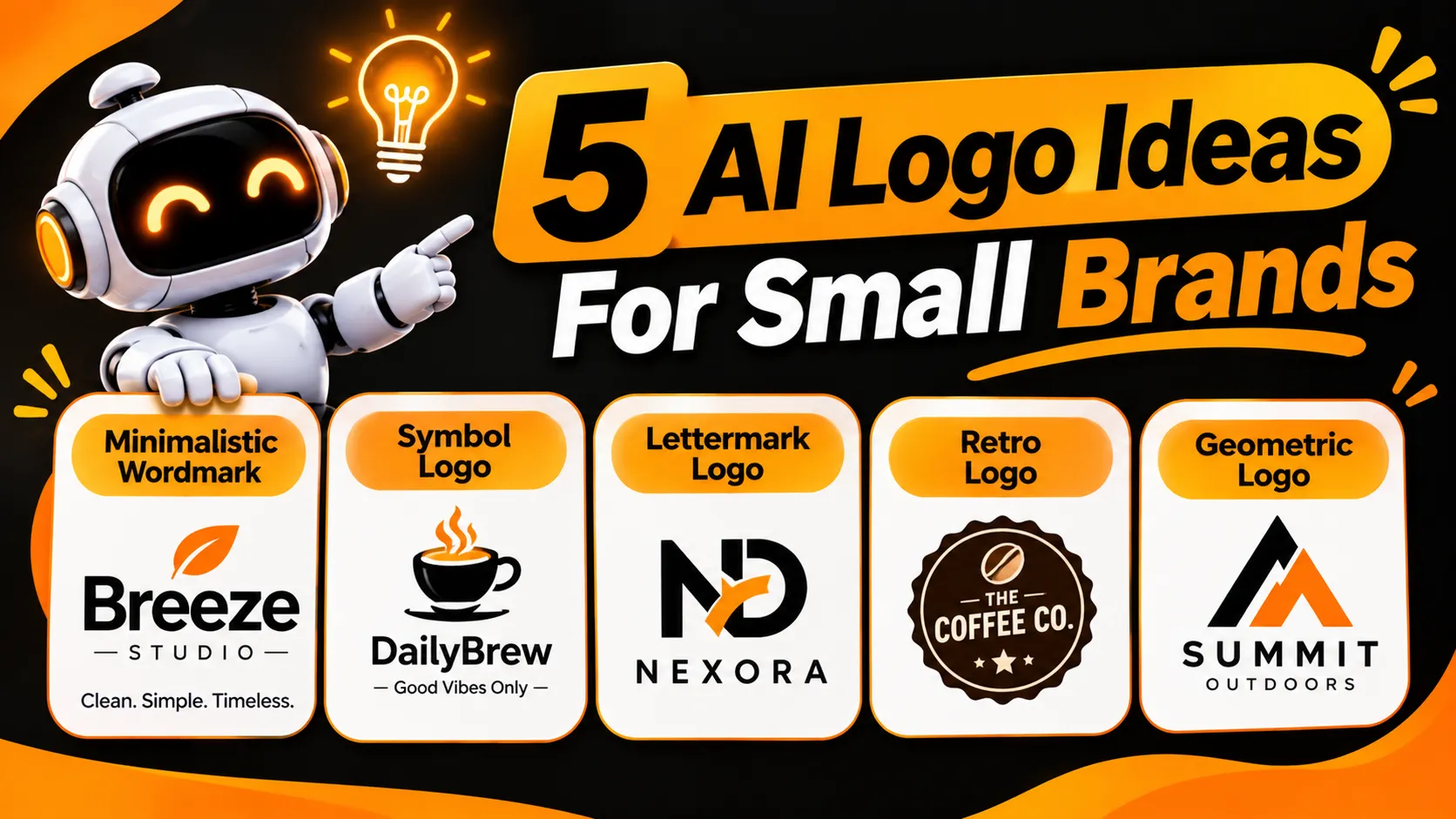
5 AI Logo Ideas For Small Brands
Before you enter your prompt think about what style you would like your logo to be.
1. Minimalistic Wordmark
A wordmark will use your brand name. Great for consultation businesses, fashion brands, tech start-ups and personal brands.
Use clean fonts, even spacing and simple colours.
2. Symbol Logo
A symbol logo will use an icon to represent your brand.
For example, a bakery may want to use an icon with wheat. Or a fitness brand may want to use an abstract icon.
Use a simple icon.
3. Lettermark Logo
A lettermark will use your brand's initials to create a unique image. It can be great for longer brand names. Make sure your letters are easy to read.
4. Retro Logo
A retro logo will be great for cafes, handmade brands, barber shops and traditional brands. Often use classic fonts, fancy borders and muted colours.
Avoid any complicated details.
5. Geometric Logo
This logo will be made using simple shapes and lines to create a balanced design. It is popular with technology, architecture, financial and modern lifestyle brands. It can be very sleek and versatile for use online and in print.
How To Create Better Prompts For An AI Logo
The better your prompt the better your logo will be.
A bad prompt could be: "Please create a beautiful logo."
This wouldn’t include any useful information. A good brief will tell us what type of brand you are, who your target audience is, what style of logo you would like and any restrictions.
Simple Brief Formula: [What Type Of Business] [What Type Of Brand] [What Style Of Logo] [What Colours] [Symbol] [Font] [Limitations]
For example:
"Please create a minimalist logo concept for a luxury organic skincare brand. Please include an elegant botanical symbol, muted sage green and warm beige colours, even font and clean flat design.’ Please avoid any gradients, shadows, mockups or complicated details."
This provides the AI with much clearer guidelines.
5 AI Logo Prompts
These can be adapted to your business:
Prompt 1 – Coffee Shop
"Please create a minimalist logo for our independent coffee shop BrewNest. Please include a simple coffee bean symbol, warm browns and creams, friendly rounded font and clean flat design."
Prompt 2 – Tech Start-Up
"Please create a modern geometric logo concept for our tech start-up Nexora. Please include a unique abstract symbol, dark blue and white colours, clean sans serif font. Please avoid any generic robot symbols and complicated effects."
Prompt 3 – Beauty Brand
"Please create an elegant logo for our luxury skincare brand PureGlow. Please include an elegant font, subtle botanical element and soft neutral colours. Please ensure plenty of spacing and it looks luxurious and subtle."
Prompt 4 – Fitness Brand
"Please create a bold and energetic logo for our fitness brand CoreFit. Please include a simple abstract movement symbol, bold font and black and orange colours. Ensure it can be used on gym merchandise and social media profiles."
Prompt 5 – Handmade Brand
"Please create a warm handmade logo concept for our small candle brand Ember & Oak. Please include a simple flame/leaf graphic, earthy colours and elegant font. Please ensure it is not too complicated and avoid any complicated backgrounds."
Pro Tip: Try creating a few variations of your prompt. Just change one thing at a time to see how to improve your design.
How To Create Logo Concepts With Xelta AI
You can create logo concepts using Xelata’s AI image generator.
Step 1 – Brand Identity
Enter your brand name, target audience, industry and what type of brand you are.
Would you like your brand to be playful, luxurious, professional or friendly?
Step 2 – Logo Style
Decide what style of logo you want. Wordmark, lettermark, symbol or combined.
Step 3 – Detailed Prompt
Enter details about your visual style, colours, font and any restrictions.
Step 4 – Multiple Variations
Try a few different concepts.
Step 5 – Improve Best Concept
Improve your symbol, spacing, colours or layout based on your results.
Step 6 – Final Design
Carefully review your logo. Fix any typos and recreate/improve your logo in the correct design software if needed.
If your brand is looking to create 3D designs, our 3D Logo Maker can provide you with another creative option and for more AI-generated design inspiration, logo ideas, and creative tutorials, follow us on Instagram.
7 Things To Check For Quality
Sometimes logos look great on a large screen but won’t work on packaging or social media.
Check the following 7 things:
| Quality Check | What to Review |
|---|---|
| Readability | Is the brand name clearly readable? |
| Simplicity | Does the design work without unnecessary details? |
| Scalability | Is it recognizable at small sizes? |
| Colour flexibility | Does it work in black and white? |
| Originality | Does it look too similar to an existing logo? |
| Brand relevance | Does it match your audience and industry? |
| File readiness | Can it be reproduced in suitable formats? |
Common Mistakes When Using AI For Logo Design
Even with a good prompt your design may not turn out great.
Avoid the following common mistakes when creating logos for your small brand:
- Too many colours. Keep it simple!
- Generic symbols. Avoid over used symbols that make your brand hard to identify.
- Font. The text may have typos or incorrect letters.
- Too many effects. Avoid using gradients, 3D and shadows.
- Not scaling down. Your logo may not be readable as a fav icon if it is too complicated.
- Not checking. Always ensure your logo is unique, high quality and you have permission to use it.
Your logo should clearly represent your brand.
Conclusion
Using an AI logo generator can help small brands create a brand with ease. Ensure you have a clear brand identity, detailed prompts and ensure all your designs are readable, unique and usable.
Whilst tools like Xelta AI can help with the initial creative process, the best logos will require careful consideration. Have questions about our creative tools or want to explore more AI-powered content creation possibilities? Contact us to learn more.