

Key Takeaways
- Free AI avatar generators offer limited video credits, monthly quotas or trial access rather than unlimited creation.
- HeyGen, Vidnoz and Synthesia provide different features, but watermarks, download restrictions and video limits vary.
- Check voice quality, pronunciation and lip-sync accuracy before creating longer videos.
- Creating a custom avatar from a photo requires proper permission and may involve separate animation costs.
- Free access does not automatically include commercial usage rights or watermark-free exports.
- Xelta provides 30 introductory credits for eligible creative tools, but talking-avatar video costs depend on the workflow.
- Always compare export quality, credit costs, privacy terms and usage rights before choosing a platform.
Table of Contents
- 1.Free AI Video Avatar Generators: Features and Limits
- 2.Quick Answer
- 3.What Does "Free" Mean for a Talking Avatar?
- 4.Which Free AI Avatar Video Tools Should You Compare?
- 5.How Do You Make a First Avatar Video Without Wasting Credits?
- 6.Can You Create a Custom Avatar From a Photo?
- 7.How Can You Improve the Voice and Lip Sync?
- 8.Which Restrictions Matter Before You Publish?
- 9.Final Thoughts
Free AI Video Avatar Generators: Features and Limits
The person needs a 40s introduction message that doesn’t involve filming. Recording a video with a digital speaking character seems perfect but then there are problems with watermarks on free videos, pronunciation issues and an inability to download the video. Finding a free AI video avatar generator is easy, finding one that can be used is a bit more of a challenge.
Quick Answer
These free AI avatars let you create videos using avatars. HeyGen will give you a limited number of videos with watermarks on them. Vidnoz offers a free version, but you'll have limits on exporting. Synthesia also allows you to create avatar videos, however, you'll need to be on their paid plan to download them. Consider how many videos you can make per month, how they watermark them, the voice quality, whether they're free to commercially use and if you can export your video.
What Does "Free" Mean for a Talking Avatar?
Avatar creation tools will allow you to create a short video, where you have a digital face, script and lip movements. Some require a pre made presenter. Others allow you to animate your own approved portrait. Creating a static avatar and creating a talking video are separate processes so may cost extra.
You’ll commonly get free options of a monthly quota, free trial or starter credits. This doesn’t mean you’ll be able to export as much as you like or use it for business. Find out what uses up your credits during the creation process and what is included in the downloaded file, before creating a lengthy script.
A creative tools overview can help you identify adjacent image, audio and editing workflows, but the existence of several tools does not establish that a complete talking avatar video is free.
Which Free AI Avatar Video Tools Should You Compare?
| Tool | Published free access | Important limitation |
|---|---|---|
| HeyGen | Three videos per month, up to one minute each; stock presenters and one custom avatar | Free videos carry a watermark |
| Vidnoz | Free avatar-video plan, with exports up to 720p and a maximum of three minutes per video | Paid tiers offer higher resolution and watermark removal; verify current daily credits |
| Synthesia | Free Basic plan with a monthly allowance of 10 minutes of Studio video creation or dubbing | Basic videos are watermarked and shared by link; downloads are a paid feature |
| Xelta | Thirty introductory credits after registration, applicable to eligible tools | Credit costs vary; this does not guarantee a free talking-avatar export |
These are provider published plan details, not performance scores. Quotas and eligibility can change, so check the account dashboard before preparing client work. A renewable free plan is more useful for weekly lessons than a generous trial that ends after one project.
How Do You Make a First Avatar Video Without Wasting Credits?
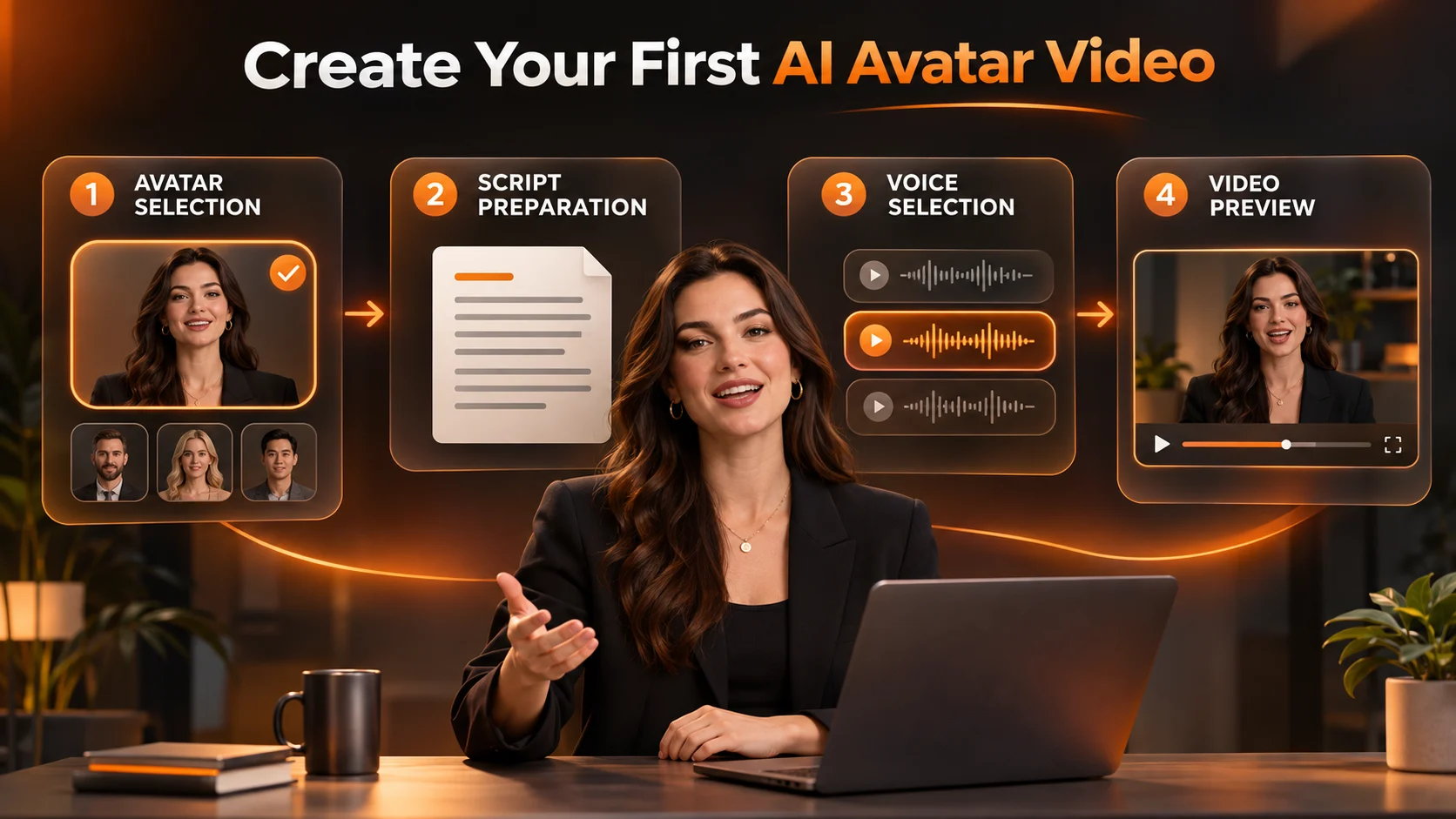
Imagine you are creating an online course entitled "Better Team meetings". Your opening should be short and snappy. Let's start with a 20 second script using a plain background.
- Pick who your presenter will be. Choose a licensed stock avatar or image that you have permission to animate.
- Create the script with short sentences and basic language. Use punctuation to indicate pauses.
- Pick a voice and check what languages and pronunciations are available.
- Create a short script and watch the whole video. Check the first and last words.
- Export/Share your video. Check the resolution, watermark, link duration and terms of use.
A great starting script could be:
Welcome to Better Team Meetings. In this lesson we will practice having a clear agenda and leaving with an action to agree.
This keeps the avatar focused on one task and won't overload them with a full sales pitch.
Can You Create a Custom Avatar From a Photo?
There are various options available. Depending on what you mean by custom some will generate a digital twin based on a recording, whilst others will create a still portrait based on a character. The original image should be well lit and have no obstructions to their face. You'll also need permission.
You can also use an Avatar Portrait Generator to create still characters using descriptions or images. The page mentions that you can upload images in formats such as PNG and JPG. This will not create a video, so you would still need to use an animation or talking avatar process to make the image speak.
Don't create a lookalike of a celebrity, customer or colleague without permission. Don't imply that a real person is endorsing your brand by using a synthetic presenter.
How Can You Improve the Voice and Lip Sync?
You can format numbers and abbreviations however you wish to say them. If you're having issues with the acronyms then just spell them out on the first generation. Speak in a relaxed manner with no constant pointing gestures.
Be aware of any lagging mouth movements, stiff expressions and trailing off words. Only fix one line at a time. You might find that doing a second voiceover and editing will give better results if the timing is still not right.
For an existing authorised headshot and recorded audio, a photo to talking video tool documents a workflow that accepts a JPG or PNG face image and MP3 or WAV audio. Check its per second credit charge first; introductory credits are not the same as free unlimited video.
Which Restrictions Matter Before You Publish?
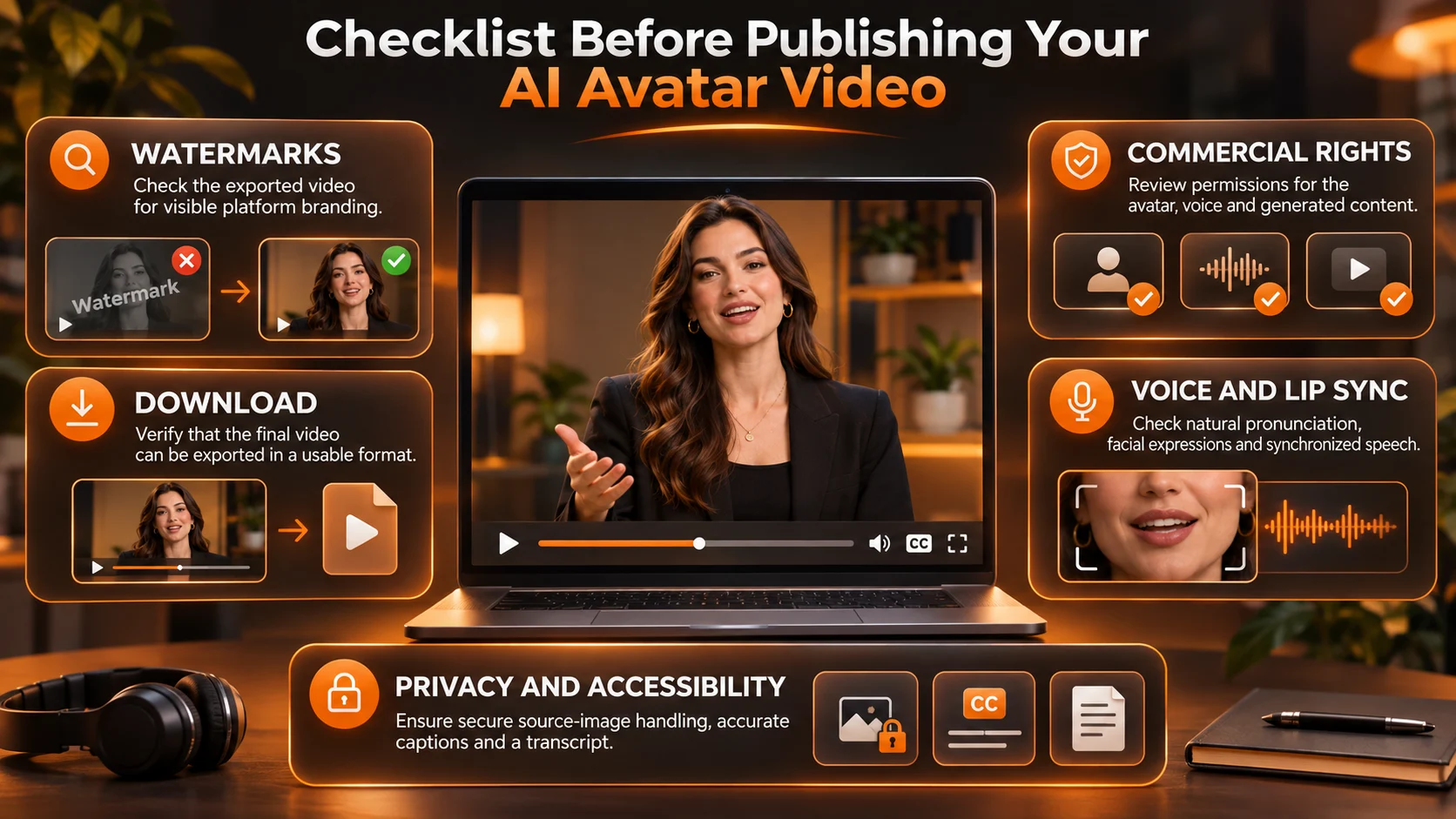
- Watermarks: Free options can be useful for internal feedback however they are not suitable for a finished paid advert. You cannot assume watermarks can be manually removed.
- Download: A link to share can be useful for reviewing however you will not be able to use this instead of an MP4 if you need to upload to your course platform.
- Commercial Use: This is a separate consideration to free creation. Please check the terms for your plan, avatar, source portrait and voice.
- Privacy: Do not upload any sensitive onboarding information, customer names or a voice that isn’t yours without permission. Save your final script and consent forms.
- Accessibility: Ensure captions have been corrected manually. Provide a transcript. The animated face should not be used as a replacement for meaningful imagery or clear teaching.
Final Thoughts
Having a free avatar video maker means you will be able to try out the digital host to ensure they can convey your messaging well. The visual appeal of the preview is not as important as whether you will be able to download the video, have a good voice, can edit an individual sentence, and have the right rights for your target audience.
Create a short and simple script to begin with, and make sure you are using a host which you have the rights to. Preview on your phone to see if there are any errors, and also make sure of the watermark. There are multiple free options available with HeyGen, Vidnoz and Synthesia offering different features. However, if you are using a credit based creative platform, make sure you check the cost.
If you are regularly producing videos for your business, focus on how much it costs to export approved and usable videos, rather than how many avatars are available in the catalogue.
For practical examples of video creation workflows, explore official creative tutorials.