Xelta logo
Image
Video
Audio
Xelta Cut
Video Editing
Video Stitching
Photo Lab
Moodboard AI
Background Remover
Motion Control
Character Replacement
Story Tweak
VFX Effects
AI MultiCam
Back Stage
Video To Anime
Edit
Xelta CutOpen the Xelta Cut video editor
Microdrama
MicroDrama 2.0
Script & Character
AI Lords
Anime Microdrama
Super Intelligence
Cinematic Studio
Video Lens
Movie Trailer
Comic Flow
Microcourse
AI Film
MicrodramaCreate engaging micro-dramas
Future Canvas
Gen Avatar
Sketch To Motion
AI Wallpaper
Sketch To Image
Virtual Try On
Home Design
Canvas Pro
Design Studio
Future CanvasVisualize ideas on Future Canvas
Instant Ad
Ad Maker
Prime Ad (60 sec)
Street Ad
UGC Ads
Giant Ads
URL to Ads
Marketing & Ads Usecase
AI Ads
Instant AdCreate campaign with just a link
Voice Dub
Voice Lip Sync
AI Voices
Audio Enhancer
AI Music
Voices
Voice DubAdd voiceovers and dubbing to videos
Reel Creator
Instagram Autopost
LinkedIn Autopost
Facebook Autopost
Linkedin Brand Website
Youtube Autopost
AI Influencer
Social Usecase
SocialVerse
Reel CreatorCreate engaging 30-second reels with AI
Website Builder
Face Swap
Design Usecase
Tools
Website BuilderGenerate full websites
MCP
GPT Plugin
Developer
MCPModel Context Protocol
Games
Pricing
Enterprise
AI FilmAI FilmEditCreateAI AdsAI AdsDesign Studio
← Press Releases

Xelta Announces Four AI Voice Tools for Video Dubbing, Lip Sync, Talking Videos and Voiceovers

News provided by

Xelta Editorial Team

August 11, 2026

Share this article

Xelta has announced four AI voice tools for video dubbing, lip sync, talking video creation, voiceovers, voice cloning and translation workflows

Xelta Expands AI Studio With Four Voice Tools for Dubbing, Lip Sync and Voice Creation

Voice Dub, Voice Lip Sync, AI Voices and Audio Enhancer address separate stages of localization, speech synchronization, talking video production and AI voice creation.

Published by Xelta
August 4, 2026
Gurugram, India
6 minute read

Announcement Summary

Xelta today announced the availability of four tools in its Voices category:

  • Voice Dub
  • Voice Lip Sync
  • AI Voices
  • Audio Enhancer

The tools support different production jobs, including video translation, speech and mouth synchronization, talking video creation, voiceover generation, voice transformation and AI dubbing.

Four Voice Workflows for Different Production Tasks

The four tools sit within Xelta's wider AI Studio and are presented as separate workflows rather than as one interchangeable feature.

This distinction matters because translating a video, aligning a face to new speech, creating a talking video and generating a voiceover require different source materials and different review checks.

Voice Dub Translates and Replaces Spoken Audio

Voice Dub (https://stf.xelta.ai/ai-studio/video-dubbing) accepts a source video and a target language. The live interface states that the original voice can be cloned and maintained, and users can choose whether to include captions. The result can then be downloaded or shared.

The tool is intended for creators, educators, marketing teams and localization workflows that need a video in another language without rebuilding the entire visual production.

Voice Lip Sync Aligns Video With a Script or Audio Track

Voice Lip Sync (https://stf.xelta.ai/ai-studio/lipsync-ai) accepts a source video and either a written script or an uploaded audio file.

The current interface also includes:

  • Target language selection
  • Caption controls
  • An option to remove existing captions
  • Voice conversion
  • A selectable sync mode

The output duration follows the script or input audio length. Users should review mouth timing, pronunciation, facial stability, caption accuracy and scene cuts before publishing.

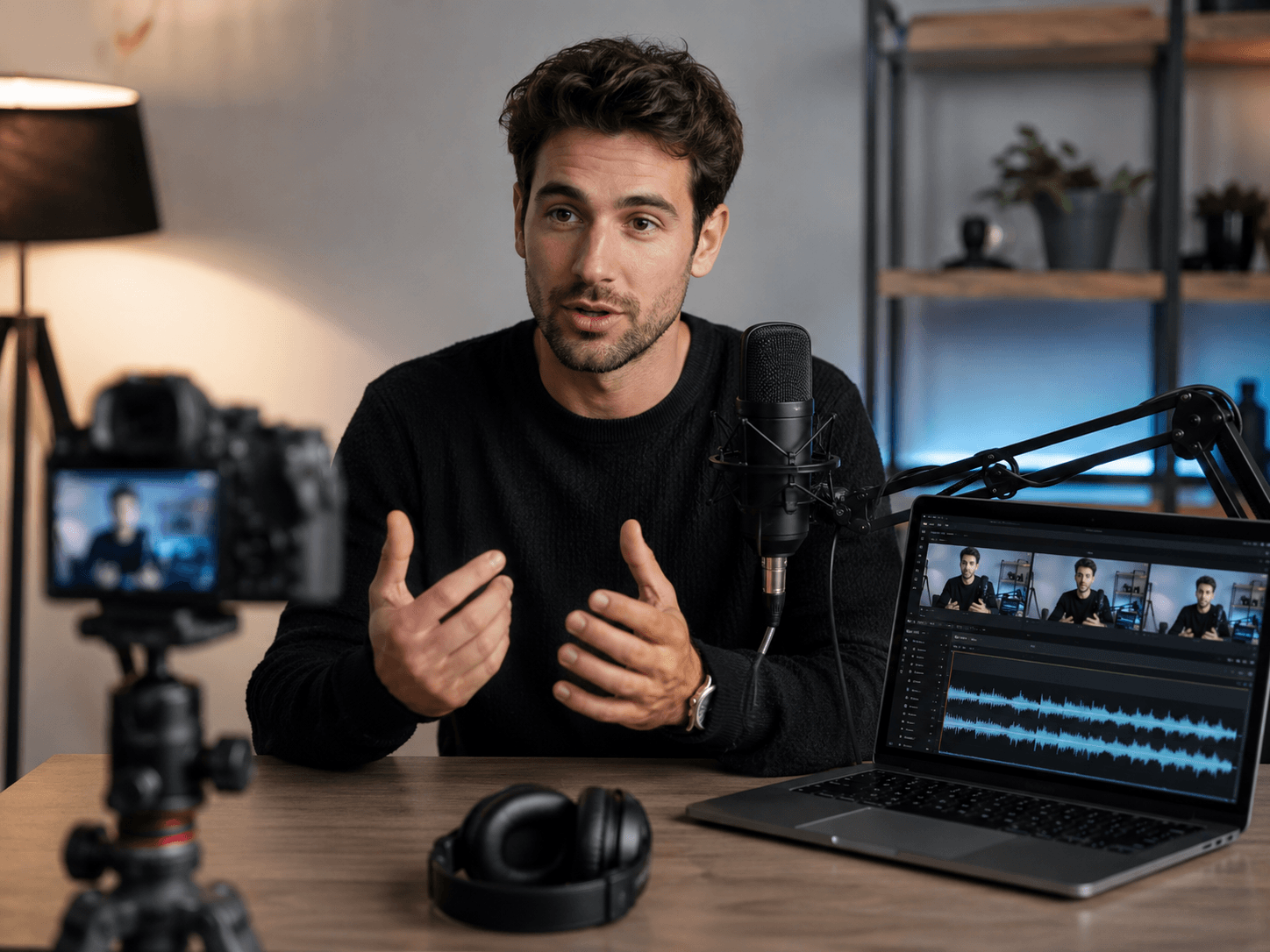
AI Voices Creates a Talking Video From Image and Audio Inputs

AI Voices (https://stf.xelta.ai/ai-studio/voices-ai) currently asks users to upload a face image and an audio track. An optional voice sample can be added to clone a voice style, after which the interface generates a video.

The live page uses broader text to speech language in its headline, but the visible workflow is based on image, audio and optional voice inputs.

This release therefore describes the interface that is currently shown rather than making a wider product claim.

Audio Enhancer Focuses on Voice Creation and Transformation

Audio Enhancer (https://stf.xelta.ai/audio-enhancer) currently presents the following controls:

  • Text to speech
  • AI voiceover
  • Voice cloning
  • Voice changing
  • Translation
  • AI dubbing

Its live page allows users to enter text, choose a voice from the library or upload a new voice, generate an output and download it.

Despite the product name, the current page is centered on voice generation and transformation. This release does not describe noise removal or audio restoration because those controls are not shown on the live product page.

Why the Voices Category Matters

A localization or talking video project can require several separate steps. A team may need to translate speech, replace audio, synchronize mouth movement, create narration and review captions before the video is ready.

Xelta groups dedicated voice tools within the same platform so users can choose the workflow that matches the job instead of treating every audio task as the same process.

The practical benefit is a clearer production path. The final quality still depends on:

  • Source video quality
  • Audio clarity
  • Script timing
  • Language review
  • Voice permissions
  • Human approval

How the Workflow Fits Within Xelta

A typical project begins with an approved source video, image, script or audio track.

The user selects the relevant voice tool, generates a first result and reviews it for timing, language, identity, captions and output quality. The approved result can then continue through other Xelta AI Studio tools for editing or wider content production.

The tools can support:

  • Localized explainers
  • Multilingual product videos
  • Talking presenter content
  • Narrated social videos
  • Educational material
  • Campaign variations
  • Voiceover production

These are practical examples, not guaranteed performance outcomes.

Availability, Pricing and Access

The four product pages are currently live on Xelta.

Access may require an account, plan or credits depending on the selected workflow. Exact prices and credit requirements are not included in this release because they can change.

Current information is available on the Xelta pricing page.

Accuracy, Consent and Responsible Use

AI generated dubbing, speech, captions and facial synchronization can contain language, pronunciation, timing, identity or contextual errors. Users should review every final output before publication.

Users should also confirm that they have the necessary rights and permissions for uploaded videos, images, audio and voice samples.

Xelta's Privacy Policy explains how the platform may process account information, prompts and uploaded media, while the Terms and Conditions describe user obligations and acceptable use requirements.

Frequently Asked Questions

What are the four Xelta voice tools?

The current Voices category includes:

  • Voice Dub for translated video audio
  • Voice Lip Sync for matching speech to a visible face
  • AI Voices for creating a talking video from image and audio inputs
  • Audio Enhancer for voiceover generation, voice cloning, voice changes, translation and AI dubbing

Are the four tools the same?

No. They solve different production tasks and require different inputs.

  • Voice Dub begins with a video and target language.
  • Voice Lip Sync begins with a video plus a script or audio file.
  • AI Voices uses a face image and audio.
  • Audio Enhancer focuses on text and voice generation or transformation.

Is pricing included in this announcement?

No fixed price or credit figure is stated in this release. Users should check the current Xelta pricing page and the selected product interface before starting a generation.

Explore Xelta Voices

Explore Xelta AI Studio and choose the voice workflow that matches the source material and intended output.

About Xelta

Xelta is an AI creative platform for image, video, voice, advertising and content production workflows.

The platform brings multiple creation and editing tools into a broader AI Studio for creators, marketers, agencies, educators and businesses.

For more information, visit the official Xelta website or read About Xelta.
Media Contact

Name: Vishal Arya
Designation: Founder and CEO, MatchBest Group
Company: Xelta
Email: [email protected]
Website: Xelta official website
Location: Gurugram, India

Xelta Announces Four AI Voice Tools for Video Dubbing, Lip Sync, Talking Videos and Voiceovers
Background

Built for the next
generation digital artists.

Xelta LogoXelta.AI
Google Play QR Code
Google Play
App Store QR Code
App Store

AI Generation

  • AI Image Generator
  • AI Video Generator
  • AI Audio Generator

AI Films

  • Microdrama
  • MicroDrama 2.0
  • Script & Character
  • AI Lords
  • Anime Microdrama
  • Super Intelligence
  • Cinematic Studio
  • Video Lens
  • Movie Trailer
  • Comic Flow
  • Microcourse

AI Ads

  • Instant Ad
  • Ad Maker
  • Prime Ad
  • Street Ad
  • UGC Ads
  • Giant Ads
  • URL to Ads
  • Marketing & Ads

SocialVerse

  • Reel Creator
  • Instagram Autopost
  • LinkedIn Autopost
  • Facebook Autopost
  • Linkedin Website
  • Youtube Autopost
  • AI Influencer
  • Social Usecase

Resources

  • About Us
  • Blogs
  • Events
  • Pricing
  • Press Releases
  • Contact
  • Community
  • AI Generator
  • Games

Video Models

  • Seedance 2.5
  • Seedance 2.0
  • Kling 3.0
  • Veo 3.0 Introduction
  • WAN 2.6
  • Grok Imagine 1.5
  • Gemini Omni Flash

Edit

  • Xelta Cut
  • Video Editing
  • Video Stitching
  • Photolab
  • Moodboard AI
  • Background Remover
  • Motion Control
  • VFX Effects
  • AI MultiCam
  • Back Stage
  • Video To Anime

Design Studio

  • Future Canvas
  • Gen Avatar
  • Sketch To Motion
  • AI Wallpaper
  • Sketch To Image
  • Virtual Try On
  • Home Design
  • Canvas Pro

Voices

  • Voice Dub
  • Voice Lip Sync
  • AI Voices
  • Audio Enhancer
  • AI Music

Tools

  • Website Builder
  • Face Swap
  • Design Usecase

Legal

  • Terms & Conditions
  • Privacy Policy
  • Security
  • Refund Policy
  • FAQs
  • Sitemap
  • Credits Usage

Image Models

  • Gemini 2.5 Flash Image
  • Flux Kontext Pro
  • Seedream 5.0 Pro
  • GPT Image 2

AI Generation

  • AI Image Generator
  • AI Video Generator
  • AI Audio Generator

Edit

  • Xelta Cut
  • Video Editing
  • Video Stitching
  • Photolab
  • Moodboard AI
  • Background Remover
  • Motion Control
  • VFX Effects
  • AI MultiCam
  • Back Stage
  • Video To Anime

AI Films

  • Microdrama
  • MicroDrama 2.0
  • Script & Character
  • AI Lords
  • Anime Microdrama
  • Super Intelligence
  • Cinematic Studio
  • Video Lens
  • Movie Trailer
  • Comic Flow
  • Microcourse

Design Studio

  • Future Canvas
  • Gen Avatar
  • Sketch To Motion
  • AI Wallpaper
  • Sketch To Image
  • Virtual Try On
  • Home Design
  • Canvas Pro

AI Ads

  • Instant Ad
  • Ad Maker
  • Prime Ad
  • Street Ad
  • UGC Ads
  • Giant Ads
  • URL to Ads
  • Marketing & Ads

Voices

  • Voice Dub
  • Voice Lip Sync
  • AI Voices
  • Audio Enhancer
  • AI Music

SocialVerse

  • Reel Creator
  • Instagram Autopost
  • LinkedIn Autopost
  • Facebook Autopost
  • Linkedin Website
  • Youtube Autopost
  • AI Influencer
  • Social Usecase

Tools

  • Website Builder
  • Face Swap
  • Design Usecase

Resources

  • About Us
  • Blogs
  • Events
  • Pricing
  • Press Releases
  • Contact
  • Community
  • AI Generator
  • Games

Legal

  • Terms & Conditions
  • Privacy Policy
  • Security
  • Refund Policy
  • FAQs
  • Sitemap
  • Credits Usage

Video Models

  • Seedance 2.5
  • Seedance 2.0
  • Kling 3.0
  • Veo 3.0 Introduction
  • WAN 2.6
  • Grok Imagine 1.5
  • Gemini Omni Flash

Image Models

  • Gemini 2.5 Flash Image
  • Flux Kontext Pro
  • Seedream 5.0 Pro
  • GPT Image 2

© 2026 Xelta. All rights reserved. Built for the
next generation of creators.

Follow us on: