






Xelta logo
Image
Video
Audio
Xelta Cut
Video Editing
Video Stitching
Photo Lab
Moodboard AI
Background Remover
Motion Control
Character Replacement
Story Tweak
VFX Effects
AI MultiCam
Back Stage
Video To Anime
Edit
Xelta CutOpen the Xelta Cut video editor
Microdrama
MicroDrama 2.0
Script & Character
AI Lords
Anime Microdrama
Super Intelligence
Cinematic Studio
Video Lens
Movie Trailer
Comic Flow
Microcourse
AI Film
MicrodramaCreate engaging micro-dramas
Future Canvas
Gen Avatar
Sketch to Motion
AI Wallpaper
Sketch To Image
Virtual Try On
Home Design
Canvas Pro
Design Studio
Future CanvasVisualize ideas on Future Canvas
Instant Ad
Ad Maker
Prime Ad (60 sec)
Street Ad
UGC Ads
Giant Ads
URL to Ads
Marketing & Ads Usecase
AI Ads
Instant AdCreate campaign with just a link
Voice Dub
Voice Lip Sync
AI Voices
Audio Enhancer
AI Music
Voices
Voice DubAdd voiceovers and dubbing to videos
Reel Creator
Instagram Autopost
LinkedIn Autopost
Facebook Autopost
Linkedin Brand Website
Youtube Autopost
AI Influencer
Social Usecase
SocialVerse
Reel CreatorCreate engaging 30-second reels with AI
Website Builder
Face Swap
Design Usecase
Tools
Website BuilderGenerate full websites
MCP
GPT Plugin
Developer
MCPModel Context Protocol
Games
Pricing
Enterprise
Reelix
AI FilmAI FilmDesign StudioCreateAI AdsAI AdsEdit
AI Studio - Xelta

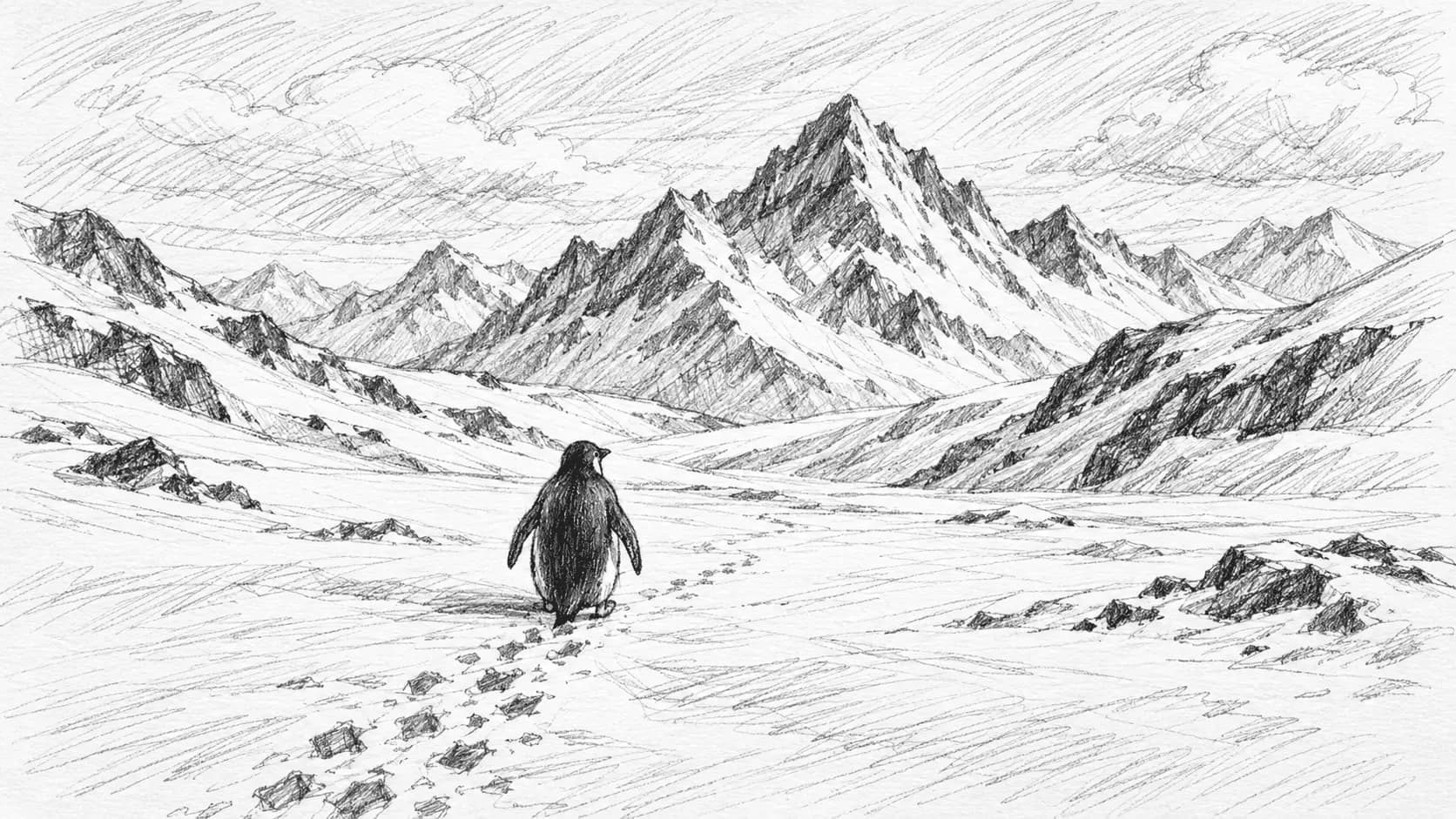
Bring drawings to life
turn any sketch into a video

Transform your rough sketches into stunning videos instantly. Simply draw your ideas, and AI brings them to life with smooth animations and polished visuals.

Original Sketch
Original Sketch
Video Reveal

Frequently
asked questions

AI Sketch to Motion transforms simple drawings, sketches, and images into dynamic animated videos. Whether you upload an image, draw on our canvas, or create text-based prompts, our AI generates realistic motion videos with cinematic camera movements and smooth animations.
You can use multiple input modes: upload an existing image, draw directly on our digital canvas, create sketches from scratch, add inpaint masks to existing images/videos, or generate motion from text prompts alone. Each mode offers different creative possibilities for your animations.
Use our built-in sketch canvas with drawing tools to create your artwork directly in the browser. You can draw backgrounds, add details, create masks for editing, or sketch concepts from scratch. The canvas supports various brush sizes and drawing modes for precise control.
Customize aspect ratio (16:9, 9:16, 1:1), resolution (720p, 1080p, 4K), duration (5-15 seconds), motion presets (general, cinematic, dynamic), and camera settings. You can also enable fast processing mode and choose whether to use fixed camera positions or dynamic movements.
Generation typically takes 2-5 minutes depending on resolution, duration, and complexity. You'll see real-time progress updates through queuing, processing, image generation, and final video rendering stages. Higher resolutions and longer durations require more processing time.
Upload images in JPG, PNG, WEBP, or BMP formats up to 100MB. For video inpainting mode, upload video files in standard formats. Generated videos are exported as MP4 files optimized for social media platforms and professional use.
Yes! Use our AI prompt enhancement feature to automatically refine and improve your text descriptions. This helps generate more detailed, creative prompts that produce better motion results and more engaging animations.
Cost varies by mode and settings, typically ranging from 5-15 credits per generation. Text-based generation costs less than image-based modes. The exact cost is displayed on the Generate button before you start, so you know the credit usage upfront.
Yes, with video inpaint mode you can upload a source video and draw masks to modify specific areas. The AI will animate and transform the masked regions while preserving the rest of the video, perfect for selective editing and enhancement.
Human images and videos are not supported for privacy and ethical reasons. The system is designed for objects, scenes, abstract concepts, and non-human subjects. This ensures responsible AI usage while still enabling creative motion generation.

AI Sketch to Motion

Introduction & What It Is

Turn simple line drawings and storyboards into fully rendered, animated motion graphics with Xelta Sketch to Motion.

How It Works

  1. Upload a sketch
  2. Provide a text prompt describing the scene
  3. AI renders the full video
  4. Export

Core Features & Benefits

  • High Fidelity: Turns rough sketches into photorealistic or 3D animations.
  • Creative Control: The AI strictly adheres to the composition of your sketch.
  • Rapid Prototyping: Visualize full scenes in seconds.

Use Cases & Examples

Directors storyboarding films, animators quickly prototyping movement.

Trusted Expertise & E-E-A-T

Developed by Xelta's expert machine learning engineers, our platform is built upon state-of-the-art generative AI research. We are trusted by thousands of digital creators, marketing agencies, and enterprise clients worldwide to deliver authoritative, reliable, and commercially safe AI tools.

Customer Reviews & Case Studies

Case Study: Discover how enterprise marketing teams scaled their content production by 300% using the AI Sketch to Motion.

Genuine Review: "Xelta's AI Sketch to Motion completely transformed our creative workflow. It is the most reliable generative AI tool we've tested." - Rated 4.9/5 by industry professionals.

Original Research & Linkable Assets

According to Xelta's 2026 AI Production Report, integrating the AI Sketch to Motion into creative pipelines reduces average rendering and editing times by over 85%, establishing a new industry benchmark for generative media performance.
Trust & Legal

  • Contact Support
  • Privacy Policy
  • Terms of Service

Explore More Generative AI Capabilities

  • Try our AI Video Dubbing tool for seamless translations
  • Explore Xelta Prism for advanced video processing
  • Use the AI Music Generator for custom soundtracks
Background

Built for the next
generation digital artists.

Xelta LogoXelta.AI
Google Play QR Code
Google Play
App Store QR Code
App Store

AI Generation

  • AI Image Generator
  • AI Video Generator
  • AI Audio Generator

AI Films

  • Microdrama
  • MicroDrama 2.0
  • Script & Character
  • AI Lords
  • Anime Microdrama
  • Super Intelligence
  • Cinematic Studio
  • Video Lens
  • Movie Trailer
  • Comic Flow
  • Microcourse

AI Ads

  • Instant Ad
  • Ad Maker
  • Prime Ad
  • Street Ad
  • UGC Ads
  • Giant Ads
  • URL to Ads
  • Marketing & Ads

SocialVerse

  • Reel Creator
  • Instagram Autopost
  • LinkedIn Autopost
  • Facebook Autopost
  • Linkedin Website
  • Youtube Autopost
  • AI Influencer
  • Social Usecase

Resources

  • About Us
  • Blogs
  • Events
  • Pricing
  • Press Releases
  • Contact
  • Community
  • Reelix
  • AI Generator
  • Games

Video Models

  • Seedance 2.5
  • Seedance 2.0
  • Kling 3.0
  • Veo 3.0 Introduction
  • WAN 2.6
  • Grok Imagine 1.5
  • Gemini Omni Flash

Edit

  • Xelta Cut
  • Video Editing
  • Video Stitching
  • Photolab
  • Moodboard AI
  • Background Remover
  • Motion Control
  • VFX Effects
  • AI MultiCam
  • Back Stage
  • Video To Anime
  • Character Replacement
  • Story Tweak

Design Studio

  • Future Canvas
  • Gen Avatar
  • Sketch to Motion
  • AI Wallpaper
  • Sketch To Image
  • Virtual Try On
  • Home Design
  • Canvas Pro

Voices

  • Voice Dub
  • Voice Lip Sync
  • AI Voices
  • Audio Enhancer
  • AI Music

Tools

  • Website Builder
  • Face Swap
  • Design Usecase

Legal

  • Terms & Conditions
  • Privacy Policy
  • Security
  • Refund Policy
  • FAQs
  • Sitemap
  • Credits Usage

Image Models

  • Gemini 2.5 Flash Image
  • Flux Kontext Pro
  • Seedream 5.0 Pro
  • GPT Image 2

AI Generation

  • AI Image Generator
  • AI Video Generator
  • AI Audio Generator

Edit

  • Xelta Cut
  • Video Editing
  • Video Stitching
  • Photolab
  • Moodboard AI
  • Background Remover
  • Motion Control
  • VFX Effects
  • AI MultiCam
  • Back Stage
  • Video To Anime
  • Character Replacement
  • Story Tweak

AI Films

  • Microdrama
  • MicroDrama 2.0
  • Script & Character
  • AI Lords
  • Anime Microdrama
  • Super Intelligence
  • Cinematic Studio
  • Video Lens
  • Movie Trailer
  • Comic Flow
  • Microcourse

Design Studio

  • Future Canvas
  • Gen Avatar
  • Sketch to Motion
  • AI Wallpaper
  • Sketch To Image
  • Virtual Try On
  • Home Design
  • Canvas Pro

AI Ads

  • Instant Ad
  • Ad Maker
  • Prime Ad
  • Street Ad
  • UGC Ads
  • Giant Ads
  • URL to Ads
  • Marketing & Ads

Voices

  • Voice Dub
  • Voice Lip Sync
  • AI Voices
  • Audio Enhancer
  • AI Music

SocialVerse

  • Reel Creator
  • Instagram Autopost
  • LinkedIn Autopost
  • Facebook Autopost
  • Linkedin Website
  • Youtube Autopost
  • AI Influencer
  • Social Usecase

Tools

  • Website Builder
  • Face Swap
  • Design Usecase

Resources

  • About Us
  • Blogs
  • Events
  • Pricing
  • Press Releases
  • Contact
  • Community
  • Reelix
  • AI Generator
  • Games

Legal

  • Terms & Conditions
  • Privacy Policy
  • Security
  • Refund Policy
  • FAQs
  • Sitemap
  • Credits Usage

Video Models

  • Seedance 2.5
  • Seedance 2.0
  • Kling 3.0
  • Veo 3.0 Introduction
  • WAN 2.6
  • Grok Imagine 1.5
  • Gemini Omni Flash

Image Models

  • Gemini 2.5 Flash Image
  • Flux Kontext Pro
  • Seedream 5.0 Pro
  • GPT Image 2

© 2026 Xelta. All rights reserved. Built for the
next generation of creators.

Follow us on:
Sketch To Motion
Source

* Note: Human images are not supported.