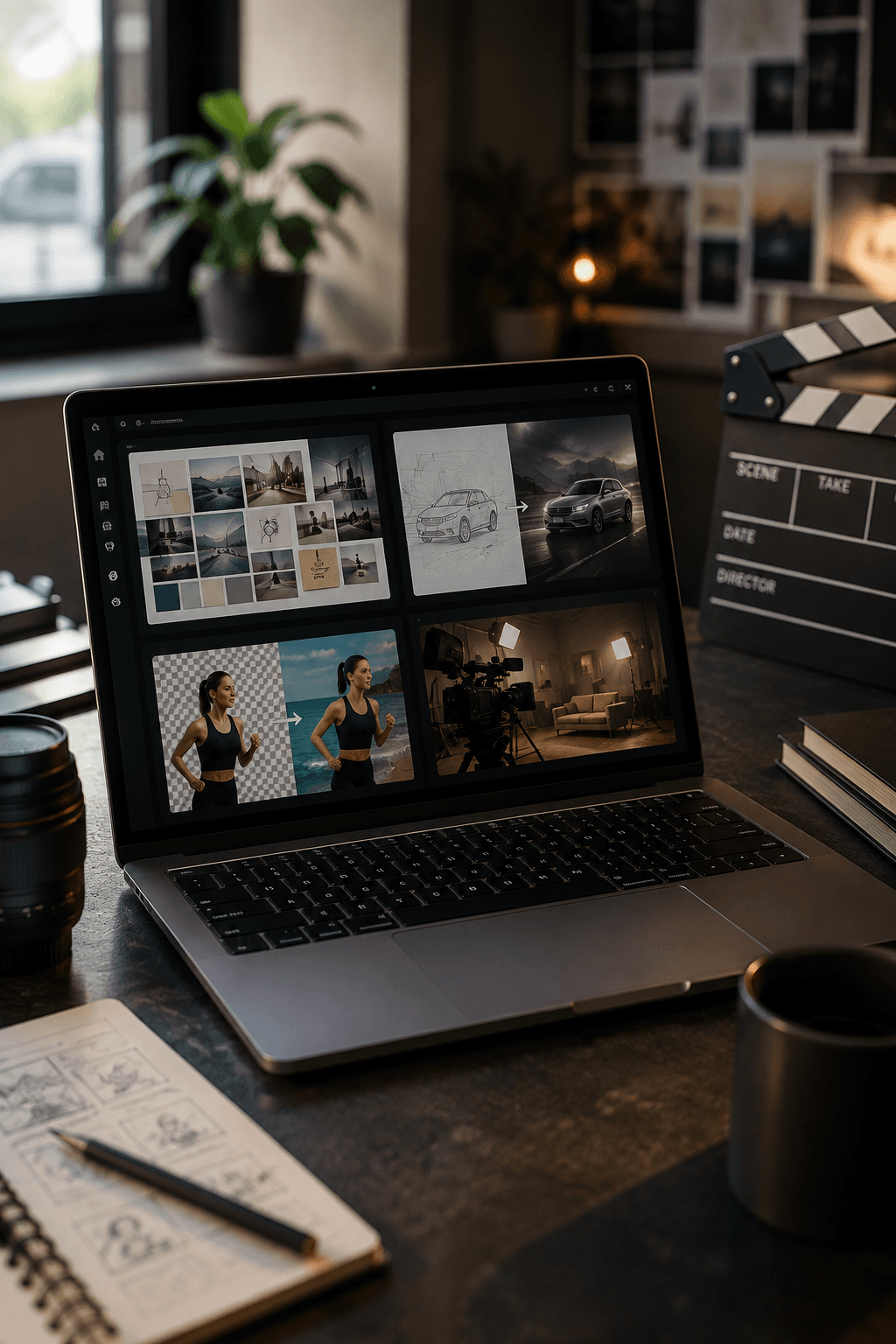
Xelta has added four tools to AI Studio, helping creators build moodboards, animate sketches, prepare existing video footage and turn finished images into cinematic campaign reveals.
Xelta Mix, Back Stage, Video Background Remover and Sketch to Motion extend the platform from early visual planning through video preparation and presentation.
Xelta today announced four additions to its creative toolset: Xelta Mix, Back Stage, Video Background Remover and Sketch to Motion. Together, they address four practical stages of visual production: setting a creative direction, testing motion from a drawing, separating a subject from an existing video and turning a finished image into a movie set style reveal.
The tools appear within Xelta's broader AI Studio and creative tool ecosystem. Rather than presenting each task as a separate production process, the new additions give creators more ways to move from an early idea to a reviewable visual asset without leaving the platform.
This release covers only the four remaining tools shown in the current AI Studio menu. Previously announced tools, including XeltaCut, Video Editing, Video Stitching, GenAvatar, Future Canvas, Motion Control, VFX Effects and AI MultiCam, are not repeated here.
Many campaigns begin with a loose idea rather than a finished brief. Xelta Mix is designed for that early stage. A user can describe a visual direction and generate a cohesive moodboard that brings references, colors and typography into one place.
The practical value is not simply producing more images. It is giving a team something concrete to react to before time is spent on final assets. A creative lead can use the board to discuss tone, visual language and consistency, then refine the brief before moving into production.
A storyboard frame or concept sketch often communicates the right idea while still feeling too static for a client review. Sketch to Motion is built to turn a drawing or concept image into a short video sequence.
The current workflow allows users to work from a canvas or source image, add a prompt and choose settings such as aspect ratio, resolution and duration.
That makes the tool useful for exploring movement, framing and pacing before a team commits to a longer animation or live shoot. The generated result should still be reviewed for continuity, visual accuracy and whether the motion supports the original idea.
A strong performance or product shot can be difficult to reuse when the original background does not suit a new campaign. Video Background Remover isolates the subject from a video and can produce a transparent cutout or place the subject against a custom color, blur, image or AI generated scene.
The tool's current page lists support for:
MP4 MOV AVI MKV WEBM
It also includes controls for processing scope, output quality and the removal threshold. These controls give users a clearer starting point, although difficult hair, motion blur, transparent objects and low contrast edges may still need close inspection.
Some visuals need a second life after the main image has already been approved. Back Stage takes a single photo and presents it as a cinematic movie set reveal, adding the visual language of cameras, crew, lighting and a dramatic camera move.
The current interface includes options for:
Theme Crew level Motion style Commentary language Audio
That makes the tool suited to behind the scenes style social posts, campaign reveals and creative presentations where the transformation itself is part of the story.
The four tools are different, but they can fit into one connected sequence. A team might begin with a moodboard in Xelta Mix, test movement from a sketch, prepare existing footage with Video Background Remover and finish with a Back Stage reveal for a launch post or presentation.
That sequence is an example, not a required workflow. Each tool can also be used independently. The useful choice depends on the source material, the publishing destination and the level of control the project needs.
Direction
Build a moodboard with Xelta Mix.
Motion Test
Animate a sketch or concept.
Footage Preparation
Remove or replace a video background.
Reveal
Present a still image as a movie set scene.
The additions are intended to shorten the distance between an idea and a working creative draft. They do not remove the need for human review.
Users should check:
Subject edges Identity consistency Written text Audio Motion quality Brand details Final platform crops
Availability, credit use, output settings and supported options may vary by tool and account. The official product pages should be treated as the current source for each workflow.
Xelta Mix, Back Stage, Video Background Remover and Sketch to Motion are listed within Xelta's current creative ecosystem and can be accessed through their respective product pages.
Users can also explore the wider Xelta platform for image, video, audio, advertising and social content workflows.
Xelta is an AI powered creative platform that brings image generation, video creation, editing, audio, advertising tools and publishing workflows into one environment for creators, marketers and businesses.
The platform includes AI Studio, AI Film, Voices, SocialVerse, AI Ads and a collection of specialized creative tools. Generated content should be reviewed before commercial or public use.
| Detail | Information |
|---|---|
| Company | Xelta |
| [email protected] | |
| Website | xelta.ai |