Key Takeaways
- The cafe scene seems realistic but once the barista starts talking there are issues.
- For an animated script, give a scene description, list each character including their name and short dialogue, and include specific sound effects.
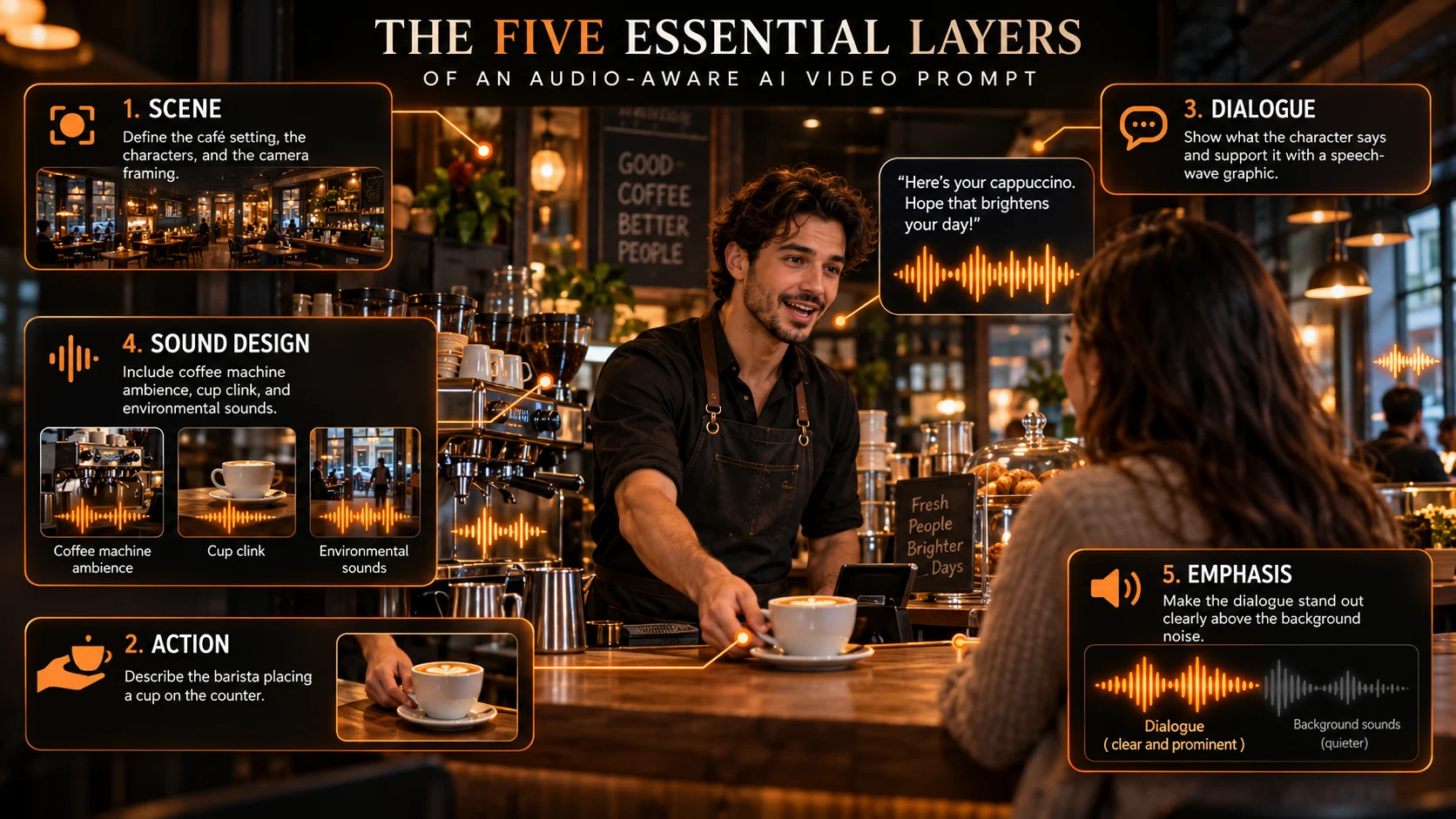
- We can break this down into 5 levels: - Scene: location, characters and camera - Action: Who is moving?
- Suppose you're making an eight-second bakery announcement.
Table of Contents
- 1.How to Prompt Dialogue and Sound Effects for AI Video Models
- 2.Quick Answer
- 3.Why Models Misread Instructions Around Dialogue and Sound Effects for AI Video Models
- 4.What Belongs in an Audio Aware Video Prompt?
- 5.How Do You Write a Single Speaker Dialogue Prompt?
- 6.How Do You Prompt a Conversation Between Two People?
- 7.How Do You Prompt Effects Without Any Dialogue?
- 8.Why Do Dialogue and Sound Effects Fail?
- 9.When Should You Add the Voice After Generating Video?
- 10.What Should You Check Before Publishing?
- 11.Final Thoughts
How to Prompt Dialogue and Sound Effects for AI Video Models
The cafe scene seems realistic but once the barista starts talking there are issues. The dialogue appears and the sound of the coffee machine is too loud. Plus the door slammed without anyone touching it.
Video AI dialogue requires more than just the dialogue. It needs to include where the voice is coming from, when the sound should be added and what should be clear for the audience to hear.
Quick Answer
For an animated script, give a scene description, list each character including their name and short dialogue, and include specific sound effects. Include some background sound to add atmosphere and also include any major sound effects. Explain which sounds should be most dominant. Some models will have synced sound, if not create visuals first and then sound during editing.
Why Models Misread Instructions Around Dialogue and Sound Effects for AI Video Models
No. Some models create video with native audio, while others produce silent clips or provide separate sound options.
Google's Veo documentation describes prompts for dialogue, effects, and ambience. OpenAI's Sora 2 guide advises concise speaker labelled lines. Kling's Video 2.6 audio guide also documents dialogue and environmental sounds.
Those are model specific capabilities, not guarantees across every interface or version.
Before spending credits, check the exact model, its audio setting, duration limit, and whether spoken lines are supported. Browsing a collection of creative tools does not mean every video model in it responds to audio instructions in the same way.
What Belongs in an Audio Aware Video Prompt?
We can break this down into 5 levels:
- Scene: location, characters and camera
- Action: Who is moving? What is changing?
- Dialogue: Exactly what is being said and by whom. How are they saying it?
- Sound Design: Short SFX tied to actions and constant background SFX
- Emphasis: What should we be focusing on?
"Busy café" could be used to describe the scene but would be too vague for a scene where someone is whispering a question.
"Quiet background of the espresso machine, with clear dialogue" provides a clearer balance that will help you. Whilst it won’t guarantee an audio mix, it provides something that can be tested.
How Do You Write a Single Speaker Dialogue Prompt?
Suppose you're making an eight-second bakery announcement. Keep the line conversational and give the character a simple action.
[Medium shot] The baker sets down a hot loaf of bread on the counter inside a small bakery. The baker looks directly into the camera. All one shot with a soft natural light coming through the window.
Baker (Happy) "Fresh sourdough available"
[Soft tapping from the wood boards as the loaf is laid down. A very quiet breeze sounds in the background. No music]
A text-to-video creation tool can be used to explore this kind of scene, but first select a model that supports audio if you expect speech in the generated file.
Otherwise, produce the visuals and add the line separately.
How Do You Prompt a Conversation Between Two People?
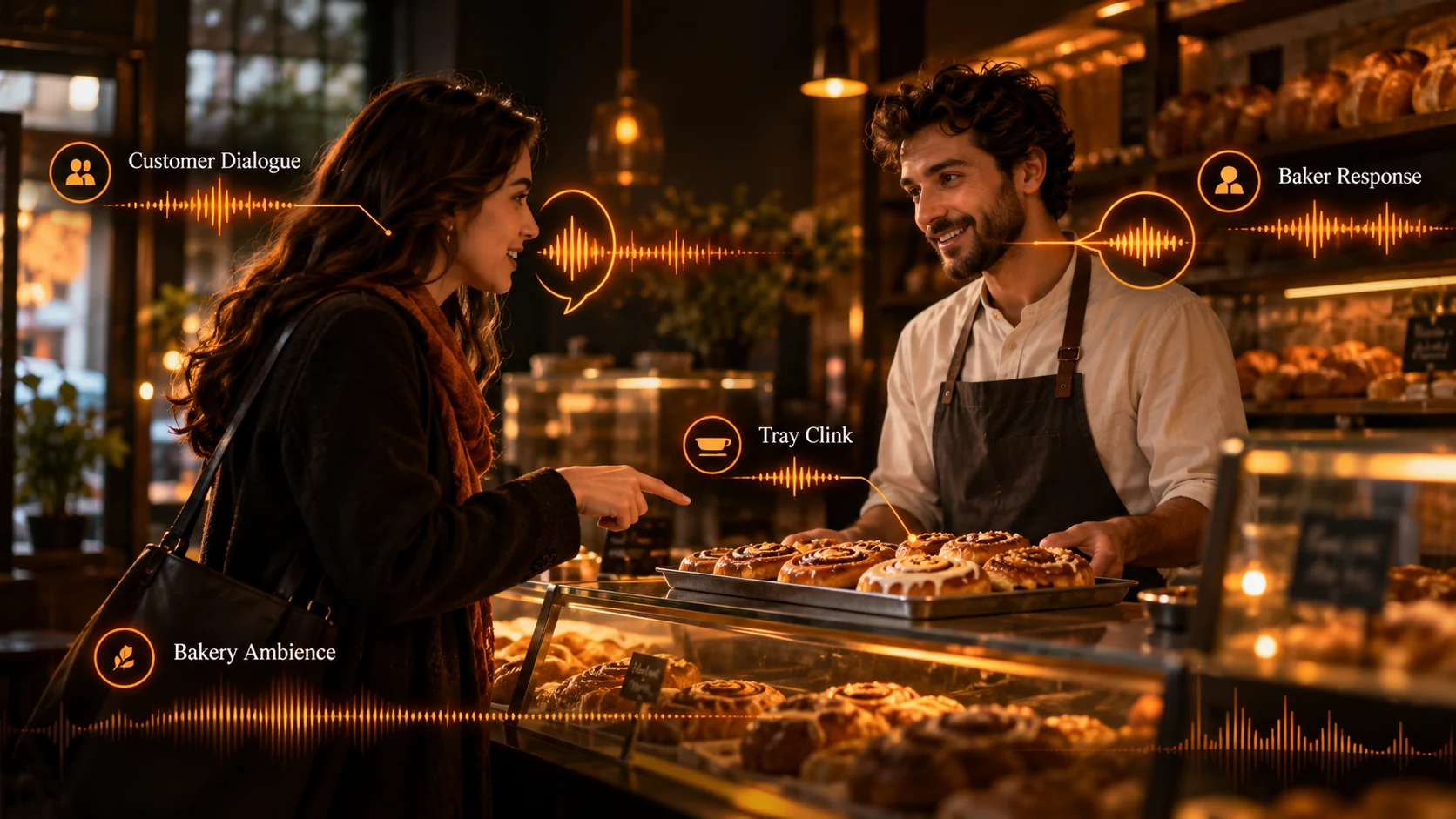
Avoid using multiple characters and too many lines of dialogue. Instead give each character a title, action and short line of dialogue.
A medium shot of two people standing at the counter of a bakery. The customer points towards a tray and the baker faces them.
Customer (Curious): Are these cinnamon rolls fresh?
Baker (Warmly): They're fresh out the oven!
[Soft background audio of cafe. Small clink of tray. Dialogue is prominent.]
If the wrong character is speaking then keep the camera simple and reduce the amount of actions. For longer lines of dialogue create different shots which can be edited.
Good writing will not allow you to fit more dialogue into a short video.
How Do You Prompt Effects Without Any Dialogue?
Only an audio clip. You need to provide a list of visual events that cause this sound. Random cinematic sounds might occur.
Describe what is causing the sound, how it feels and when it happens.
A close up shot of a ceramic mug being placed down on a wooden table. The mug makes a gentle clunking noise when the bottom hits the table. There is a low bubbling noise from the kettle. No voices or music. The camera is still.
Use three categories when writing sound notes:
| Audio layer | Example instruction | Purpose |
|---|---|---|
| Action effect | One crisp latch click as the door closes | Confirms visible action |
| Ambient bed | Faint evening traffic outside | Establishes location |
| Music | None, or a subtle underscore if supported | Establishes mood without masking speech |
Don't ask for every possible sound. Silence between cues helps the important effect feel intentional.
Why Do Dialogue and Sound Effects Fail?
Lips out of sync: Try to keep movements steady, have the face visible and reduce the amount of talking. Try changing your position or facing away from the camera mid line.
Wrong person: The model has connected the line to a different character. Have consistency with the names and reduce the amount of switching between characters.
Effects out of sync: Mug makes noise too soon. Clearly state what caused the action to occur. If still out of sync manually place effects.
Poor audio: Too many elements are overlapping (music background and talking). Reduce the number of elements or edit individual tracks.
Made up words: Dialogue may have been changed or removed. Make sure you are paying close attention.
When Should You Add the Voice After Generating Video?
Narration might make sense if you need very precise language, multiple languages or a natural sounding voice.
A dedicated voice-production studio offers another route to recorded lines; pair the audio with video and check lip alignment if a person is visibly speaking.
Use your own voice or an appropriately licensed performer. Ensure that you have permission to clone any voices. If you require precise lip movements, using a controlled dubbing or lip sync process could be more reliable than re-generating the scene each time.
What Should You Check Before Publishing?
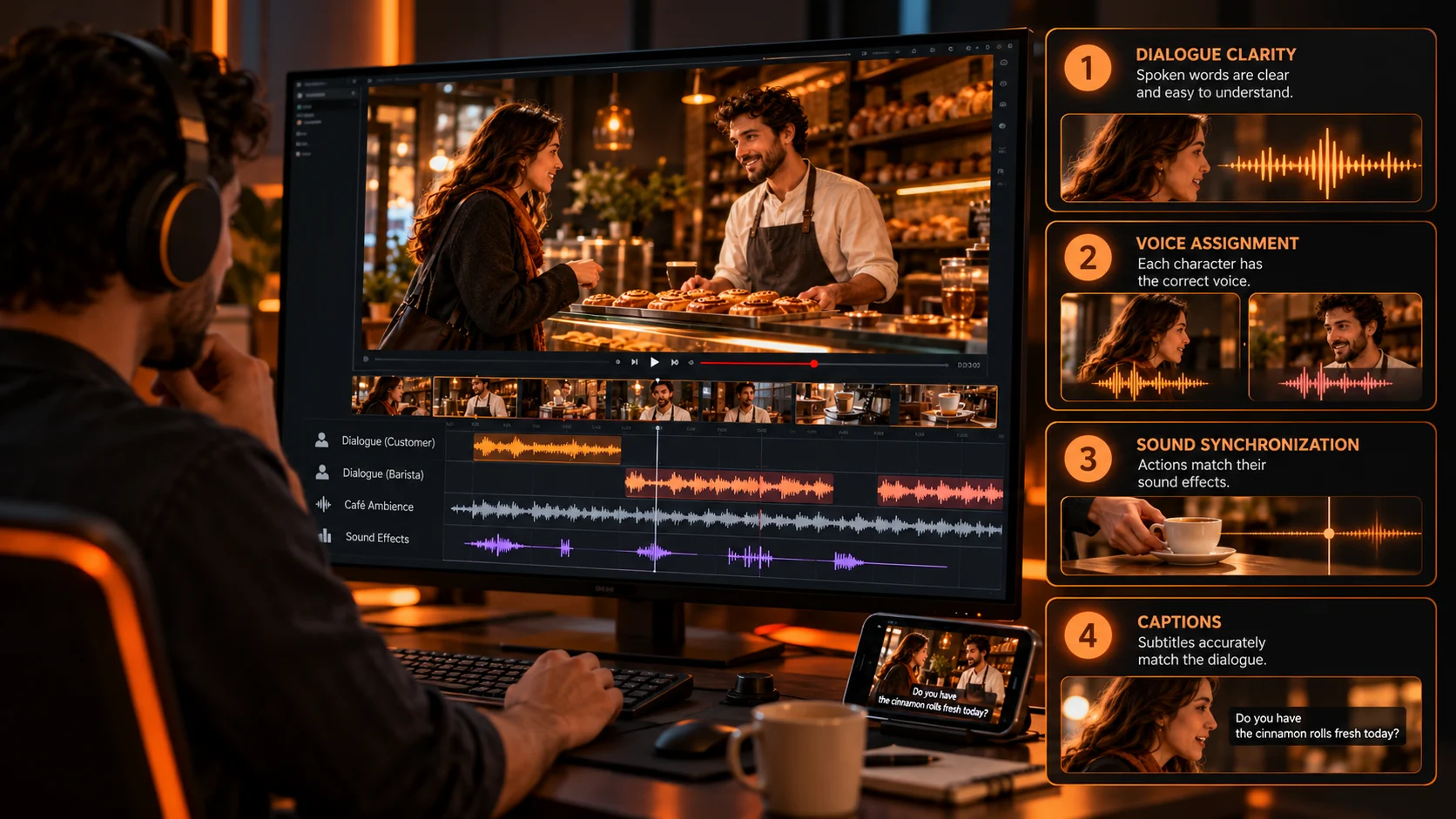
Play once with headphones then on the phone speaker to check words are correct, voices assigned, clarity of speech, good sync between audio and actions and no unwanted music playing.
Add accurate captions. Check captions are correct and match the final audio. Save your prompt used, model version and approved audio for future editing.
Final Thoughts
Too much emphasis on the wrong sounds and a scene can be ruined. Good prompts will include sounds that fit in with the scene. Include who is saying the lines, keep it brief, link the effects to actions and consider what sounds are most important. Start simple then try adding some layering. See what you can get out of your model. Only change one confusing element each time. If you need specific wording, timing and voices then you may want to do the audio separately. Your final clip should sound realistic to someone who has never seen the prompt.
For more video and voice examples, explore official creative tutorials.