Key Takeaways
- An ad can show a product with an additional pocket, a different color, or a waterproof guarantee.
- AI ads for ecommerce are great for generating product images, social media content, and video creatives.
- Think of a dark green lunch bag with black handles, a front pocket and a silver zip.
- Collect all approved photos, descriptions, color variations, offer dates and brand rules.
AI Ads for Ecommerce
An ad can show a product with an additional pocket, a different color, or a waterproof guarantee. The possibilities for using AI in ads for ecommerce are only limited by the seller’s imagination. But if the image displays something that the seller does not actually offer, it will mislead the customers. While Xelta AI can help you visualize your ideas, you should always make sure that the products in the images match those available for purchase.
Prompt engineering: choose between a concept and a real product
A prompt should include a photo of the product that the seller actually sells and a list of desired upgrades or additions. The next step is to select an ad format and one customer question for the prompt. You will receive either a still image or a video concept. Once you are satisfied with the result, double check the packaging, claims, pricing, and mobile view before posting the ad. It is best to edit the text in the document rather than asking to resubmit the same image multiple times.
Quick Answer
AI ads for ecommerce are great for generating product images, social media content, and video creatives. They use prompts and real product references. It is necessary to provide an approved product image, specifications, and advertising objective to create a computer-generated image of the product with a lifestyle scene or video concept behind it. The product’s real colours, forms, available features, and packaging must be visible and authentic in pictures. Xelta AI offers tools to produce images and product URL-based ad copy; however, it is vital to review all materials before publishing to check products’ accuracy, pricing, promotions, image rights, captions, and landing pages.
What Should an Ecommerce Ad Prove?
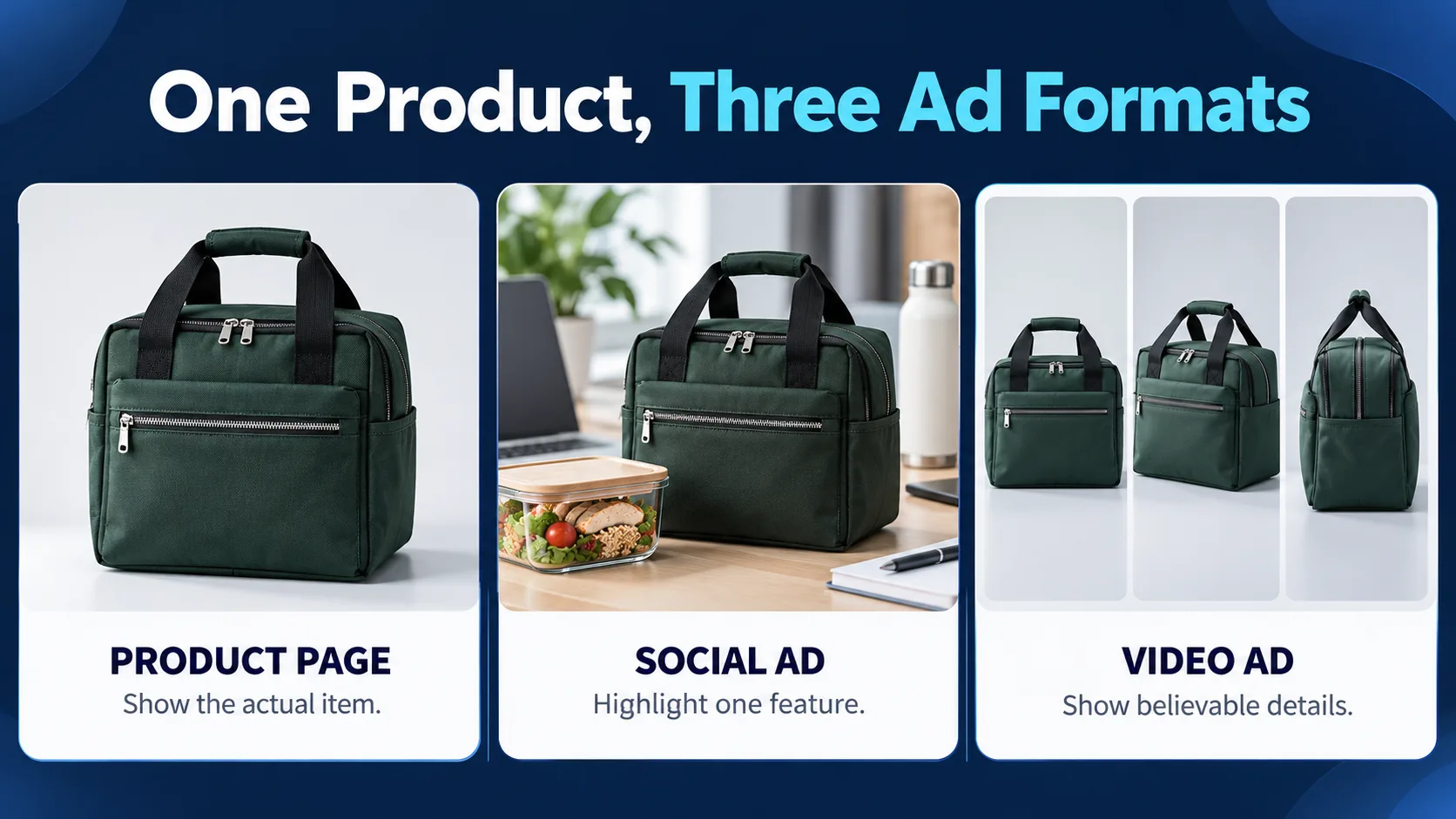
Think of a dark green lunch bag with black handles, a front pocket and a silver zip. Its product page doesn’t state how long it’ll keep your food cool.
A good ad would show the bag on a desk, while a bad one would show the bag with some ice cubes and say “Keeps food chilled all day” with no proof.
Decide what each placement should say/suggest before opening up your generator:
| Placement | Main job | What can go wrong |
|---|---|---|
| Product-page visual | Show the actual item clearly | Invented pockets or misleading scale |
| Social feed image | Make one feature easy to notice | Crowded scene obscures the product |
| Short video ad | Show a believable use or detail | Changing shape between frames |
An attractive image isn't necessarily an accurate product representation.
How Do You Prepare the Brief Without Guessing?
Collect all approved photos, descriptions, color variations, offer dates and brand rules. Do not make up claims based on customer reviews.
Write the text of the brief in a way that clearly shows the green lunch bag, points out the front pocket, makes no mention of how long the bag needs to be chilled for, specifies the ratio and the headline size.
If there are multiple colors, use the photo that shows the correct SKU. Do not advertise an option that is not available.
Which Image Prompt Makes a Usable Social Ad?
Xelta's AI image generator can work from text and reference images. Use a genuine packshot so that you can compare the output to the product.
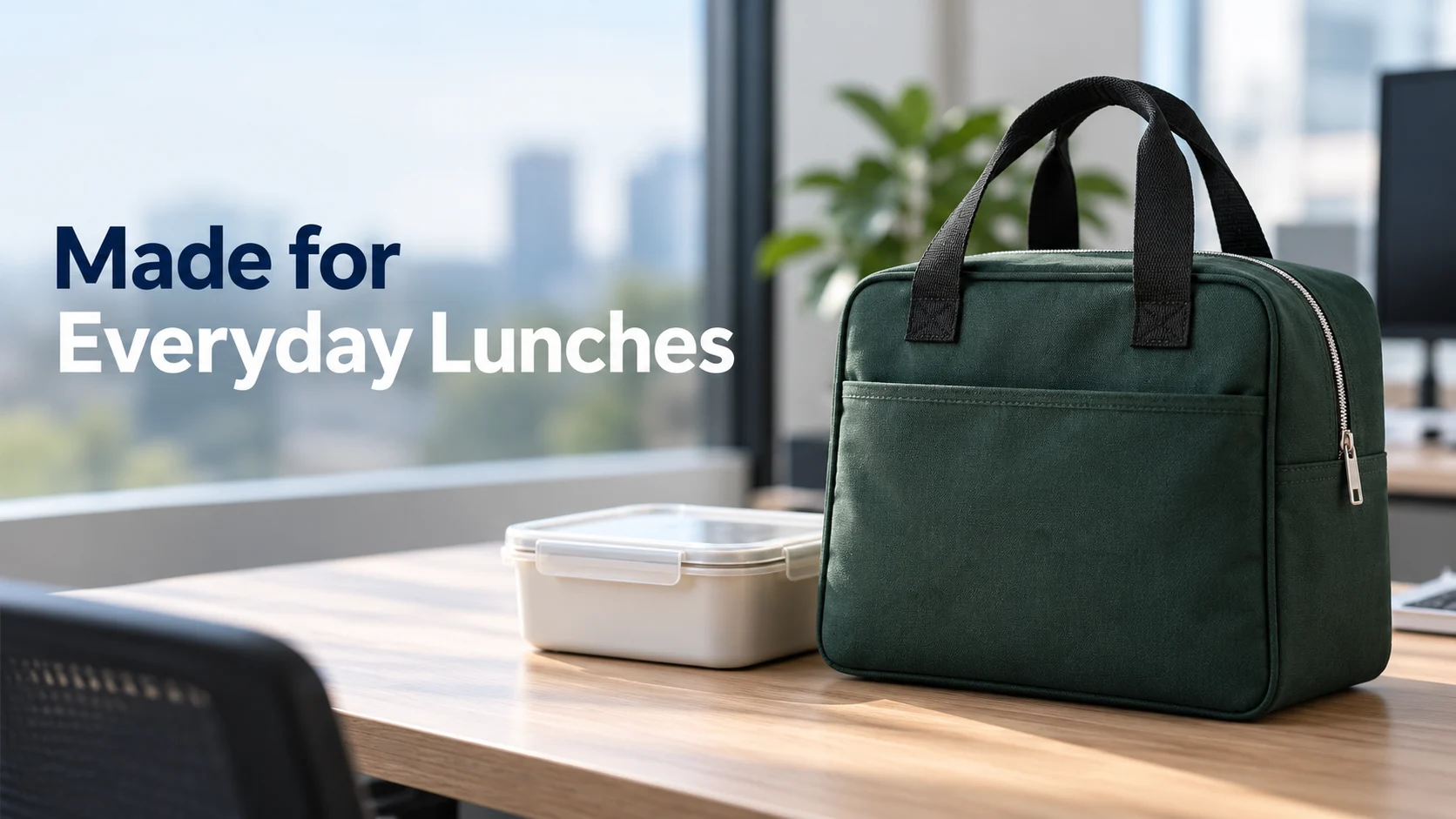
Create a vertical lifestyle image from the supplied dark green lunch bag. Place it on a tidy office desk alongside a plain lunch container. Use soft window light, natural shadows and leave plenty of space above the packshot for a headline. Make sure to preserve the black handles, front pocket, silver zipper, material texture and overall proportions of the product. Avoid adding any text, extra pockets, brand logos and invented accessories.
Add the approved headline to an editable layout. Check that the crop is not too close on a phone if the front pocket disappears at thumbnail size the advert loses its selling point.
How Do You Turn a Product Page Into a Video Ad?
Ask what would need to be moving. A slow camera pass can reveal the fabric texture without animating a zipper that may morph between frames.
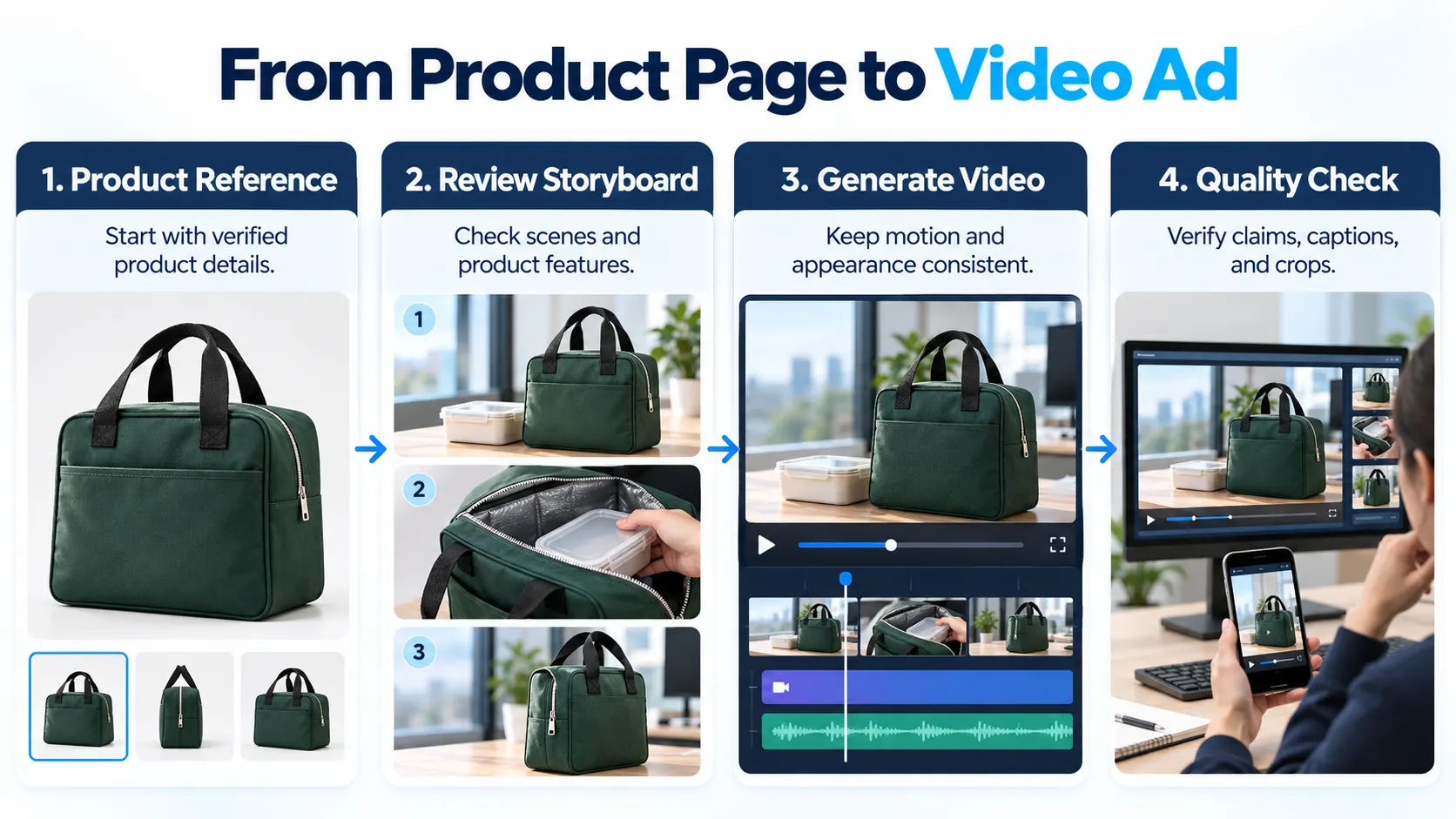
Xelta's URL to Ads workflow takes a product URL, prepares a brief and storyboard, then generates a video after storyboard review. It is a creative production tool, not a replacement for your advertising account or product catalogue.
Provide the real product URL and protected details:
Build a short vertical ad for the dark green lunch bag shown on the product page. Open the full bag, move to a close view of its front pocket, then end with the original packshot. Keep handles, zipper and colour consistent. Do not claim leakproof or all day cooling performance. Leave the final call to action for manual editing.
Reject invented scenes or wrong colours at storyboard review. Inspect the final zipper and pocket frame by frame.
Final Thoughts
A good ecommerce ad does not necessarily use exaggerated statements to promote a product and make it desirable. A shot of a pocket that will come in handy, an appropriate background or an explicit mention of what is included in the purchase can entice a customer into buying. What matters is avoiding the temptation to rely on the AI to come up with selling points on its own.
Focus on one item and one advert placement at a time, and remember to keep the initial image, the approved facts and the first draft of the copy together for easy reviewing if changes are needed. Use Xelta to explore the possibilities visually or work on a video storyboard, and finalize the claims, captions, and calls to action with a human touch. Only after one version has been approved to be an accurate representation should others be created for different media.
For practical ad examples, exploreXelta AI on YouTube.