




Key Takeaways
- A low monthly payment is not an attractive feature when the third render still showcases wrong products.
- Based on the selected model, video length, resolution, and other factors, each AI video generator will have its own pricing.
- A credit is a usage, not a predefined number of seconds.
- As listed on October 15, 2026, Xelta advertises pay-as-you-go purchases of $6 for 600 credits or $12 for 1,200.
Table of Contents
- 1.AI Video Generator Pricing
- 2.Quick Answer
- 3.How Do Credits Become a Video Bill?
- 4.What Does Xelta Currently Charge?
- 5.Why Does the Same Video Idea Cost More on a Second Attempt?
- 6.How Do You Calculate the Cost of an Approved Clip?
- 7.Which Extra Costs Are Easy to Miss?
- 8.Should You Buy Credits or Subscribe?
- 9.Final Thoughts
AI Video Generator Pricing
A low monthly payment is not an attractive feature when the third render still showcases wrong products. The cost of an AI video generator is not only the price for getting footage on a monthly basis but the amount of publishable material it provides. Xelta AI video tool uses credits across its various features, the choice of which depends on the required outcome of a video.
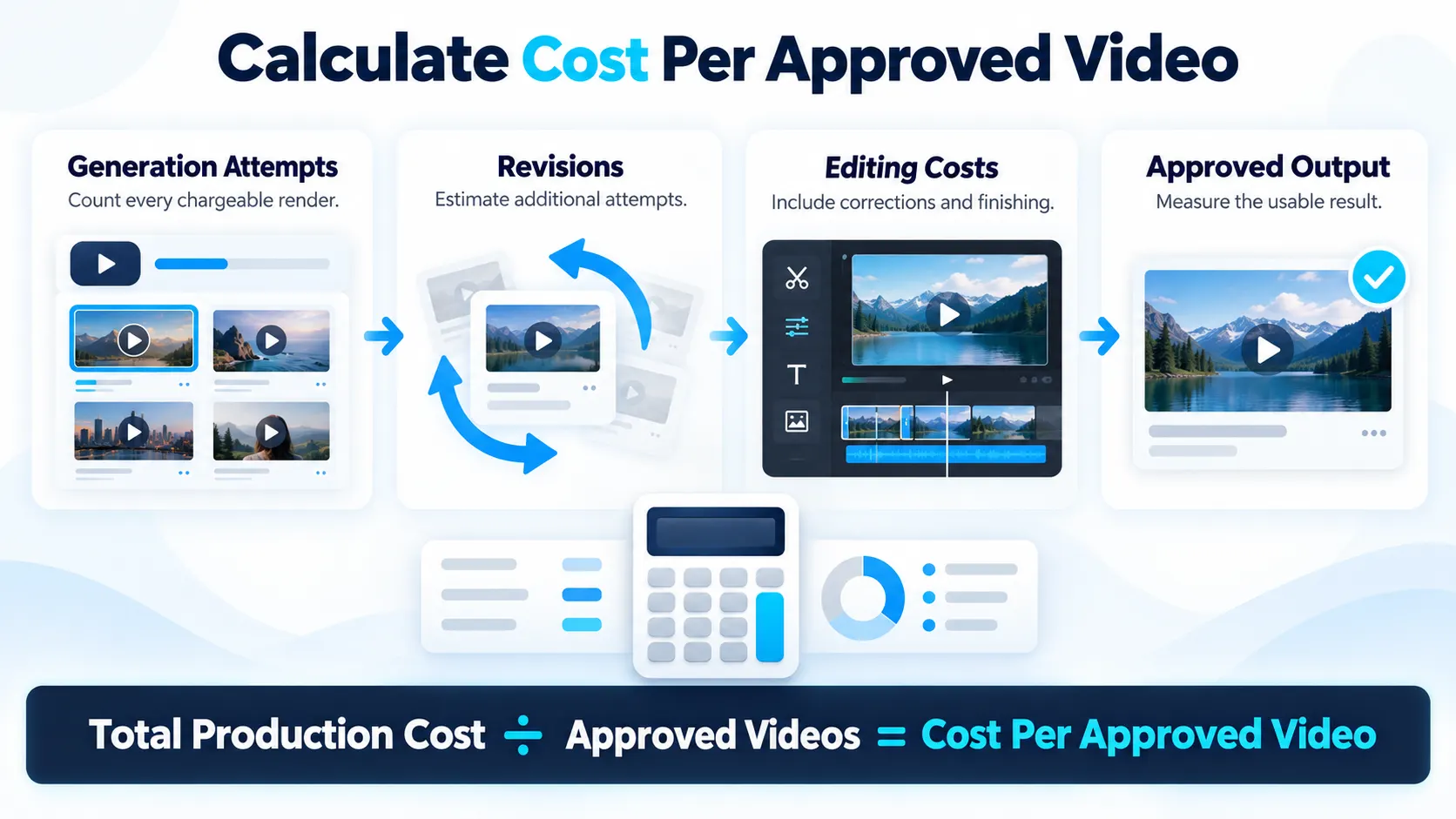
The pragmatic approach to finding the best value for money is calculating the amount of necessary renders, their quality, and the corresponding credit values. When determining how many successful renders might be achieved, the user must consider how many takes will be required for each and what settings will be needed to realize their vision. The number of required renders should then be multiplied by the credit value of the chosen render method and added to a similar value for editing and approval. The value of a subscription is thus compared to the volume of produced material to determine which option offers a better price per published video.
Quick Answer
Based on the selected model, video length, resolution, and other factors, each AI video generator will have its own pricing. In this case, to calculate the price, you should add up the number of attempts, multiply that number by the average number of tries needed to produce an approved video, and add the editing costs, if necessary. When it comes to Xelta AI, the user should pay attention to how much video the credits can generate. Besides, comparing the subscription and pay-as-you-go options is essential, remembering the average number of videos that would need to be generated per approved video. It is also vital to look into credit costs, expiration rates, taxes, and commercial use permissions before making a purchase.
How Do Credits Become a Video Bill?
A credit is a usage, not a predefined number of seconds. Various video models have a different charge rate while different durations, resolutions, or a change in the workflow setting will also affect the generation cost. A 999 credits allowance does not guarantee 999 videos but a certain amount of short videos.
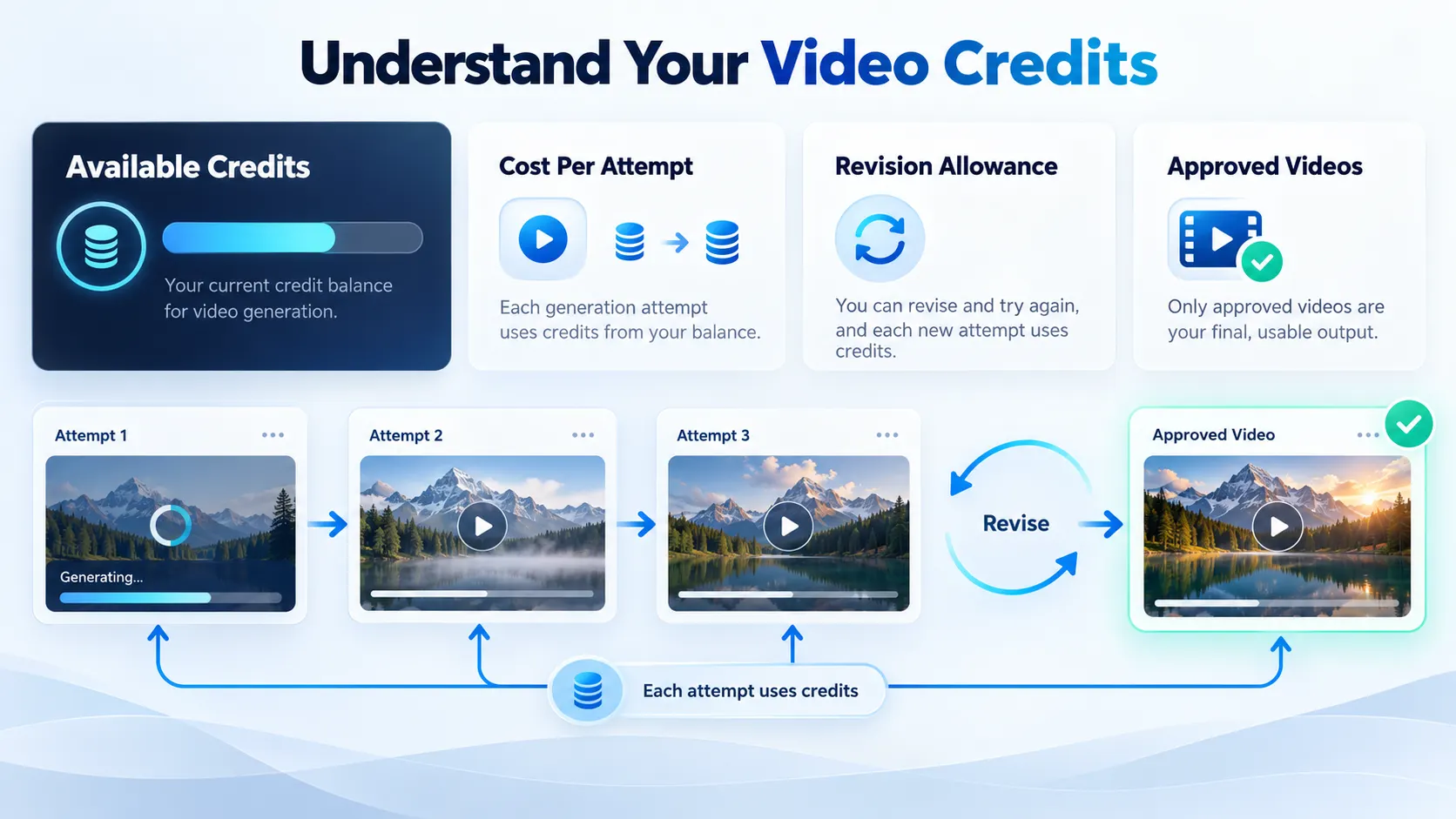
A render refers to a single generated result, and only approved renders are considered successful results. If the movement of a hand in a generated video deforms the product label, the result may be deemed unusable despite the generation being completed. According to Xelta terms, credits are consumed for each successfully processed request, and an aesthetically unsuccessful result may still be deemed a successful request.
What Does Xelta Currently Charge?
As listed on October 15, 2026, Xelta advertises pay-as-you-go purchases of $6 for 600 credits or $12 for 1,200. Its monthly plans are presented at promotional rates:
| Plan | Advertised price | Included credits |
|---|---|---|
| Social Media Starter | $10/month | 999 |
| Premium | $35.20/month | 3,499 |
| Creator Pro | $79.60/month | 7,999 |
These are advertised rates, not fixed model charges. Plan-card video estimates vary by workflow. Discounts may change; taxes can apply.
Why Does the Same Video Idea Cost More on a Second Attempt?
Imagine a small skincare brand animating a photograph of their glass serum bottle. The first, the cap of the bottle in the animation is a different one. The second, the cap is the same one, but the text on it is smudged. Not what the brand wanted for their advertisement.
On Xelta's AI video generator, you pick between text-to-video and image-to-video and what settings are used depending on the chosen option. For this product, you would begin the prompt with the approved photograph and a restrained prompt:
Animate the supplied serum bottle in one slow camera movement. Leave the cap, glass colour, label and bottle proportions as they are. Neutral studio lighting. Avoid adding hands, new text and additional packaging.
It makes troubleshooting easier if something goes wrong before another render begins.
How Do You Calculate the Cost of an Approved Clip?
Suppose your team needs eight finished clips this month. If each requires two completed renders on average, plan for sixteen chargeable attempts not eight. Multiply those attempts by the credits shown before generating. Repeat for each model; this is a budget estimate, not a fixed tariff.
A simple production log makes surprises visible:
| Track | Why it matters |
|---|---|
| Credits per attempt | Model and settings determine usage |
| Attempts per approved clip | Revisions consume capacity |
| Editing outside the generator | Captions, sound and corrections take work |
| Rejected outputs | They expose the true acceptance rate |
Compare cost per approved video. Comparing credits per render hides the videos you could not use.
Which Extra Costs Are Easy to Miss?
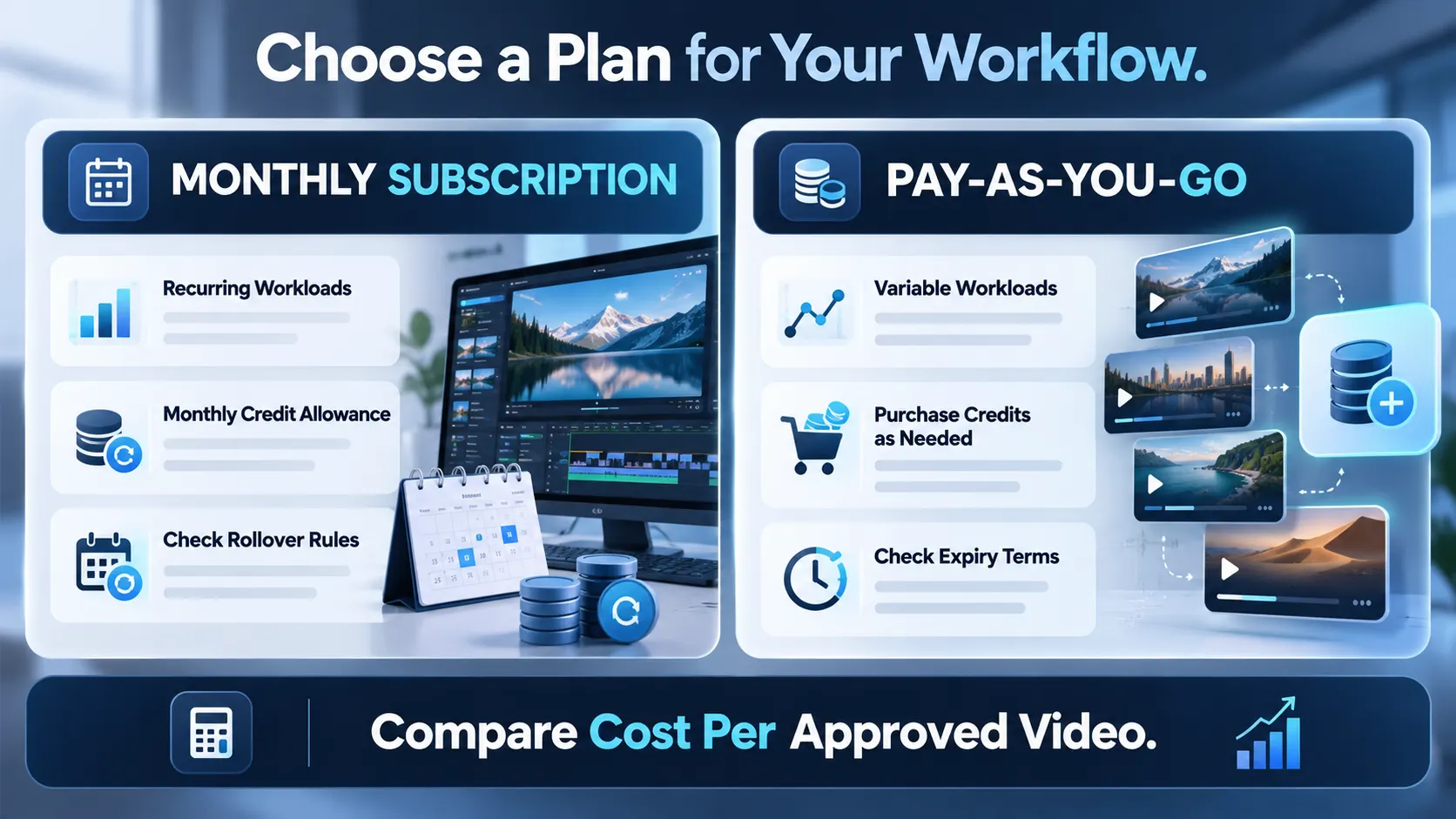
Credit expiry is an important consideration. The company's FAQ states that pay-as-you-go credits never expire, but its March 2026 terms state 365 days for purchased credits and 90 for promotional credits. Ask support to clarify which rule applies to a purchase before loading a large balance. Its FAQ says that monthly credits do not roll over.
Check that a workflow does not require voice, captions, music, a different aspect ratio or a separate editor. Do not assume that these are included in a single generation charge. And check commercial permissions for the images, people and audio you supply, even where the platform advertises commercial usage.
Should You Buy Credits or Subscribe?
Pay-as-you-go works for variable amounts of work, while credits in the monthly plan are better for consistent loads. See a comparison based on the same production estimate.
Take advantage of Xelta's billing options to get an idea of what you would be charged for, available models and plan limits. Before buying, conduct one narrowly focused test and note the displayed price, quality and possible revisions. New accounts get 30 introductory credits, which may not be enough to produce a video.
Final Thoughts
The cheapest render is not always a cheapest final asset (if your clip requires more than one attempt, meticulous label repairs, and a separate audio pass, your four hours are already accounted for). Work from an example : not the most impressive video in your product gallery. Specify your first brief so you can keep hold of vital components in the prompt and review the result before enhancing quality settings or volume anyway.
For repeat operations, estimate an appropriate number per approved video for when you have to rerender due to human error or client interference and know how many total clips you have to produce for someone. Know the credit expiry policy and whether taxes are extra before paying for the guarantee of a boundless imagination.
For official workflow demonstrations, exploreXelta AI on YouTube.



