

Key Takeaways
- Kuyang is a supernatural figure in Kalimantan folklore, particularly associated with the Banjar community of South Kalimantan. AI character design should be grounded in research and acknowledge variations in the legend.
- A non graphic horror design can use a floating head, shadowy smoke or fabric-like forms, controlled lighting, and an unsettling facial expression instead of graphic anatomical details.
- Create a character bible before prompting, defining consistent facial features, eye colour, hairstyle, colour palette, and overall silhouette.
- Establish clear facial proportions and distinctive features, such as eye spacing, cheekbones, jaw shape, and an asymmetrical eyebrow, to maintain the same identity across images.
- Build a four view character turnaround sheet covering front, three quarter, profile, and rear views to check facial proportions, hair, and silhouette consistency.
- Use the approved reference sheet when creating cinematic scenes, storyboards, and animations to reduce unwanted character changes.
- Develop horror atmosphere through rainy windows, wooden pathways, dark water, reflections, mist, contrasting warm and cool lighting, and subtle character movement.
- Start animation with simple floating movements, slight hair motion, and slow camera tracking before attempting more complex actions.
- Present the design respectfully as a fictional interpretation of Banjar folklore, avoid cultural stereotypes, and seek cultural review when including specific Banjar details.
Table of Contents
- 1.Cinematic AI Horror Character Design
- 2.Quick Answer
- 3.The Kuyang Legend and Its Visual Identity
- 4.Build a Kuyang Character Bible Before Prompting
- 5.Design Facial Proportions That Survive Every Angle
- 6.Make a Four View Kuyang Turnaround Sheet
- 7.Turn the Reference Into a Cinematic Horror Scene
- 8.Keep the Folklore Respectful and the Design Consistent
- 9.Final Thoughts
Cinematic AI Horror Character Design
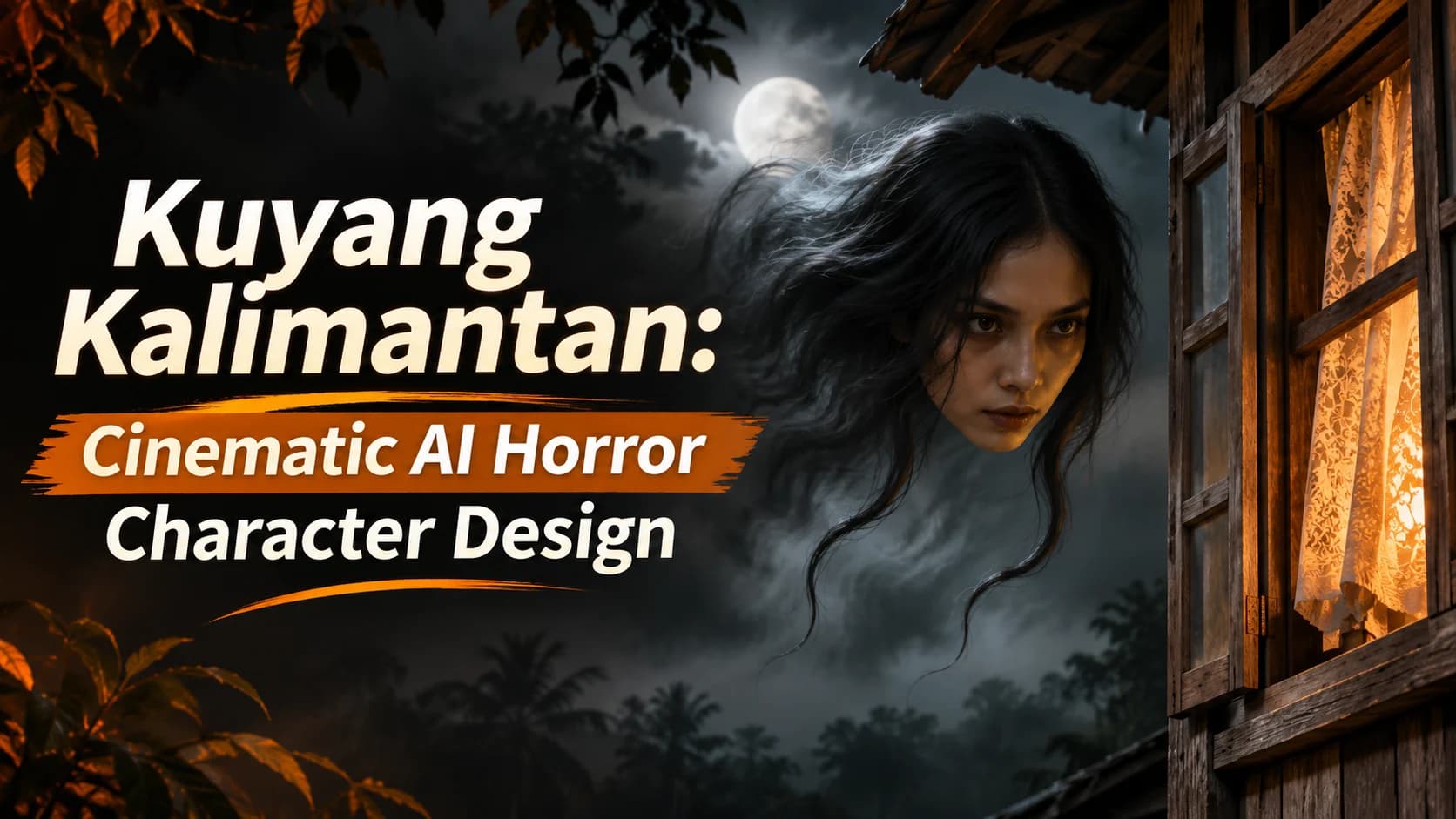
Sometimes the real scary bits are not the grand monster reveals but the face that appears out of a wooden window. Kuyang is a feared supernatural creature in stories from the Banjar community of South Kalimantan. Translating the creature ‘Kuyang Kalimantan’ into character design can be difficult. How can we make the character identifiable from the legend without using graphic anatomical features? This guide will give you a non-graphic approach to designing your character by using proportions, controlled lighting and a 4 view character reference sheet. This will give you the basis to create characters to use within your horror illustrations, storyboards and short films.
Quick Answer
Create your Kuyang Kalimantan Horror Character using AI. Start by basing it on your research into Banjar folklore. Create one clear facial design and a simple floating figure. Ensure you create front, 3/4, side, back references. All based on the same design specs. Make sure your proportions are consistent throughout. Before creating any atmosphere or animation.
The Kuyang Legend and Its Visual Identity
The Kuyang is a folklore creature from Kalimantan. It is commonly said that the Kuyang takes the form of a female during the day, and during nighttime takes the form of a flying head carrying its organs behind it. This is a traditional supernatural creature and does not mean that there are creatures in reality like this. There are many variations to this!
To make this design not too graphic, we can keep the floating head but change the body to be made up of layers of shadow or smoke. We do not want to imply that Kalimantan has one culture.
Build a Kuyang Character Bible Before Prompting
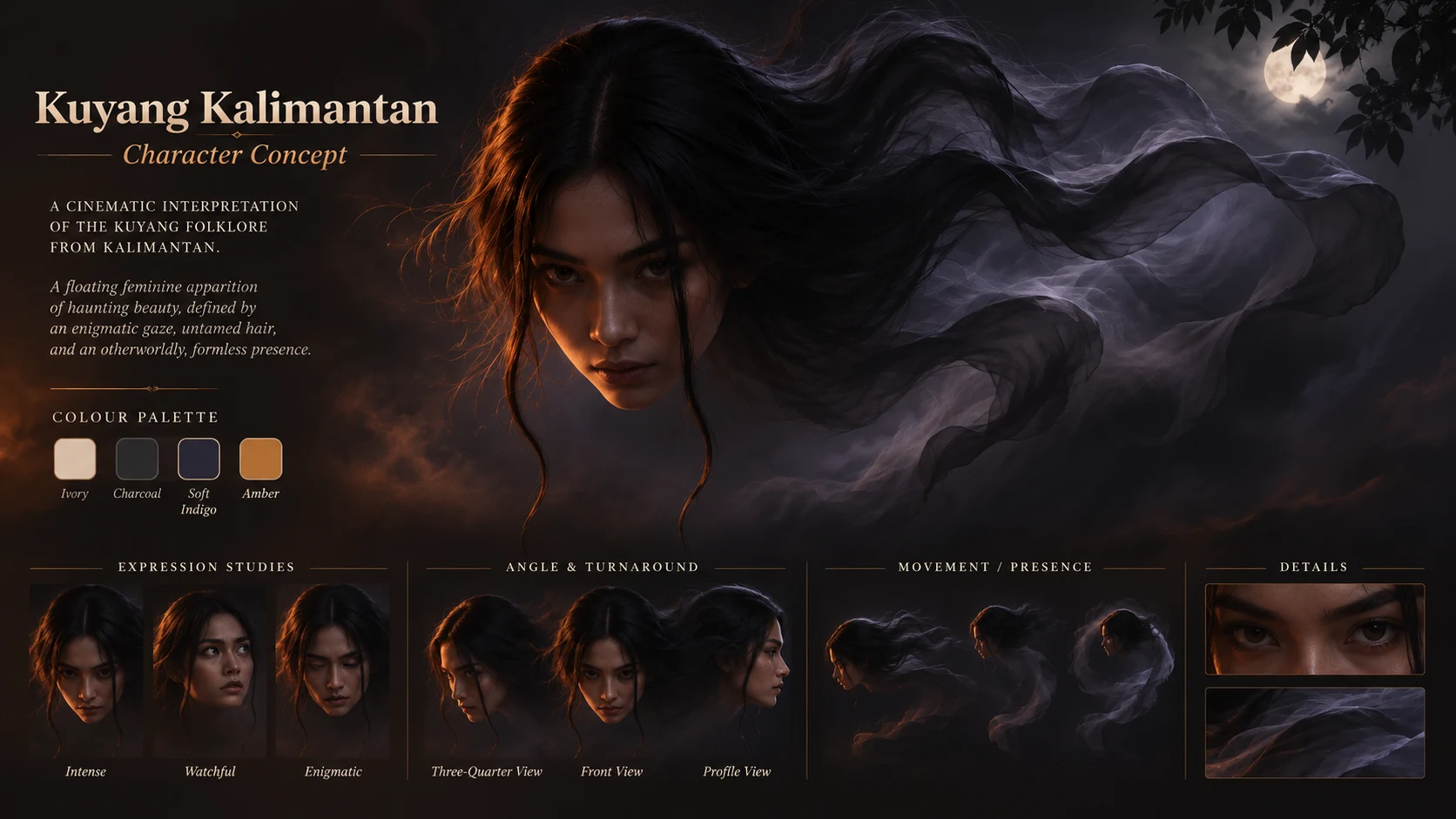
There is a lot of versatility with AI generated images so using a character bible will help keep your prompts consistent. Create a brief description of your character then use Xelta's Script & Character process to create a detailed character profile and master reference.
5 Consistent Traits:
- Face: Long, oval, high cheekbones, pointed jaw and slightly uneven brow.
- Eyes: Deep, dark brown eyes. An alert, tired look.
- Hair: Long, black. Centre parting with 2 distinctive free flowing tresses.
- Colour Palette: A weathered palette of ivory, charcoal, soft indigo and a subtle glowing amber edge.
- Overall Shape: Head is floating with wispy shadowy fabric shapes. No blood visible.
These are creative choices so not every character in folklore will have these traits. Once your character has been approved, save this image as your master reference.
Design Facial Proportions That Survive Every Angle
Establish consistent reference points. Create a horizontal gaze line half way down the head. Keep proportions consistent by making sure the distance between the brow and eyes, the width of the cheekbones, the shape of the nose and the taper of the jaw are consistent. Ensure the character has one distinctive feature that is asymmetrical, maybe having the left eyebrow slightly higher than the right.
Use some subtle expressions such as neutral alert, suspicious and subtle threatening. Try to avoid making any of your images too over the top with fangs and glowing eyes. Subtle expressions can be enhanced by using lighting and positioning.
Ensure you can still identify the face, hair strands and dark outline. Make sure everything is consistent and adjust anything that isn’t.
Make a Four View Kuyang Turnaround Sheet
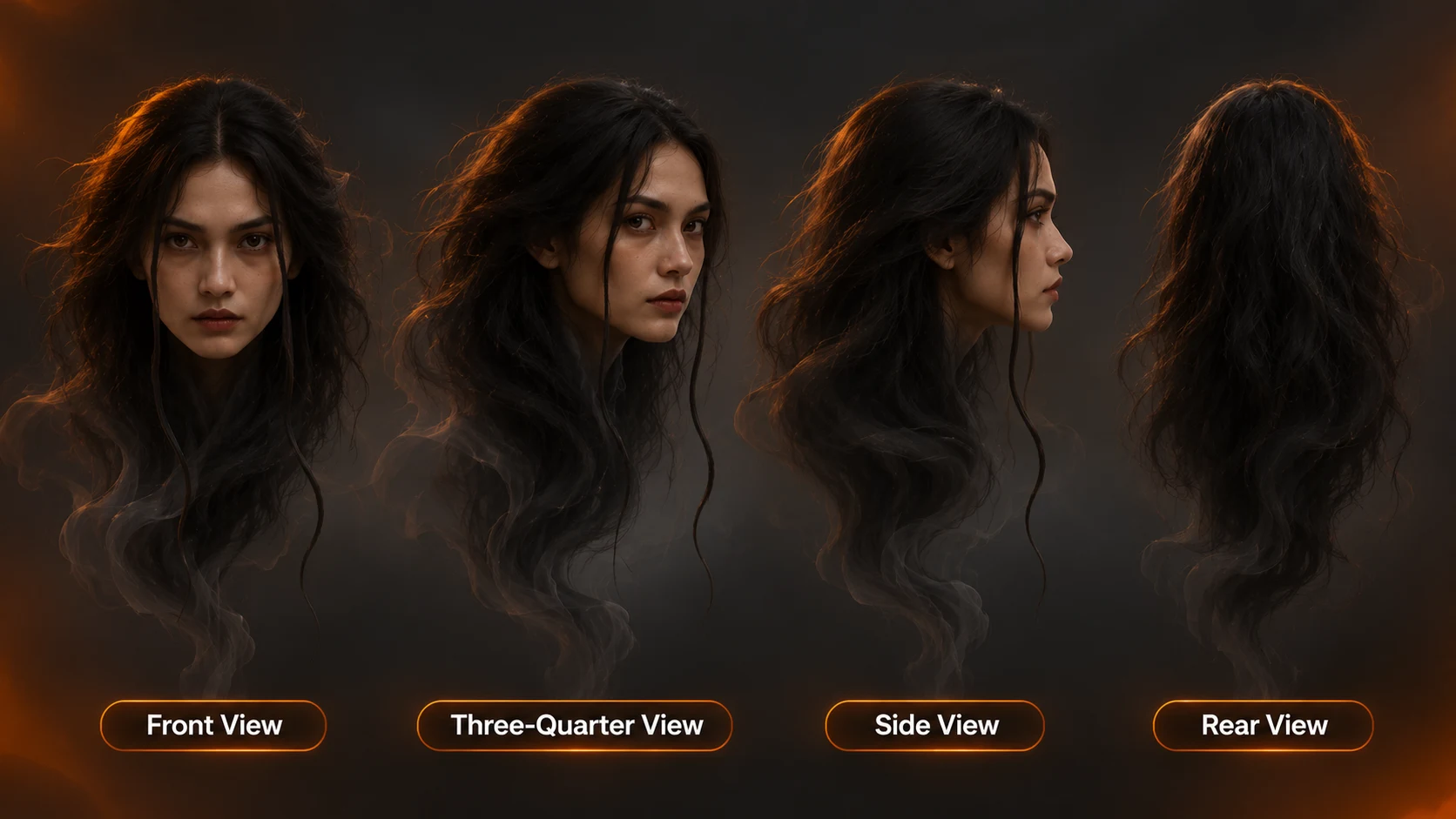
A character turnaround shows the same design from multiple angles against a neutral background. Build four separate images, or one carefully labeled sheet, using identical instructions for the face, hair, mood, and silhouette.
| View | What to show | Main consistency check |
|---|---|---|
| Front | Symmetrical framing, relaxed expression | Eye spacing and jaw width |
| Three quarter | Face turned roughly 45 degrees | Nose depth and cheekbones |
| Profile | Clear side silhouette | Forehead, nose, chin alignment |
| Rear | Hair shape and drifting shadow forms | Hair length and overall outline |
Horror AI Prompt:
A concept design of an original cinematic character inspired by the Kuyang legend from South Kalimantan. The character has an elongated oval face with thin cheekbones and jawline. The head is feminine with no graphical details. The character also has dark brown deeply set eyes and a slightly raised left eyebrow. The hair is long and black with two loose strands. The colours used are light smoke greys with fabric shading and a subtle amber aura. The image is highly detailed with a neutral grey background. There is no blood, anatomy or text. All proportions are accurate.
Include a directional prompt for each part of the image. E.g. “exact left profile, camera at eye level.” If the multi directional prompt doesn’t work then include individual prompts for each part and merge them manually.
Turn the Reference Into a Cinematic Horror Scene
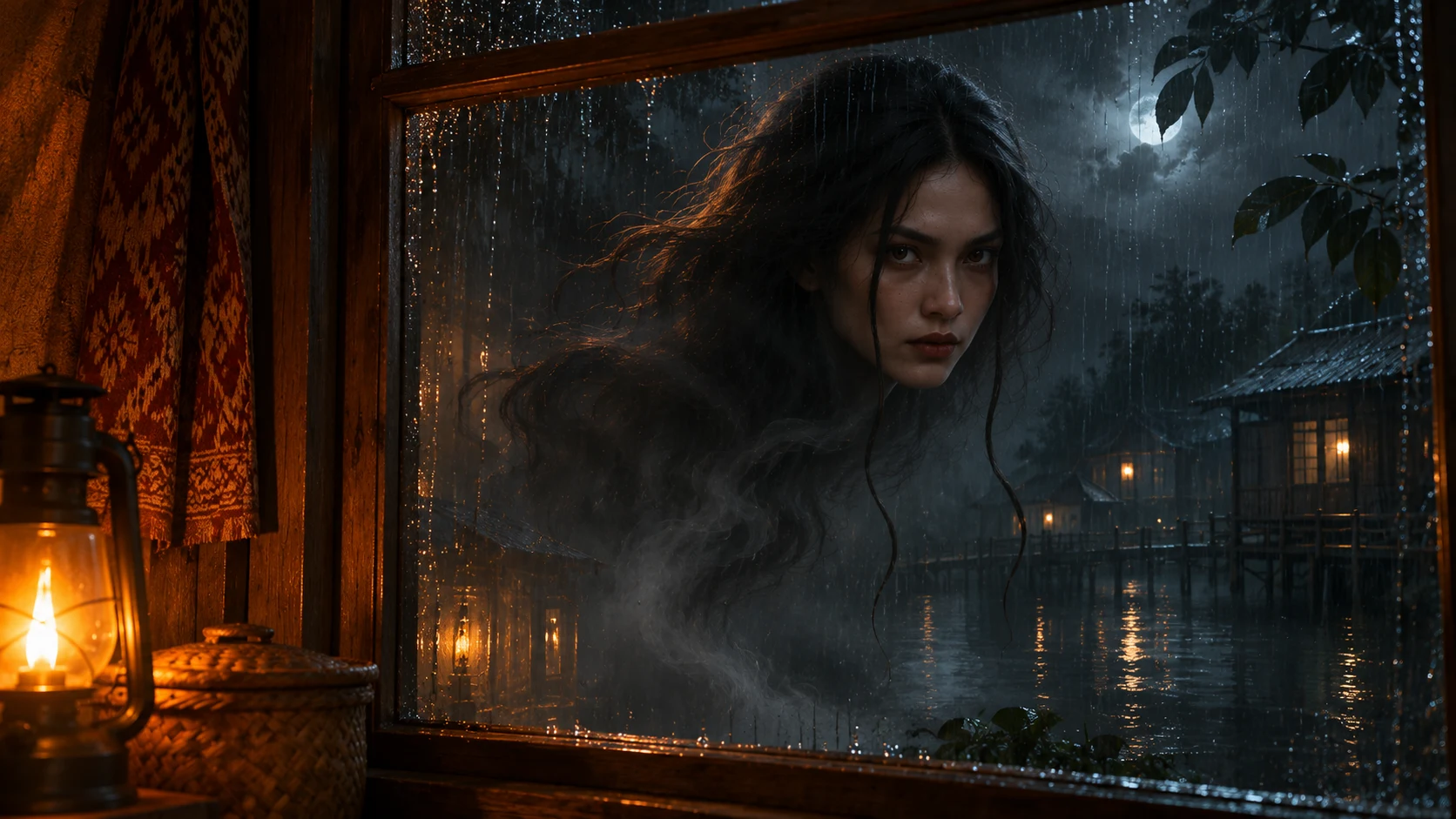
After you have got your turnaround sorted, you can start playing around with your environment. We can create a ‘riverside village’ environment inspired by South Kalimantan. This will help us add some nice wooden paths, reflections and shadows without us trying to recreate a real village.
Some scene directions:
- A wide shot to show off a small figure in the distance. The figure can be seen through a rainy window. The lighting inside is warm whilst outside it is a cool black.
- A slow tracking shot to bring the camera closer to the character’s face. This will show us the raised eyebrow and loose hair strands from our reference sheet.
- The character then moves away from us over the dark water. Leaving us with just a small reflection and some soft mist.
When testing out movement, begin by selecting one of your stills from your AI video. Ask for little movement. The character should float gently, hair should move slightly and there should be a slow camera track. Check the clip to see if the face has moved. Once you are happy with this try adding more complicated movements.
Keep the Folklore Respectful and the Design Consistent
You can still include elements relating to the mood while keeping it clear that the story you're telling is fictitious. Ensure that in your project description you state that the story is based on the Banjar legend and that your version is fictitious. Don't make it seem like you are documenting the real costumes, rituals and buildings.
If you wish to create a sequence of shots you can use Xelta's Cinematic Studio to help create film focused visuals. Ensure that in every short brief you have your approved character sheet, environment notes and lighting palette. There is no guarantee that the AI will produce anything consistent or accurate to the culture.
Ensure that in your design there isn't any unwanted anatomy, eye colour changes, hairstyle inconsistencies and accidental stereotypes. Have someone who knows about the culture review anything that you have included that shows specific Banjar details.
Final Thoughts
The design should be very disturbing without any blood or gore. You can use a well designed face with an identifiable floating shape and use lighting effectively to give a very creepy feeling. Begin by thinking about the folklore context. Make sure you note where you have been creative with your design. Once you have approved your 4 view reference sheet you can begin creating the cinematic images. Using your reference sheet will ensure your design is consistent throughout. Whether your final piece is a poster, storyboard or short horror film, having consistent design choices will make your character look more realistic and will help you to develop it.
For more creative AI storytelling inspiration, explore Xelta Indonesia on LinkedIn.