How AI Image Extender Helps Reduce marketplace rejection in Creative Production
A marketplace image can meet the requested ratio and still be rejected for what appeared in the new canvas. Marketplace teams, creative producers, ecommerce designers, and agencies adapting approved images to strict aspect ratios often find the defect only after the file is resized or placed in a real layout. For ai image extender, the Xelta visual creation platform fits a disciplined process: define the job, control what may change, and keep final approval human.
Treat ai image extender as a production method, not a one-off effect. The target is an extended canvas that meets format requirements while keeping the product position, scale, lighting, and evidence of the source intact. Preserve the product, logo and label text, product-to-frame scale, camera angle, contact shadow, perspective, safe zones, and marketplace-specific content rules, then test the result in the exact formats where it will be published.
Outpainting is useful only when the source is already accurate and the missing canvas is the main problem. Every generated extension is new creative and should be reviewed as carefully as the original product area. A repeatable ai image extender workflow keeps the source, edit direction, correction notes, approval, and final use connected.
A Wider Canvas Can Create New Reasons for Rejection
The format requirement should guide the extension: An AI image extender can reduce format-related rework when the original product image is accurate but the canvas is too small for the required ratio. Protect the product, define safe zones, extend only the missing environment, and inspect the generated area for duplicates, perspective errors, and new objects that could cause marketplace rejection. For ai image extender, use the AI image generator workspace for controlled exploration, then apply source, destination, and human review.
Marketplace Specifications Come Before Composition
Marketplace rejection is often a specification problem before it becomes a creative problem. The final asset must preserve the product, logo and label text, product-to-frame scale, camera angle, contact shadow, perspective, safe zones, and marketplace-specific content rules. Write those items as non-negotiables before any generation or edit begins. Next, define the approval evidence. Reviewers should score product preservation, perspective continuity, background plausibility, object duplication, safe-zone compliance, lighting consistency, and final-size cleanliness. For ai image extender, decide what counts as approve, revise, and reject before the first candidate is shown.
Protect the Product While Extending the Environment
Collect the exact marketplace requirements before creating a wider canvas. The input pack should contain the approved source, required aspect ratio and pixel size, protected product mask, visual context notes, copy safe zones, and rejection criteria. The ai image extender input pack should also name the approver and the reason the asset exists. A clear destination narrows composition, texture, crop, and export decisions. The expected outputs are an extended master, a marketplace proof, a crop overlay, a source-versus-extension comparison, and a record of generated regions. Keep them together with the source and revision note. That ai image extender record lets another teammate understand, repeat, or challenge the decision without relying on memory.

A Controlled Outpainting Route From Source to Listing
-
Read destination specifications. For ai image extender, use the approved input pack to create a job statement; review it before continuing. 2. Protect product and safe zones. For ai image extender, use the approved input pack to create a source-risk note; review it before continuing. 3. Extend one direction at a time. For ai image extender, use the approved input pack to create a protected-area map; review it before continuing. 4. Inspect generated regions. For ai image extender, use the approved input pack to create a candidate set; review it before continuing.
-
Test required crops. For ai image extender, use the approved input pack to create a defect record; review it before continuing. 6. Run compliance review. For ai image extender, use the approved input pack to create a approved proof pack; review it before continuing. 7. Save the approved master. For ai image extender, use the approved input pack to create a handoff record; review it before continuing.
Test the route on a square furniture image that must become a wide marketplace banner without moving the chair, changing its scale, or placing generated decor too close to the product. Keep one major variable stable, record the changed instruction, and reject any candidate that damages the product, logo and label text, product-to-frame scale, camera angle, contact shadow, perspective, safe zones, and marketplace-specific content rules. At the last gate, score product preservation, perspective continuity, background plausibility, object duplication, safe-zone compliance, lighting consistency, and final-size cleanliness and write down the remaining limitation before export.
Duplicate Objects, Broken Perspective and Empty Padding
Extended images introduce a new creative region that needs its own review. Common failures include duplicated products, stretched textures, broken shelves, drifting perspective, new props that resemble products, inconsistent shadows, excessive empty padding, and altered labels near the extension boundary. Each ai image extender defect should trigger a clear action: local repair, a changed boundary, a more conservative route, or source rejection. Best practice is different from correction. Compare the new canvas with the original boundary and look for duplicated objects, drifting perspective, or false props. Update the ai image extender checklist so that failure is easier to catch on the next assignment.
Crop, Reshoot or Extend: Pick the Safest Method
Format recovery can come from a crop, reshoot, manual extension, or outpainting: cropping the image, reshooting at the required ratio, rebuilding the background manually, or extending only the missing canvas with controlled outpainting. Compare the ai image extender routes by correction cost, control, source quality, destination risk, and finishing skill. Use the lowest-risk method that meets the brief. Automation adds value to ai image extender when the task is bounded and repeatable. For ai image extender, manual work remains stronger around exact text, delicate identity details, strict geometry, or missing evidence.
Where Xelta Fits in Format Recovery Work
Xelta fits after format specifications and safe zones are locked. A user can begin with the approved source, required aspect ratio and pixel size, protected product mask, visual context notes, copy safe zones, and rejection criteria and create a small comparison that can be scored against product preservation, perspective continuity, background plausibility, object duplication, safe-zone compliance, lighting consistency, and final-size cleanliness. The first draft is a candidate, not an automatic final asset.
The platform can reduce repetitive variation and proof creation for teams with strong approved source images that fail mainly because the canvas is too narrow, too short, or poorly balanced for a destination. Human reviewers still own the product, logo and label text, product-to-frame scale, camera angle, contact shadow, perspective, safe zones, and marketplace-specific content rules, rights, claims, realism, accessibility, and the publishing decision.
From Square Source to Banner Without Moving the Product
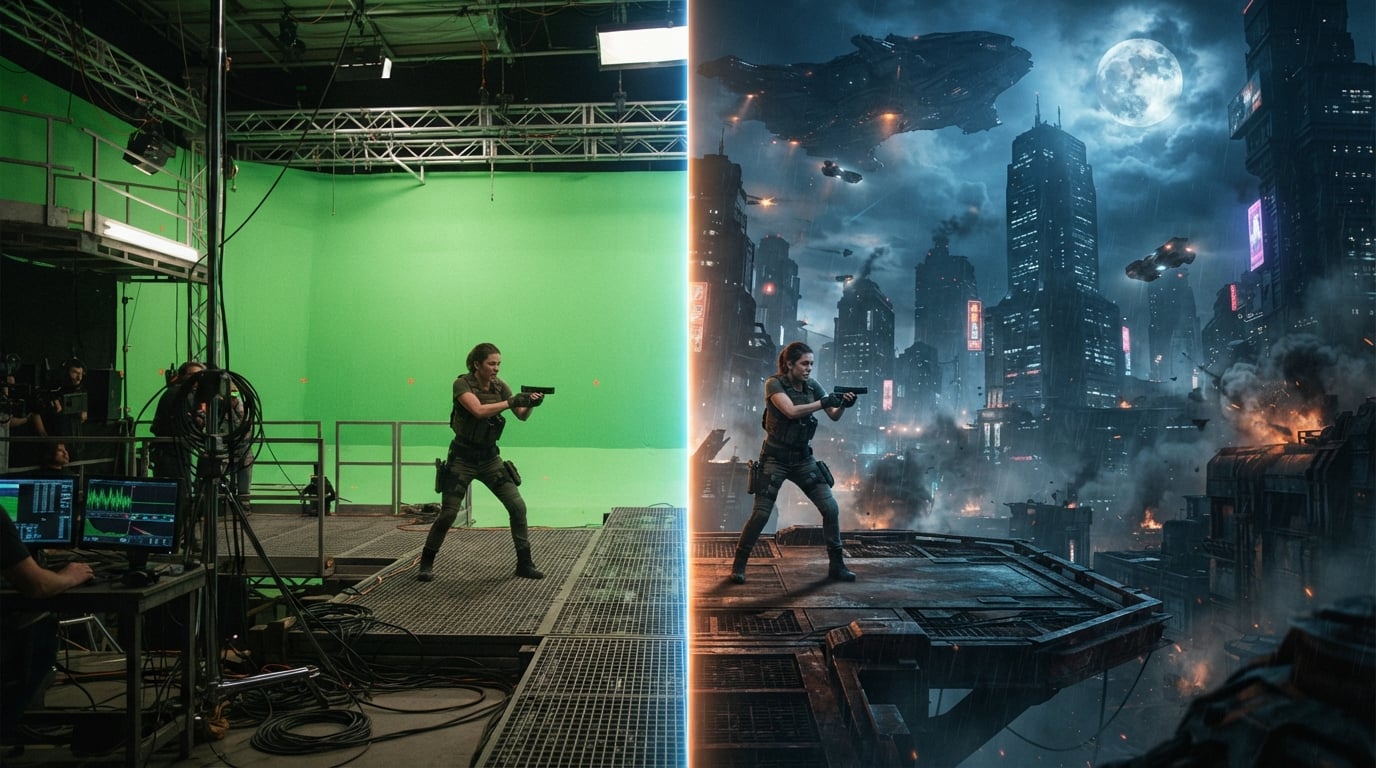
Input: the approved source, required aspect ratio and pixel size, protected product mask, visual context notes, copy safe zones, and rejection criteria. Action: protect the product and extend only the missing canvas. First draft: an extended draft that keeps the product fixed. Iteration: extend another direction, remove duplicates, or reduce the generated area. Human review: product accuracy, duplicates, perspective, safe zones, and marketplace rules. Final use: an extended master, a marketplace proof, a crop overlay, a source-versus-extension comparison, and a record of generated regions.
The repetitive advantage is faster comparison and planned versioning. The learning curve is source selection and boundary control. Users should expect extension cannot correct a source that already violates marketplace rules, misrepresents the product, or lacks enough background evidence for a believable continuation. The Xelta format workflow guidance can support broader learning, but the team must still apply its own brief and approval rules.
Review the Extended Areas Like New Creative
Outpainted areas should be treated as new creative and marked in the approval record. Save the ai image extender source, brief, changed variable, candidate, reviewer, decision, and known limitation. That ai image extender record supports editorial accountability without implying direct testing of every product condition. The guidance is written for marketplace teams, creative producers, ecommerce designers, and agencies adapting approved images to strict aspect ratios and is based on common production controls: bounded inputs, comparable outputs, destination proofs, and human approval. Alt text should describe the final composition and product, not the technical act of extending the canvas unless that is the article's subject. Keep factual and legal claims outside the ai image extender asset unless they are approved separately.
Store the Approved Safe Zone and Export Rules
Store the safe zone and export dimensions beside the source. The passing check is: specifications verified; product protected; extension marked; perspective checked; safe zones passed; proof approved. Record each ai image extender failure reason so the next brief can improve.
Track one ai image extender measure, such as repair minutes, revision rounds, approval delay, or reuse. Then test a square furniture image that must become a wide marketplace banner without moving the chair, changing its scale, or placing generated decor too close to the product at 100 percent, at final size, and inside the real layout before the ai image extender workflow is expanded.
Use Extension to Meet a Brief, Not Hide a Weak Source
Canvas extension is a format tool, not permission to invent a new product story around an approved image. Start the ai image extender rollout with one real assignment and complete the full approval cycle before scaling. Keep the ai image extender source, rejected candidates, repair notes, and decision together so the next project begins with evidence.
For a controlled next step, use the image outpainting workflow with a narrow brief and a named reviewer. The goal is not to remove every manual decision. The aim of ai image extender is easier repeated production while the final asset remains accurate, useful, and channel-ready.