AI Google Ads Generator: How to Create Better Ad Creative
An ad that promises " delivery" can cause problems if the checkout process adds shipping fees. The ad might get clicks because it looks appealing. The promise breaks down once the user lands on the page. An AI tool for Google Ads can help write copy and suggest visuals.. It cannot verify whether the product details are accurate. Xelta AI helps with work. However things like targeting, budgeting and publishing still need to be handled
To make Google Ads assets using AI start with a verified offer. Then decide if you need search text, images or video. Give the tool facts about the product. Generate options. Check each one against the landing page. Google’s latest rules. Only the approved assets should go into the campaign setup.
Quick Answer
An AI Google Ads generator helps marketers create ad copy, product images, and video concepts for Google Ads campaigns. Start with verified product details, a clear offer, and the right ad format. Use specific prompts to generate creative options, then check every headline, visual, and claim against the landing page and Google's current advertising policies. AI can speed up creative production, but targeting, budgeting, conversion tracking, compliance checks, and campaign publishing still require human oversight. Accurate, relevant creative is more useful than generating large numbers of similar variations.
What Does an AI Google Ads Generator Actually Create?
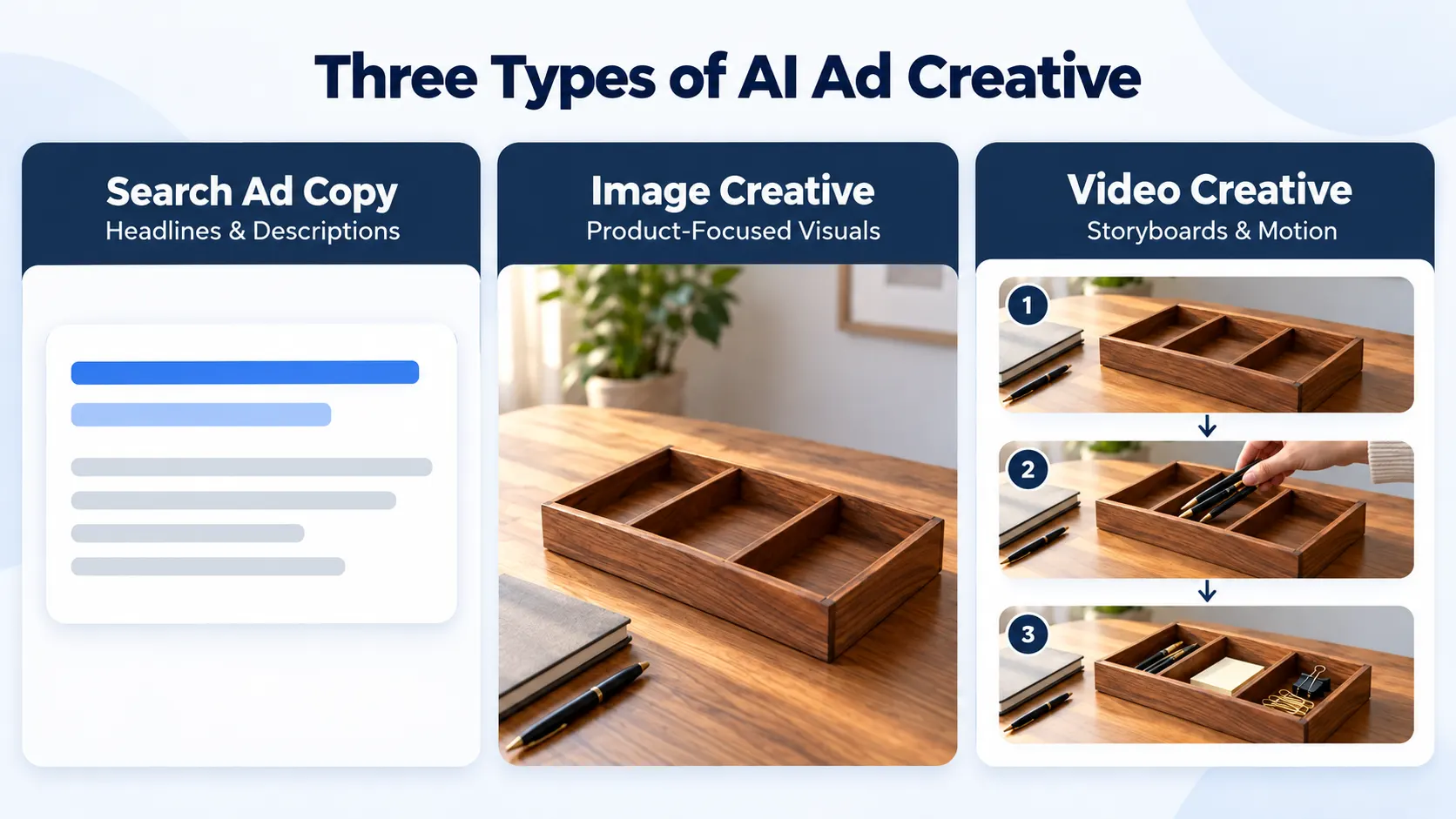
"Google ad" does not describe one format. When someone is looking for a product they may see a Google ad that's a text ad. If someone is scrolling or watching a video they may encounter a Google ad that's a visual creative. Each type of Google ad needs inputs.
| Asset you need | Useful AI contribution | Your responsibility |
|---|---|---|
| Search ad | Headline and description drafts | Keywords, final URL, character limits |
| Image-led ad | Product scenes and composition ideas | Accurate product details, crops and policy review |
| Video ad | Storyboard and first-cut creative | Claims, pacing, rights and placement suitability |
I think Google allows headlines up to thirty characters and descriptions up to ninety. I also see that Google may combine assets in orders so every line must stand on its own.
Why Should the Landing Page Come Before the Prompt?
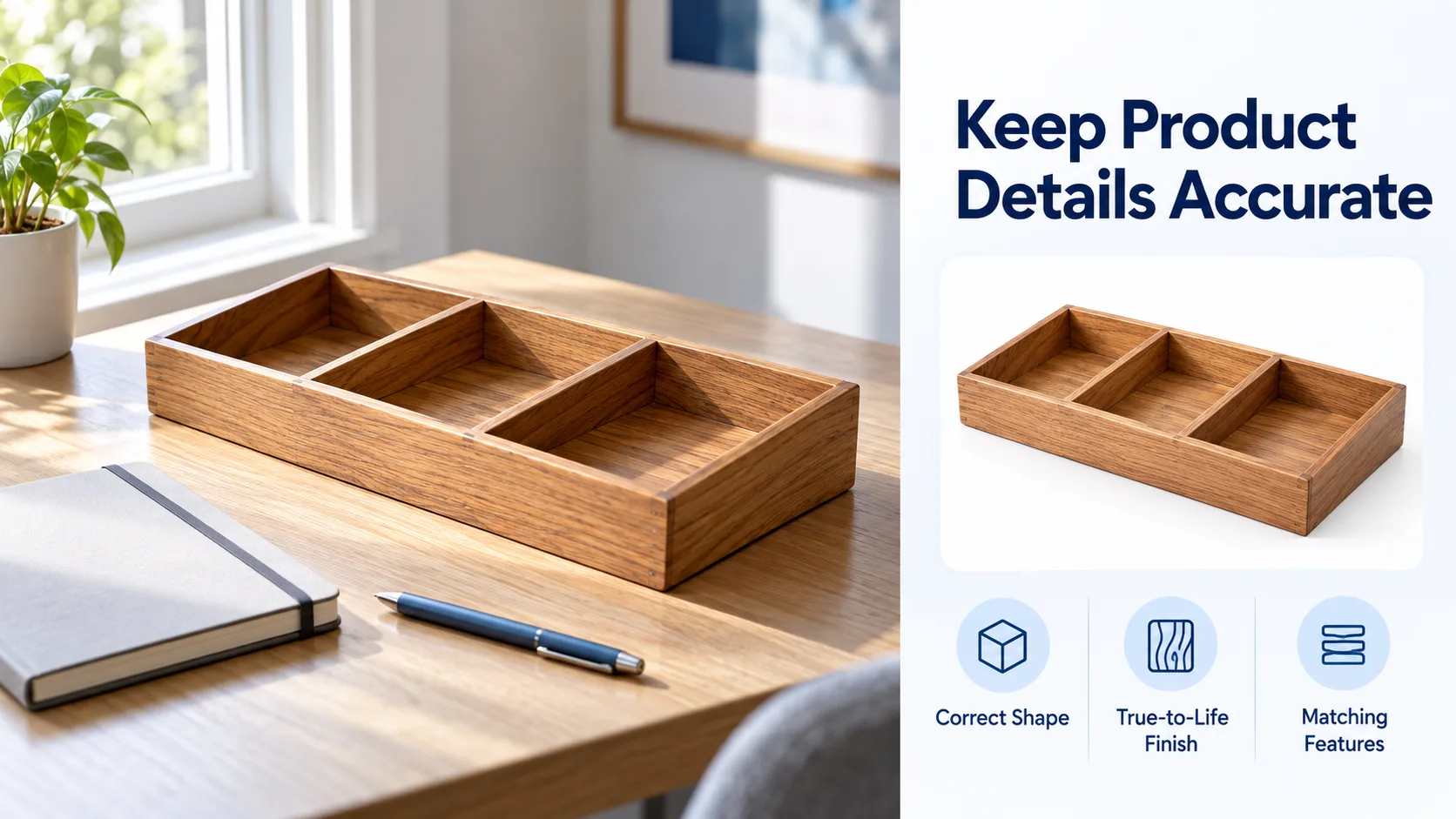
Imagine a shop selling a wooden desk tray. The product page shows three compartments and a natural finish. There is no mention of delivery time or any discount.
A vague prompt asks for “high-converting ads.” Start with a tighter sequence:
- Verify the offer.
- Choose the ad format.
- Generate a small set of candidates.
- Review them against the landing page.
Then state what is certain:
Write six Google Search ad headlines for a three-compartment wooden desk tray. Use only product information provided. If you can, set up a desk. Google’s first official photo of a person is a human. Do not mention discounts, shipping speeds, guarantees, or customer ratings.
Headlines such as ‘Wooden Desk Tray', ‘Three Compartments', and ‘Organise Your Workspace’ really do tempt the searcher into clicking through. The reviewer must examine each line.
AI written copy is not a campaign. Still need the account owner to provide keywords, exclusions, budgets, and conversion tracking.
How Do You Build an Image That Fits the Offer?
If the real tray has three sections but the picture shows four then it is not accurate. The same thing is true of a fictional logo.
Xelta's AI image tool allows you to test product scene ideas. Begin with a true shot of the product. Keep the shape of the tray, the surface appearance and the features you can see.
Put the wooden desk tray on a clean home office desk. Place it next to a closed notebook and a pen. The morning light will be soft from the left. Make shadows more realistic. A simple background . Maintain the tray’s original size, wood tone, and three compartments. No fake labels, no fake text, no extra tray details.
This prompt is not a sales pitch. Use both square and wide crops if needed, and review each one. Google also says to avoid added text blocks and fake button elements in responsive images.
When Should You Stop Regenerating?
Not every bad image needs a new generation. If the product and the overall layout look correct, open a normal editor. Then add the final text and place the approved logo.
If the product is off, the angle looks wrong, or the background is not the same as expected, then regenerate the image.
But if it is close and only small fixes are needed, be careful. Changing one detail can ruin parts that were already working.
When Does a Video Ad Make More Sense?
A video can show how the tray is sorted on a messy desk. A single still photo cannot show that same flow.
Xelta's Ad Maker uses product photos plus a short brief. Then it lays out a storyboard for you to check. After that, it makes a video ad. It is for video ads only. It does not make responsive search ads or handle managed Google Ads work.
Check the storyboard before you move on. Confirm it shows the right tray. Also check if the action makes sense even with the sound off. If there are lines that are said out loud, make sure they do not promise something the seller cannot back up.
What Should You Check Before You Launch?
Start with claims, not colours. Google does not allow promotions or offers that're not actually available.
Check exports at the size they will appear in placement of small crops and tiny logos can hide mistakes.
If visuals have been edited by AI make sure you follow the required disclosure rules.
Google’s 2026 AI-label options are not enough on their own to ensure compliance.
Get approval for product facts, rights and the landing page before publishing. Keep all rejected drafts and notes, on corrections for use.

Final Thoughts
Pick a small set of real assets, not many near copies. Start with one product, one clear message, and one place to run it. Grow the plan only if the ad work and the landing page match.
For examples of Xelta's creative workflows, explore Xelta AI on YouTube.