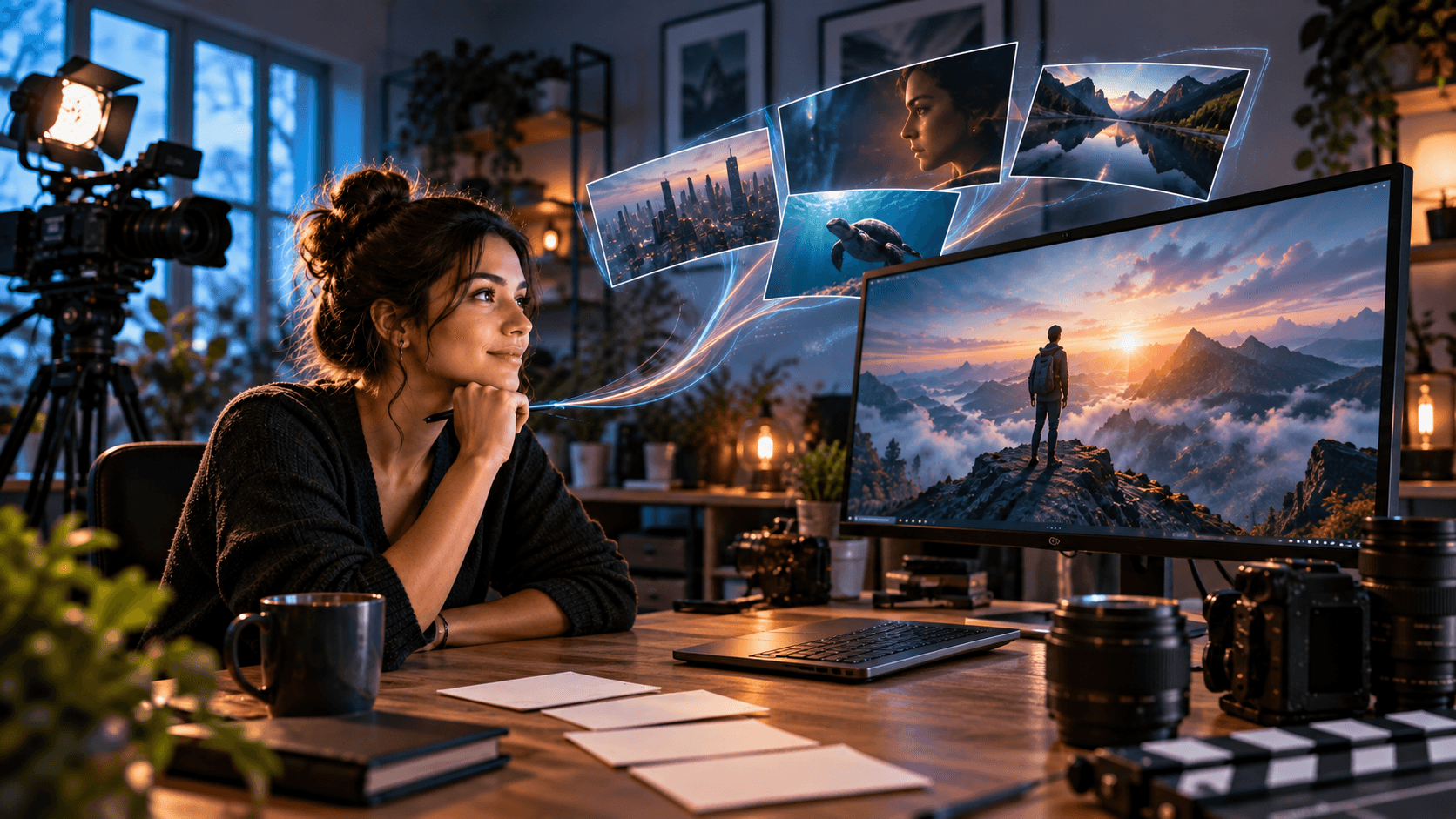
# 50 Text-to-Video AI Prompts for Creators
A great AI video always begins with a great prompt - not a great editing process. Prompts like "make a cinematic product video" can yield interesting but unusable results due to the model's freedom to interpret the camera movement, focus, objects, and intent incorrectly.
This guide contains 50 text-to-video AI prompts for creators making Reels, TikToks, YouTube videos, product content, social ads, cinematic scenes, and educational videos. You will also find out how to phrase prompts to make videos easier to control and refine. If you want to transform a prompt into a finished visual faster, you can try the Xelta AI creative suite.
Quick Answer
The best text-to-video prompts use descriptions of the subject, action, environment, camera movement, lighting, visual style, aspect ratio, and restrictions. A helpful prompt formula is:
Subject + action + environment + camera + lighting + style + format + constraints
Why Good AI Video Prompts Need Structure
The model does not process a text-to-video prompt in the same way that a human director would understand "make a cinematic product video". Instead, it analyzes the prompt for visual relationships, movement, framing, and style.
A good prompt for an AI video should specify:
- What is the main subject?
- What is it doing?
- Where is the scene taking place?
- How should the camera move?
- What lighting and mood are required?
- What aspect ratio and length are required?
- What should the model avoid?
Official prompting guides for OpenAI and Google also suggest focusing on describing the framing, movement, and lighting rather than general words for style. See the Sora prompting guide and Google's Veo prompt guide for more prompting advice for specific models.
A Practical Text-to-Video Prompt Formula
Try using this formula:
Create a [duration] [aspect ratio] video of [subject] [action] in [setting]. Use [camera movement], [lighting], and [visual style]. Keep [important detail] consistent. Avoid [unwanted result].
For example:
Create a 6-second vertical 9:16 video of a matte black water bottle on wet stone. Condensation forms on the bottle as the camera makes a slow push-in. Use soft studio lighting, shallow depth of field, and a premium fitness mood. No text, extra products, or distorted bottle shapes.
It is not necessary to always write a very long prompt, but every word should help the model understand what to create.
50 Text-to-Video AI Prompts for Creators
Product and Ecommerce Prompts
-
Skincare product: Make a 6-second vertical video of a white skincare bottle on wet stone with slow water droplets. Use a slow push-in camera movement as the condensation forms on the bottle. Apply soft studio lighting to avoid text or label distortions.
-
Coffee product: Create an 8-second realistic video of a ceramic coffee cup beside a rainy window. Let the steam rise naturally as the camera makes a slow push-in. Use morning lighting and a cozy cafe mood.
-
Fitness bottle: Make a 6-second 9:16 video of a black sports bottle on a gym bench with condensation forming. Keep the background blurred and avoid extra objects.
-
Perfume bottle: Make a 7-second luxury video of a glass perfume bottle on a black reflective surface rotating slowly. Add soft mist in the background and elegant side lighting.
-
Wireless earbuds: Make a 6-second product video of wireless earbuds opening in a charging case on a clean desk. Use a smooth macro push-in, bright lighting, and a modern technology style.
-
Jewelry: Make a 6-second macro video of a gold ring on cream fabric with warm lighting. Use a slow circular camera movement and a shallow depth of field to keep the background blurred.
-
Sneakers: Make a 7-second vertical video of clean white sneakers walking on a wet street. Add a low tracking shot, reflections, and avoid brand logos.
-
Smartphone: Make a 6-second video of a modern smartphone standing upright on a glass table with a slow rotation. Use soft blue lighting on the screen and avoid text.
-
Food packaging: Make a 6-second product video of a colorful snack packet on a wooden table. Use a gentle push-in and let the crumbs fall naturally beside the packet.
-
Desk lamp: Make a 7-second cinematic video of a modern desk lamp switching on in a dark study. Let the warm lighting spread across the books and wooden desk with a slow side camera movement.
Social Media and Short-Form Prompts
-
Instagram Reel hook: Make a 6-second vertical Reel of fresh croissants going into a bakery display case. Use morning lighting and a close camera view. Leave space at the top for captions.
-
TikTok product reveal: Make a 5-second vertical video of a phone stand going on a clean desk. Start with a close view and move back to show the whole desk.
-
Desk transformation: Make a 7-second top-down video of a messy desk transforming into a creator workspace. Keep the camera still and use natural daylight.
-
Fitness hook: Make a 6-second vertical video of a runner tying their shoelaces at sunrise. Keep the camera at a low angle and add subtle handheld movement. Avoid extra people in the foreground.
-
Unboxing scene: Make an 8-second casual handheld video of a creator opening a small package on a kitchen counter. Add soft window lighting and avoid overacting.
-
Morning routine: Make a 7-second vertical video of someone opening curtains, making coffee, and sitting at a desk. Use 3 smooth shots, morning lighting, and a calm lifestyle mood.
-
Fashion transition: Make a 6-second video of a person walking towards the camera in casual clothes and transitioning into a formal outfit. Keep the face, body, and background consistent.
-
Before and after room: Make an 8-second video of a plain bedroom transforming into a creative studio. Keep the camera locked and use a smooth visual transition between the two rooms.
-
Creator setup: Make a 6-second vertical video of a camera, mic, headphones, and notebook on a creator desk. Add a slow overhead camera movement and colored lighting.
-
Street food: Make a 7-second close-up video of a chef tossing noodles in a hot pan at a busy street food stall. Use realistic steam, quick natural movement, and warm evening lighting.
YouTube and Educational Prompts
-
YouTube intro: Make a 7-second 16:9 cinematic intro of a creator opening a laptop in a modern studio. Add a slow push-in camera movement as the daylight comes through the window. Leave space for a title overlay.
-
Technology B-roll: Make an 8-second video of a close-up circuit board glowing inside a modern device. Add a slow macro camera movement and cool blue lighting for a clean technology documentary style.
-
Science explanation: Make a 10-second educational animation of water evaporating from a lake, forming clouds, and returning as rain.
-
History video: Make an 8-second cinematic recreation of an ancient marketplace at sunrise. Show the merchants arranging their goods and people walking naturally. Avoid readable signs and modern objects.
-
Finance B-roll: Make a 7-second realistic video of a person reviewing charts on a laptop in a quiet office. Use an over-the-shoulder camera view. Avoid readable financial numbers.
-
Travel video: Make an 8-second 16:9 video of a coastal road beside blue water at golden hour. Add a smooth aerial tracking shot, natural shadows, and a calm travel documentary mood.
-
Cooking tutorial: Make a 7-second overhead video of hands chopping fresh vegetables on a wooden board. Use bright natural lighting.
-
Productivity video: Make a 6-second top-down video of a notebook, coffee, laptop, and phone on a desk. Add soft morning lighting and leave space on the right for captions.
-
Fitness tutorial: Make an 8-second side-view video of a person doing a controlled squat in a bright studio. Avoid incorrect anatomy.
-
Nature documentary: Make a 10-second cinematic video of a red fox walking through a snowy forest at dawn. Add a slow tracking shot and soft fog.
Cinematic Storytelling Prompts
-
Rainy city: Make an 8-second cinematic video of a woman walking alone in a neon-lit street with light rain. Add a slow tracking shot, reflections on the pavement, and a dramatic blue and amber color palette.
-
Fantasy forest: Make a 10-second video of a traveler entering an ancient forest with glowing plants. Add a slow crane camera movement and soft mist.
-
Space station: Make an 8-second video of an astronaut looking out of a large window at a distant planet. Add a slow camera push-in and realistic reflections.
-
Desert journey: Make a 7-second cinematic video of a lone traveler crossing a desert at sunset. Add a wide shot, blowing sand, long shadows, and a restrained cinematic color grade.
-
Mystery room: Make an 8-second video of a detective entering an old room with a flickering lamp. Add a slow side tracking shot and dusty air.
-
Ocean scene: Make a 7-second video of a small boat moving through calm ocean water at sunrise. Add a wide aerial shot, subtle waves, and warm light.
-
Romantic scene: Make a 6-second video of two people meeting outside a train station during light rain. Add a slow push-in and restrained emotional acting.
-
Historical palace: Make a 10-second video of a royal hall being prepared for a formal ceremony. Show the servants lighting candles and arranging flowers. Add a wide camera movement and warm golden light.
-
Sci-fi laboratory: Make an 8-second video of a scientist examining a glowing glass container in a futuristic laboratory. Add a slow circular camera movement and controlled blue and white lighting.
-
Action sequence: Make a 7-second video of a motorbike speeding through a wet city tunnel. Add a low tracking shot, realistic water spray, and controlled motion blur. Avoid crashes and extra vehicles.
Advertising and Brand Prompts
-
Fashion advertisement: Make a 7-second vertical fashion ad of a model walking through a minimalist studio. Add a smooth side tracking shot, soft directional lighting, and premium editorial styling.
-
Restaurant advertisement: Make an 8-second close-up video of a burger being assembled with fresh ingredients. Add slow motion for the sauce and steam, warm lighting, and an appetizing commercial style.
-
Travel advertisement: Make a 10-second video of a luxury hotel room opening towards a bright ocean view. Add a smooth forward dolly movement and natural daylight.
-
SaaS advertisement: Make a 7-second abstract video of a team collaborating around a glowing digital workspace. Add clean motion graphics, blue and violet lighting, and no readable interface text.
-
Local business ad: Make an 8-second vertical video of a customer entering a welcoming neighborhood cafe. Add a smooth handheld camera and authentic natural expressions.
-
Beauty campaign: Make a 7-second close-up video of a model applying moisturizer in soft window light. Keep the skin texture natural, the camera steady, and the product visible without label distortion.
-
Automotive ad: Make an 8-second cinematic video of a silver electric car driving through a modern city at dusk. Add a low tracking shot and realistic reflections.
-
Event promotion: Make a 7-second video of a modern conference venue being prepared before guests arrive. Show the lights turning on, the chairs aligning, and the stage coming into focus.
-
UGC-style ad: Make an 8-second vertical handheld video of a creator using a portable blender in a bright kitchen. Add casual framing and realistic movement.
-
Brand film: Make a 10-second cinematic video of a small team transforming an early idea into a finished product. Add quick but smooth visual cuts, consistent lighting, and an optimistic professional mood.
How to Improve a Weak AI Video Output
When the result is close but not quite there, avoid rephrasing the whole prompt. Instead, change one variable at a time.
If the subject looks distorted, make the description of its shape, material, size, and position clearer. If the motion looks unnatural, simplify the action. If the camera becomes too chaotic, request only one camera movement.
In this example, instead of saying:
Make an exciting cinematic video of a person running through a city.
Say:
Create a 6-second vertical video of one runner walking along a wet city sidewalk at sunrise. Use a low steady tracking shot from the side. Keep the runner's face, clothing, and body proportions consistent. No camera shake, extra runners, or sudden cuts.
Short clips are often more controlled than a full story in one go. The approach should be to generate separate shots and then assemble them.
Common Prompting Mistakes to Avoid
The most common prompting mistake is asking for too many actions in a short clip. A five-second video often cannot always clearly tell a story.
Other mistakes are:
- Using generic words like "beautiful" or "professional" instead of visual details
- Requesting readable text or perfect logos inside the visual
- Asking for multiple camera movements in one prompt
- Ignoring the final platform format
- Changing the character description between shots
- Trying to make one generation the final edit
- Forgetting to specify what should not appear
Exact captions, logos, prices, URLs, and legal text are usually better added in editing.
How Xelta Fits Into the Creator Workflow
A practical workflow is:
- Define the purpose of the video.
- Choose one main subject and one primary action.
- Write the prompt using the structured formula.
- Pick the required aspect ratio and model.
- Generate a short clip.
- Review the subject, motion, framing, and consistency.
- Refine the prompt or edit the result.
- Add voiceover, captions, music, and branding.
Xelta's AI video generator supports text-to-video and image-to-video workflows for social content, ads, products, education, and storytelling. Its wider creative workspace also includes editing, video stitching, motion control, VFX, voice, and social content tools.
For longer narrative projects, creators can also explore Xelta's AI film and microdrama tools.
Soft CTA
Start with one prompt from this list, generate a short clip, and improve only the part that failed. This usually produces better results than adding random descriptive words.
Conclusion
The best text-to-video AI prompts are clear creative directions. They describe what the viewer should see, what should move, how the camera should behave, and what the model should avoid.
Start with one subject, one action, and one camera movement. Use a suitable format for the platform, review each generation carefully, and add exact text or branding during editing. When you need generation and post-production tools in one workflow, try Xelta AI and turn your prompt into a more complete piece of content.
FAQs
What Is a Text-to-Video AI Prompt?
A text-to-video AI prompt is a written instruction that tells an AI model what video to generate. It can describe the subject, action, setting, camera movement, lighting, style, duration, and format.
How Long Should an AI Video Prompt Be?
A prompt should be detailed enough to remove ambiguity but not overloaded with unrelated instructions. For a short clip, one clear paragraph containing the subject, action, camera, environment, and constraints is usually enough.
What Makes a Text-to-Video Prompt Effective?
An effective prompt focuses on one main subject and one primary action. It also includes visual details such as framing, camera movement, lighting, duration, aspect ratio, and unwanted elements to avoid.
Can I Use These Prompts in Different AI Video Generators?
Yes. These prompts can be adapted for platforms such as Xelta, Sora, Veo, Runway, Kling, Seedance, and other text-to-video tools. Some platforms may interpret camera controls, audio, duration, or negative instructions differently.
Should I Include Text Inside an AI Video Prompt?
You can request text, but generated text may be misspelled, distorted, or inconsistent. For important headlines, product labels, prices, and calls to action, add the text during editing.
How Do I Keep a Character Consistent Across AI Videos?
Use the same character description, clothing details, age, hairstyle, location, and lighting in every prompt. When available, use a reference image or image-to-video workflow for stronger visual continuity.
What Aspect Ratio Should Creators Use?
Use 9:16 for TikTok, Instagram Reels, YouTube Shorts, and Snapchat. Use 16:9 for standard YouTube videos, presentations, and landscape content. Use 1:1 when the content needs to work across square social placements.
Why Does My AI Video Look Unnatural?
Unnatural results often come from too many actions, unclear movement, complex camera instructions, or inconsistent subject descriptions. Simplify the prompt, use one main action, and refine one variable at a time.