AI Hairstyle Generator: Examples, Prompts and Common Mistakes
Ever saved a photo of the haircut, then asked your stylist midway through the appointment if it would look as good on you?
The cut can make all the difference with one person's face framed with comfort and another very differently. An AI hairstyle generator existed to start poking and playing with those differences prior to the act of the cut. Using the Xelta AI feature with Visual References, hair ideas can be explored as well as the creation of images using AI.
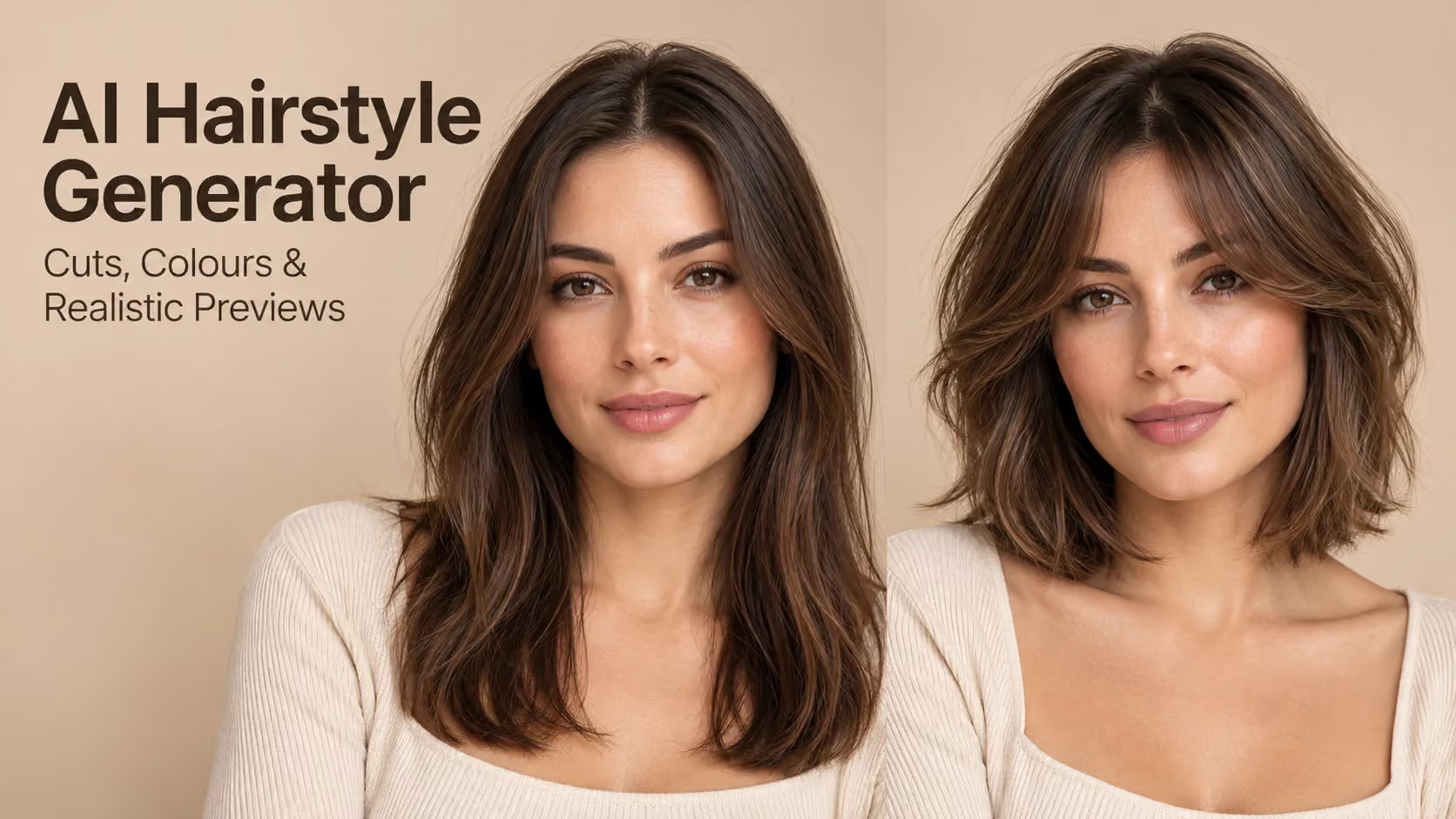
An AI hairstyle generator creates a visual preview of different haircuts, colours and textures using a portrait. Attach a crisp photo, introduce the hairstyle you desire, and allow the feed to check out before attempting in order to head to your next variation. While the texture, density and usage of hair will still rely on personal factors, the preview can assist you in showing your preferences.
An AI hairstyle generator lets you preview different haircuts, styles, and colours on your own photo before making a real change. For more realistic results, use a clear, well-lit portrait and specific prompts that describe the desired length, texture, parting, or colour. Compare hairstyles by changing one feature at a time, and check details such as the hairline, forehead, and natural volume. While AI hairstyle previews can help you explore ideas and communicate your preferences to a stylist, they are visual approximations rather than guarantees of how your hair will look in real life.
Why Can the Same Haircut Look Different on Two People?
Try a bob hairstyle. It may fall straight against the jaw on straight, fine hair. These full-length locks can give an additional fullness to thicker, wavy hair.
Face shape has its importance, but it's not all-important. The end result depends on the density, direction, and style of the hair.
At this point, a virtual hairstyle preview comes in handy. For example, rather than using one particular type of model image, one can make comparisons with the length and shape of values and one's own facelength pattern.
The outcome, nevertheless, is just an approximation other than a visual hit-or-miss. The forecast isn't always accurate when it comes to hair after washing, after drying or whether an afternoon of hot humid weather will occur.
Which Photograph Works Best for a Hairstyle Preview?
Many people don't realize how important a good starting image is.
Select a photo made at eye level, easily found near a window where there are soft, even lighting conditions. Your forehead, ears and the top of your head should be visible.
Don't use beauty filters which alter your face or soften individual hairs. The comparison of hairstyles isn't very significant if your original portrait photograph already alters your appearance.
For curly/dandy locks or wavy hair color, submit a picture of your typical hair style. A newly combed hairstyle could give an appealing look, but it won't give a good idea of what hair will look like during a common day.
When Is a General AI Image Generator More Useful?
All hair styles don't start with a personal photograph.
If a salon is making inspiration boards, they may require pictures of various hair colors, directions or even mannequins. In that case, Xelta's AI image generator may be helpful for more general aspects of the image.
But for deciding whether bangs, layers or a shorter cut work better for you personally, editing your portrait is a much more appropriate way to make the decision.
The difference is easy to explain – whenever you generate an image, that inspires you on your style while a preview of a portrait gives you a good idea of how you'll look in this style.
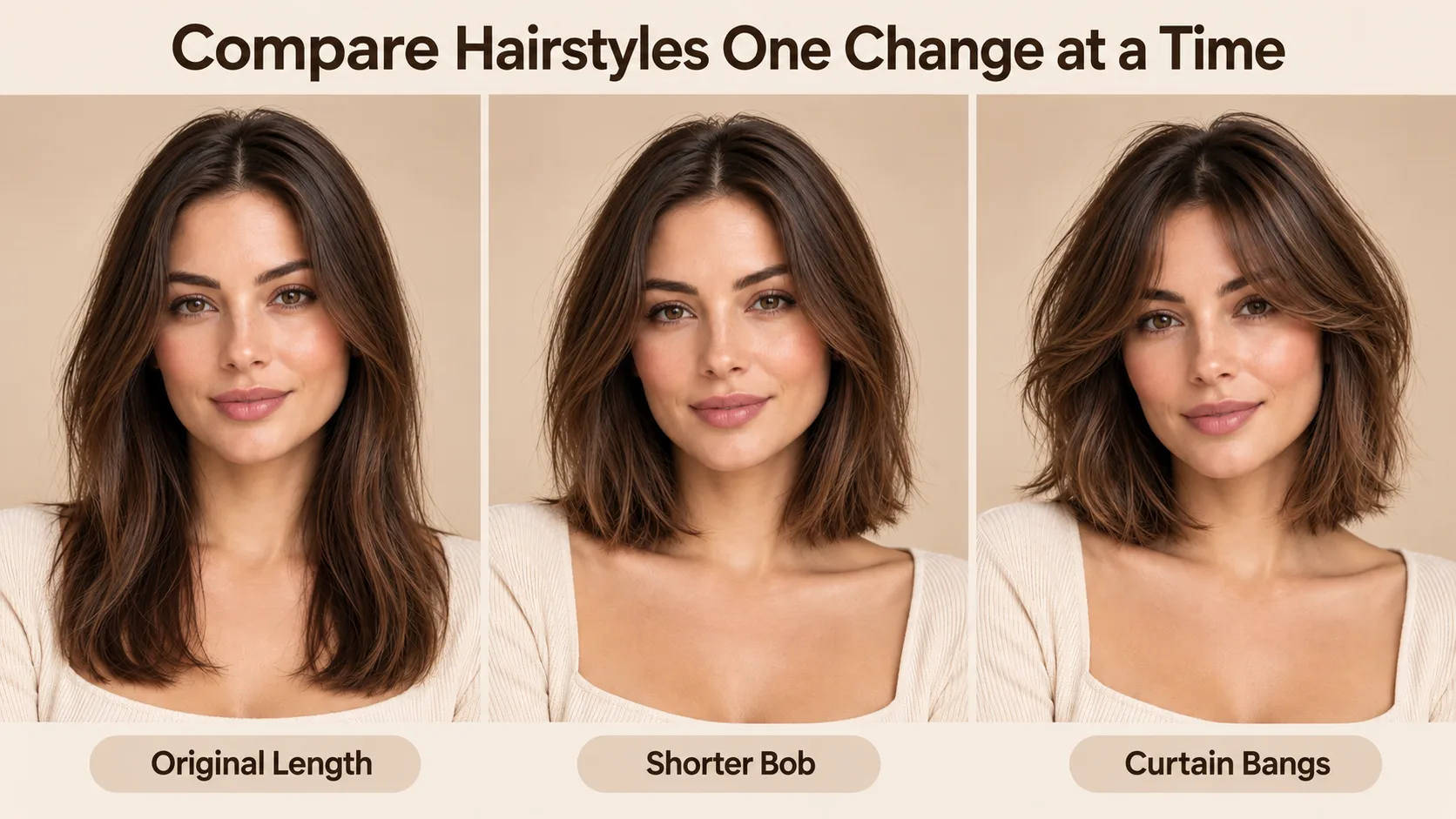
How Should You Compare Different Hairstyles?
You can't discern what it is that you like when the whole thing changes all at once.
A more effective strategy is to conduct a number of carefully controlled comparisons:
- Start using the present one hairstyle and alter the length only.
- Maintain this length and try out bangs or layers.
- Before trying another colour, make sure to return to the original photograph.
- Compare the highest scores against each other.
If you're deciding between bangs and a topknot, then you'll need to understand the advantages and disadvantages of each style. Create two versions with the same photo, lighting.
If anywhere, pay attention as to if there is any formation on the forehead still natural and if there has been enough movement of hair onboard the eyebrows.
Those are what are important, rather than if the photograph looks 'fashionable' after editing.
Which AI Hairstyle Prompts Are Worth Trying?
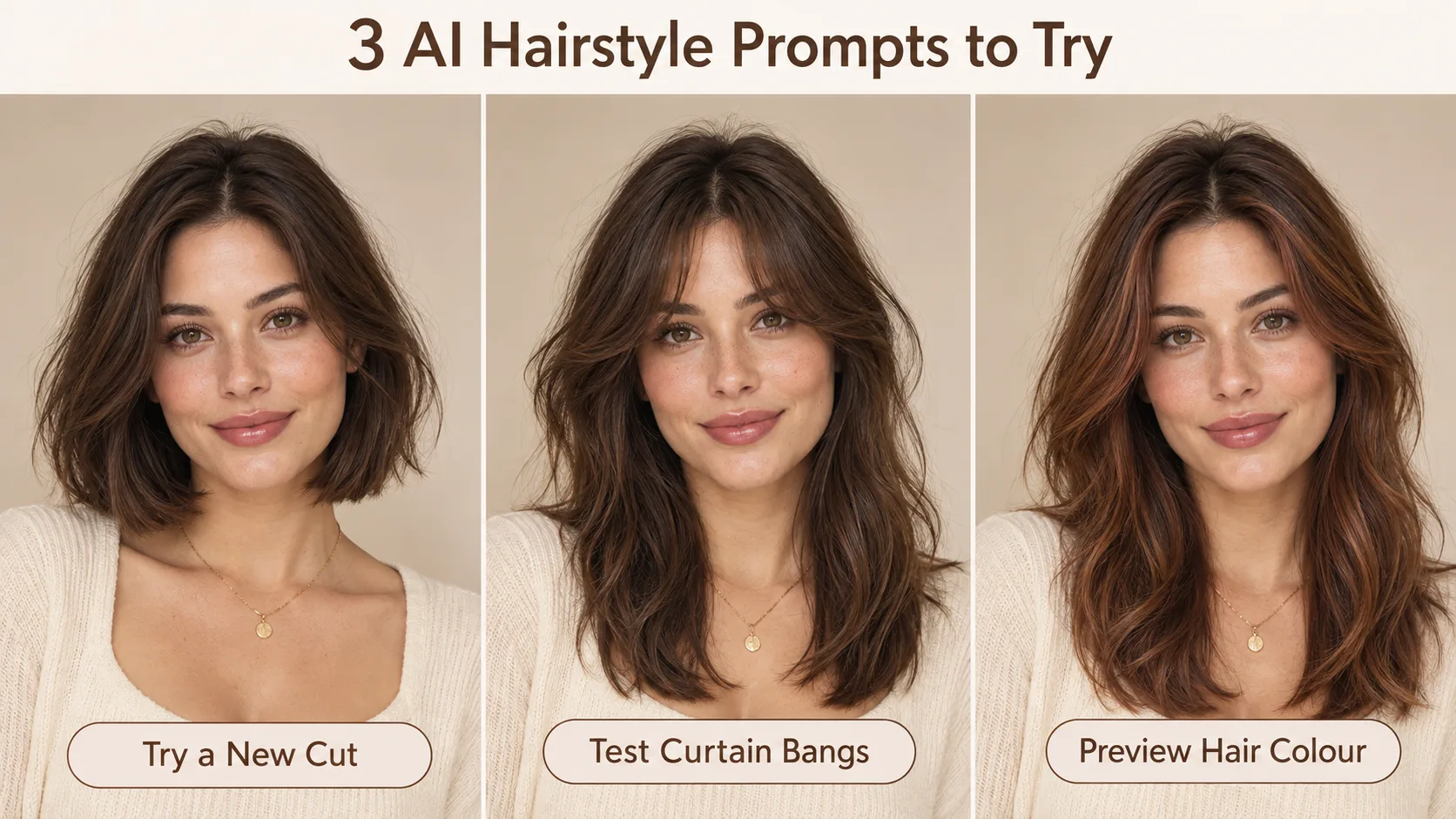
A hairstyle prompt is effective if it is telling people what the cut of the hair will be, and not just once it looks good.
1. Trying a Shorter Bob
Get a change in haircut, change my haircut to a chignon length hair with the middle part softening. Keep my hair as it is, don't change its colour or texture. Keep my facial features, forehead and lighting unchanged.
This will enable you to find out if the shorter length fits around your jaw.
2. Testing Curtain Bangs
Attach a few lighter bangs that fall cleanly by the mid-line and fade into my layers. Do not touch any portion of my hair leaving it as is. Keep natural hair density, my original shape of the face.
Take note of the length of the fringe! AI is not well known for producing the ideal amount of hair.
3. Warmer Hair Colour: a preview of that colouring!
Do not change my hairstyle or hair thickness. Featuring a soft chestnut brown and faintly copper colored color with natural roots. Don't change my skin color or facial characteristics.
Colour previews are especially affected by lighting. Color that is warm under light conditions, can be very different when it's inside.
How Can You Make a More Personal Hairstyle Preview?
If you are thinking of going for a real haircut, Xelta has a dedicated portrait editing workflow with AI Hair Style Changer.
Upload your photo, about the haircut or colour, and compare the photo with the rendered one. The tool can help with making length-based, texture-based, bangs and colour-based transformations.
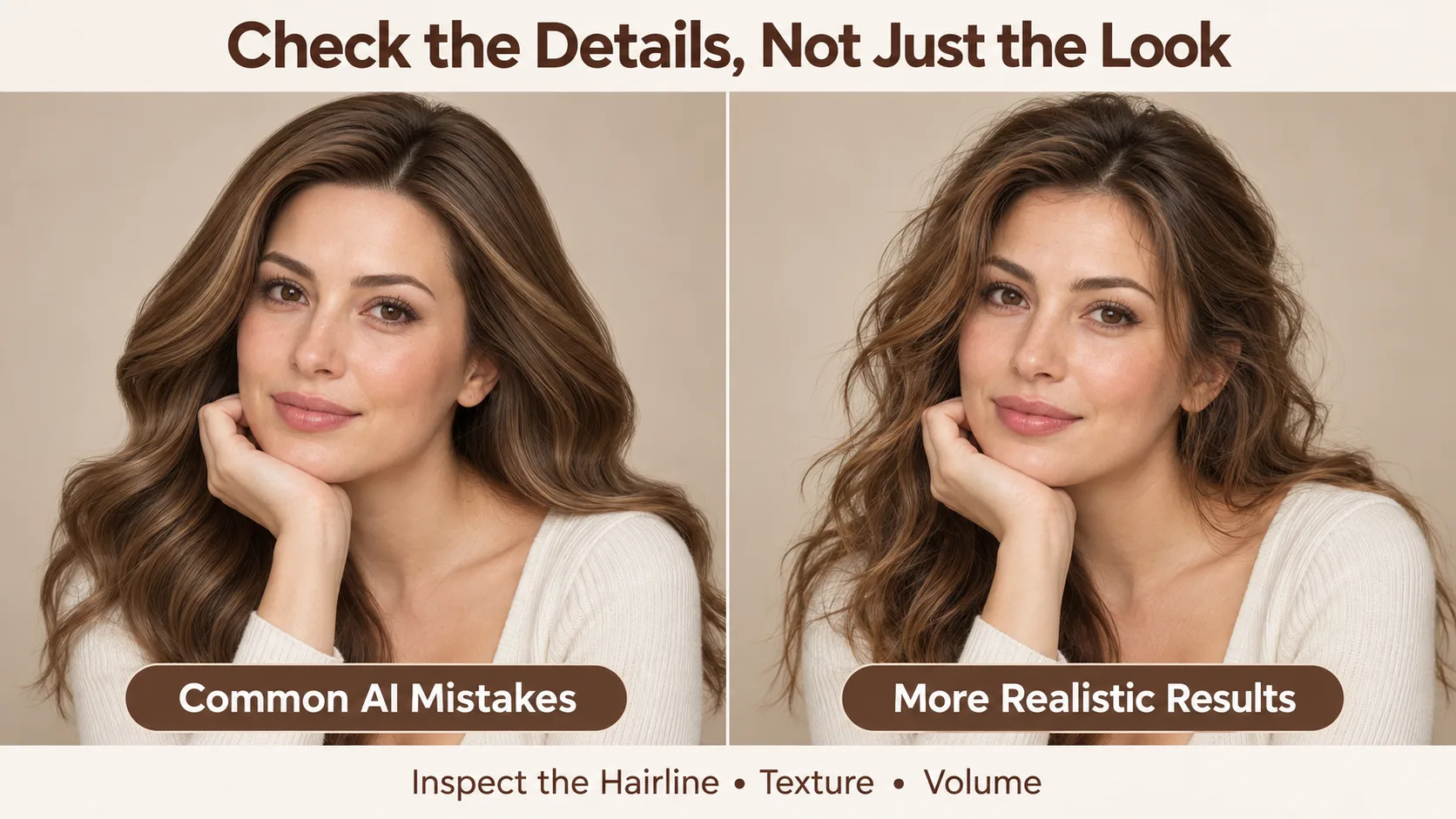
Wait until your first decision about a new look. You get an attractive image. See if the line of hair is believable and if it has altered your face in the edit.
If it seems odd, make a tweak to the instruction, but don't change the entire look.
What Are the Most Common Hairstyle Preview Mistakes?
The biggest mistake is trusting the overall appearance without examining the details.
| Common mistake | Better approach |
|---|---|
| Asking for "beautiful hair" | Specify length, texture and parting |
| Changing colour and cut together | Test each change separately |
| Ignoring an altered hairline | Compare the forehead with the original |
| Choosing only the most polished image | Consider natural texture and maintenance |
Another frequent fault is assuming the very hair in the salon exactly matches that in the hair salon churner.
But starting from a colour stylist's point of view, there are still a few factors to consider, such as your growth pattern, prior colour history and daily styling.
In addition, ensure that all images are your own or ones that you have permission to manipulate, especially if you're creating hairstyle "teaser pictures" for the users.
Final Thoughts
A good hairstyle preview doesn't have to be resembling a magazine cover! It should aid you in making a better decision.
Select a clear cut picture, play around with realistic edits and bring them the most useful comparison to your stylist. It's usually more beneficial than coming up with another dozen spins on that conversation.
For more creative demonstrations and practical image-generation tutorials, exploreXelta AI on YouTube.
Frequently asked questions