- AI poster generators can speed up visual design by creating artwork from text prompts, reference images, or design ideas, but the finished poster still needs careful editing and review.
- Before writing a prompt, define the target audience, main message, poster placement, and the key information viewers must remember.
- A useful prompt formula is subject + audience + content + style + colour + text area + restrictions.
- Generate artwork with clear space for editable text instead of relying on AI to produce accurate dates, prices, addresses, logos, or event details.
- Adapt the visual direction to the poster's purpose, whether it is a community event, product promotion, educational workshop, seasonal retail campaign, or awareness message.
- Turn generated artwork into a finished design using clear text hierarchy, approved brand assets, readable typography, and editable text layers.
- Avoid common mistakes such as invented text, excessive decoration, weak contrast, inaccurate product details, and blurry print exports.
- Prepare separate versions for print and social media. Confirm print dimensions, resolution, bleed, safe margins, and colour settings with the printer; check mobile readability and QR code functionality for digital versions.
- Review commercial use rights for AI generated content, logos, product images, people, and potentially protected designs before publishing.
- The best AI generated poster is not simply attractive; it communicates the correct information clearly and helps viewers understand what action to take.
- 1.Prompts, Examples & Common Mistakes
- 2.Quick Answer
- 3.What Can an AI Poster Generator Actually Do?
- 4.What Should You Decide Before Writing a Prompt?
- 5.How Do You Write a Poster Prompt That Works?
- 6.Which Prompt Examples Can You Adapt?
- 7.How Do You Turn a Generated Image Into a Finished Poster?
- 8.Which Common AI Poster Mistakes Should You Avoid?
- 9.How Do You Prepare Posters for Print and Social Media?
- 10.Final Thoughts
Prompts, Examples & Common Mistakes
A local bakery is having a taste session on Saturday. The owner uses an AI tool to create a beautiful poster but ends up with an image that shows wonderful pastries, beautiful fonts and a date that cannot be read. They may get some nice comments but are unsure when to arrive.
This helps to speed up the process of creating visual concepts. However the image needs to clearly convey a message, be intentional in its design and detailed.
Using the AI poster generator tools you can generate your design through text prompts, images or design ideas. Firstly know who your target audience are, what your main message is and how you want to position your design. When designing your artwork you should leave text sections. Double check all details such as dates, prices, logos, colours and printing resolutions. Once your design has been created using the design editor make sure your text is perfectly formatted and printed using an approved printer file.
What Can an AI Poster Generator Actually Do?
Tools that help produce a whole design or just artwork for your poster. Canva has an AI poster tool with editing and printing capabilities. Adobe Firefly will produce visuals in a poster style. Image generators are great for creating backgrounds or illustrations.
Different roles all together. An illustration won’t have editable text, correct bleeds or correct brand assets.
A workspace with several creative tools can help explore visual directions, but choose a dedicated layout editor if the poster requires precise type, margins and production files.
What Should You Decide Before Writing a Prompt?
What needs to be remembered by the viewer? This could be an event such as "Saturday pastry tasting, 11 a.m.–2 p.m." Everything else should back this up.
Where is this going to go? If it’s a print ad in a shop window then it needs to be readable from a few feet away. If it’s a story on a phone then the text needs to be away from any buttons. Include your logo, approved colours, genuine images and proof reader.
| Poster type | First thing viewers need | Best visual direction |
|---|---|---|
| Local event | What, when and where | Clear focal image with generous text space |
| Product launch | What is new | Accurate product photograph |
| Workshop | Topic and registration action | Simple illustration, restrained background |
| Awareness campaign | One memorable message | High contrast and a recognisable symbol |
Don't ask a model to invent the date, venue or product details. Supply verified information and add it later as editable text.
How Do You Write a Poster Prompt That Works?
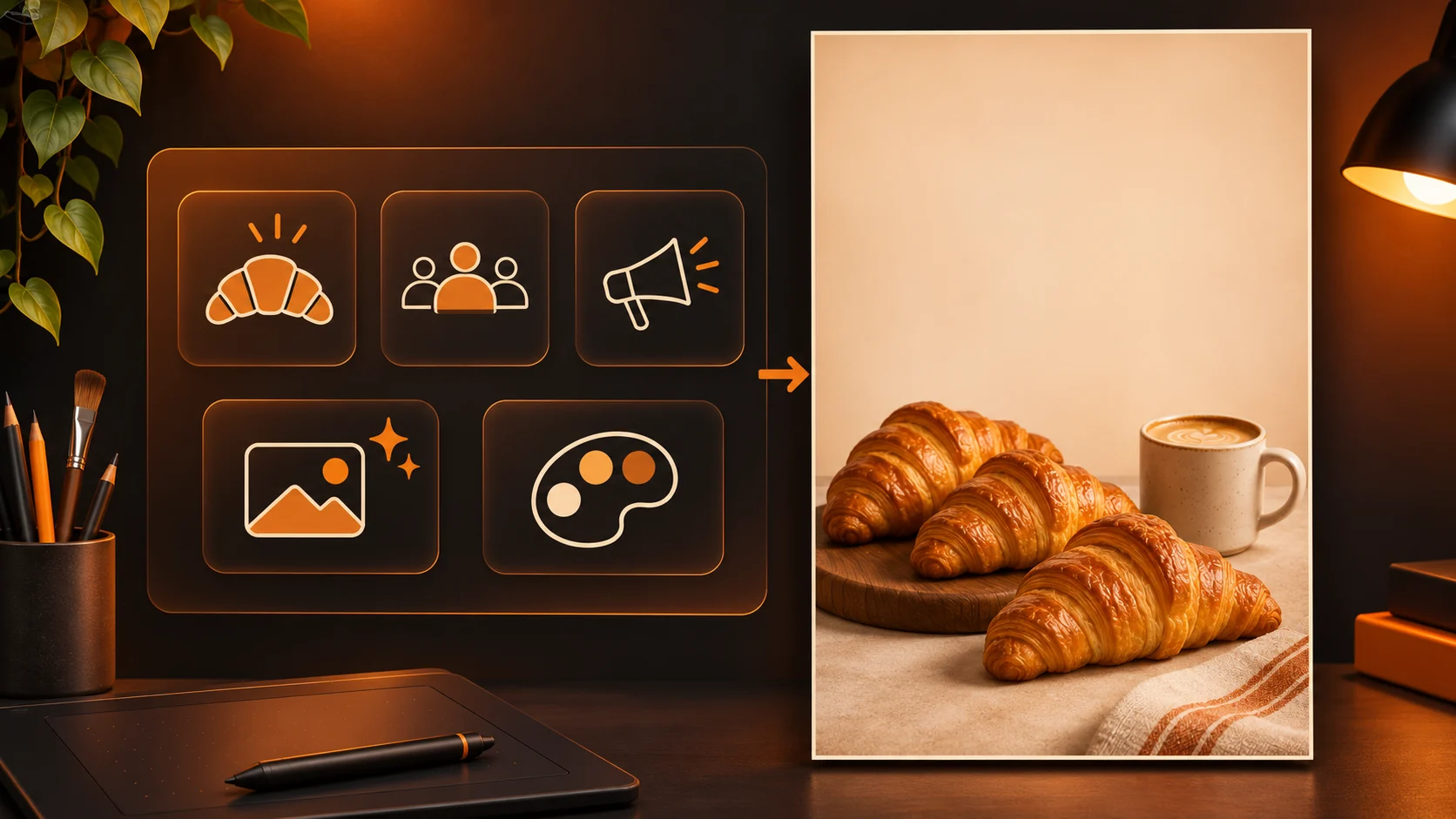
A good formula to use is subject + audience + content + style + colour + text area + restrictions. Describe what you’re creating.
For the bakery:
Create a vertical, illustrated background. You want to create a poster for a local pastry tasting. There are 3 realistic croissants and a small ceramic mug of coffee on a creamy warm table. The croissants should be placed on the bottom half of the poster. The top third should be kept clean so that the editable event name and date can go here. Use soft colours of terracotta and browns. Do not include any text, logos, prices or additional products.
An image generator with prompt and reference options can help test backgrounds like this. If you need the bakery's actual pastries shown, start with approved photos instead of letting a model invent the menu.
Which Prompt Examples Can You Adapt?
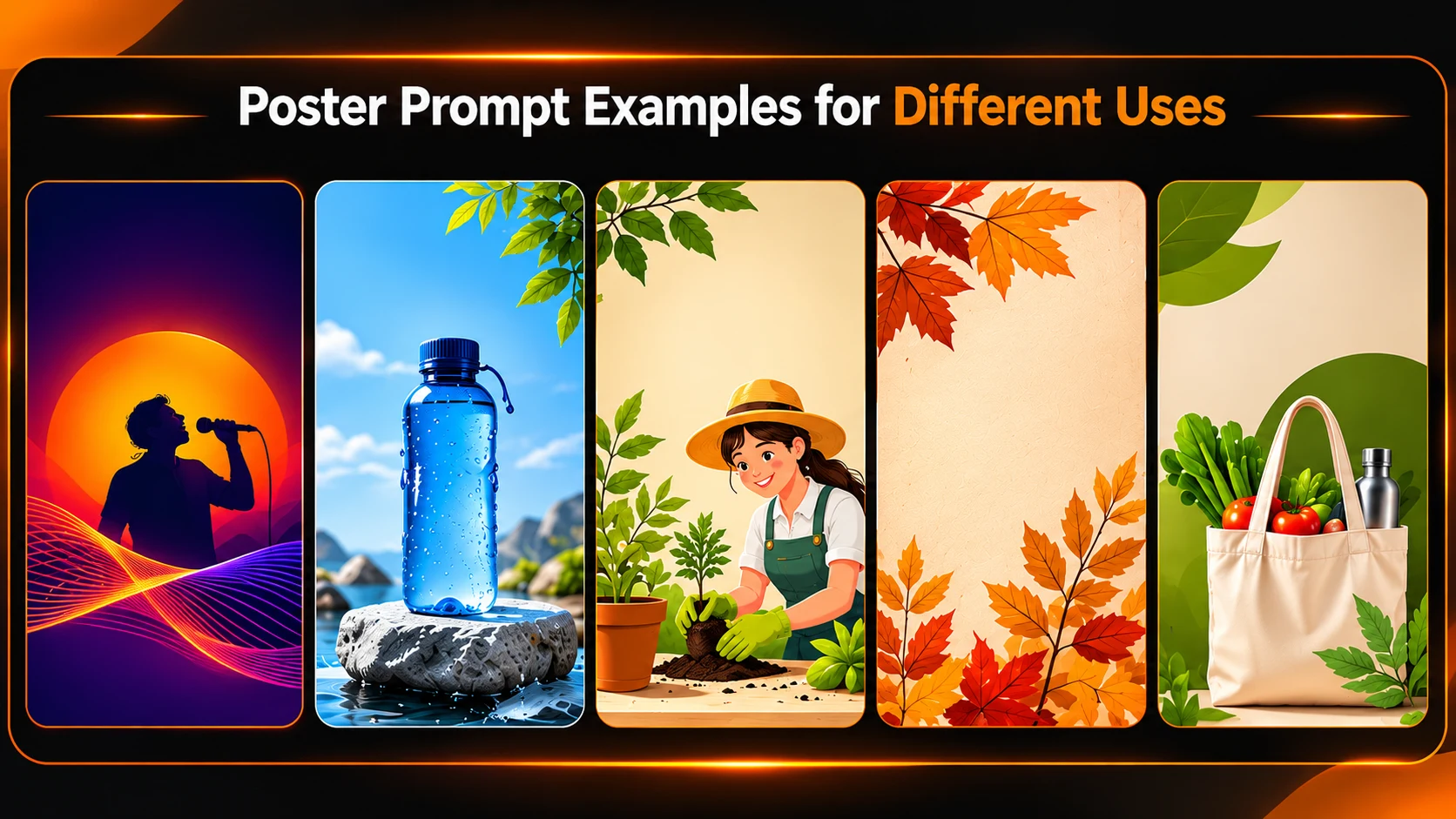
1. Music/Community Event
An eye catching illustrated poster showing a bold concert poster with abstract sound waves. Deep navy and warm orange tones have been used with lots of space for the event name at the top and clear information about when and where at the bottom. There is no text or likeness of people.
2. Product Promotion
The approved image of the cobalt blue water bottle has been used. Centred on a pale stone base with soft side lighting. Lots of space on the left of the image to add an offer. The cap, handle, logo and colours must be kept exactly the same. No badges or text.
3. Educational Workshop
A friendly 2D illustration of a beginner gardener planting herbs. Muted green and warm neutral tones have been used with easy to understand shapes. Space on the right hand side to add registration information. No diagrams or text.
4. Seasonal Retail
A sophisticated leafy illustration with a paper textured background. A muted copper and cream colour palette has been used. Space in the centre to add an editable heading. No fake book covers or pricing.
5. Awareness
A simplistic editorial illustration showing a reusable shopping bag with everyday shopping. Bold shape with high contrast tones. Portrait style. Space above to add a brief verified sustainability message. No statistics, slogans or text.
These are just some ideas for artwork. You will need to add the actual message and check through using your design editor.
How Do You Turn a Generated Image Into a Finished Poster?
- Choose a layout that conveys the correct tone.
- Ensure there is a clear hierarchy. This will be based on the event title/offer (largest), date/benefit (medium), location & call to action.
- Include editable brand elements. This will include logos (approved), copy (exact) and QR code (if required).
- Ensure text is easy to read. Ensure you can view the poster on a mobile device at a realistic distance.
- Export in different formats. Print will have the correct ratio, feed graphic will be square and story will be vertical.
Keep your master file with text layers so that any small changes to the event time do not require another image to be created.
Which Common AI Poster Mistakes Should You Avoid?
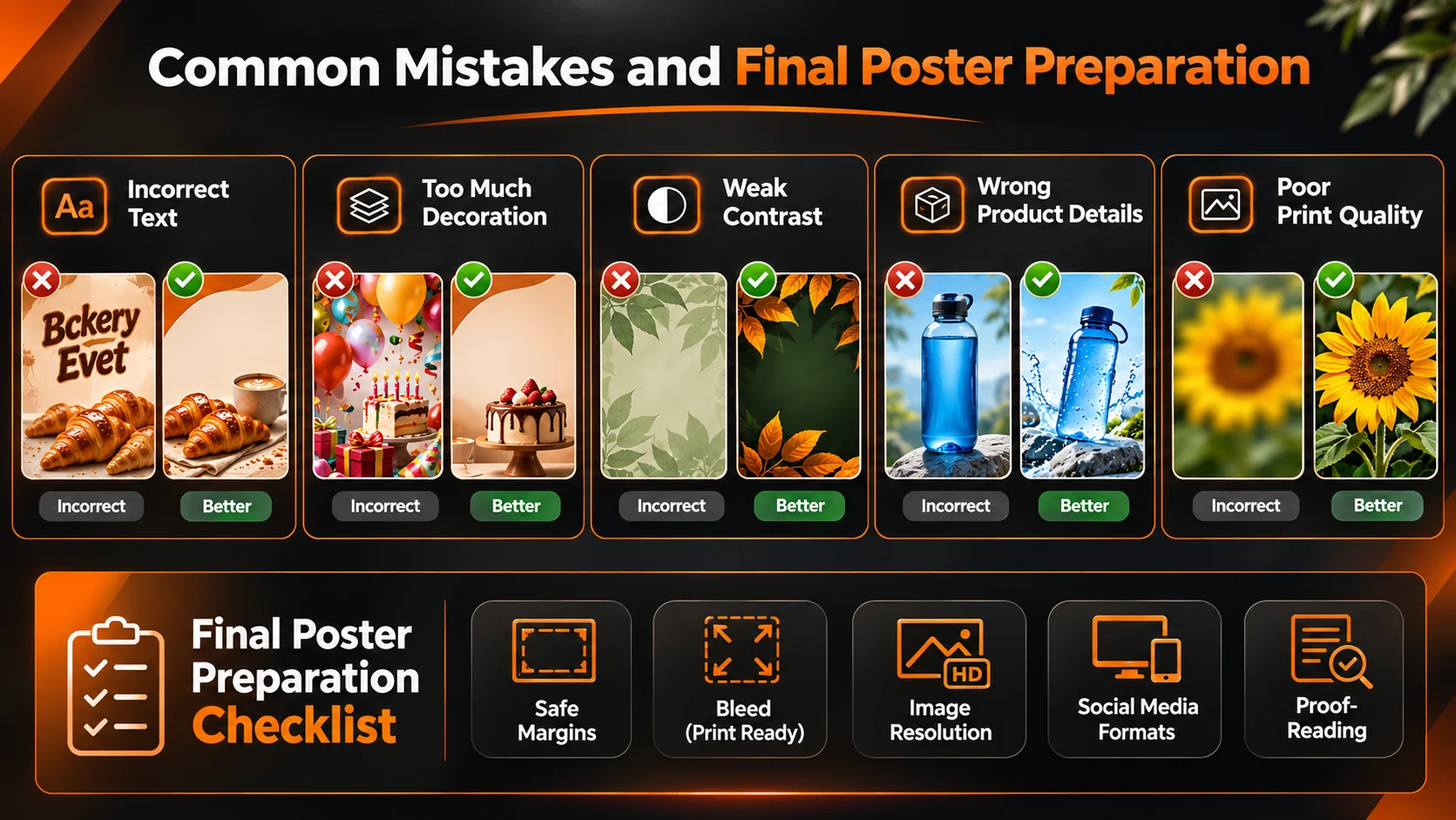
| Mistake | Why it hurts | Better fix |
|---|---|---|
| Invented or misspelled text | People get the wrong details | Add approved copy in editable layers |
| Too much decoration | The message disappears | Reduce objects and increase negative space |
| Weak contrast | Small text becomes unreadable | Test type against the actual background |
| Wrong product details | The poster misrepresents the offer | Use authentic references and inspect closely |
| Blurry print export | Enlarged artwork loses sharpness | Confirm pixels at intended print size |
For background or lighting corrections, a photo editor may help refine an image. That doesn't replace the layout tool needed for exact text alignment, vector logos or print marks.
How Do You Prepare Posters for Print and Social Media?
Ask your printer for the ideal size to print at, bleed and safe margins. This will also include colour profiles and how they’d like the PDF set up. You’ll generally want to print at a resolution of around 300 PPI (at actual print size) although larger format posters will be less.
Changing the DPI in metadata will not give you additional details.
Socials: Make sure that the headline is not cut off on a smaller screen. You’ll need to make sure QR codes can be scanned, links work and the CTA is easy to read without using zoom.
Final Thoughts
Using AI to design different styles for your poster can speed up your team's process. However, you want your poster to be informative and not just visually appealing. You want people to be able to understand the message, know the key information and know what to do next.
Start by thinking about your audience and where your poster will go. Create a small amount of controlled guidelines. Then create your final hierarchy using editable text and approved brand.
Have someone proof read who hasn't written the brief. Check the actual export. Keep print requirements separate from screen requirements.
Don't try to fix any errors that the tool has made with creating fake packaging, dates or other information. Instead replace this with correct information. The best poster is one that people can take action on.
For more practical creative examples, explore tutorials.
Frequently asked questions