Key Takeaways
- Both tools rely on generative AI to assist with content creation but have fundamentally different approaches to the task.
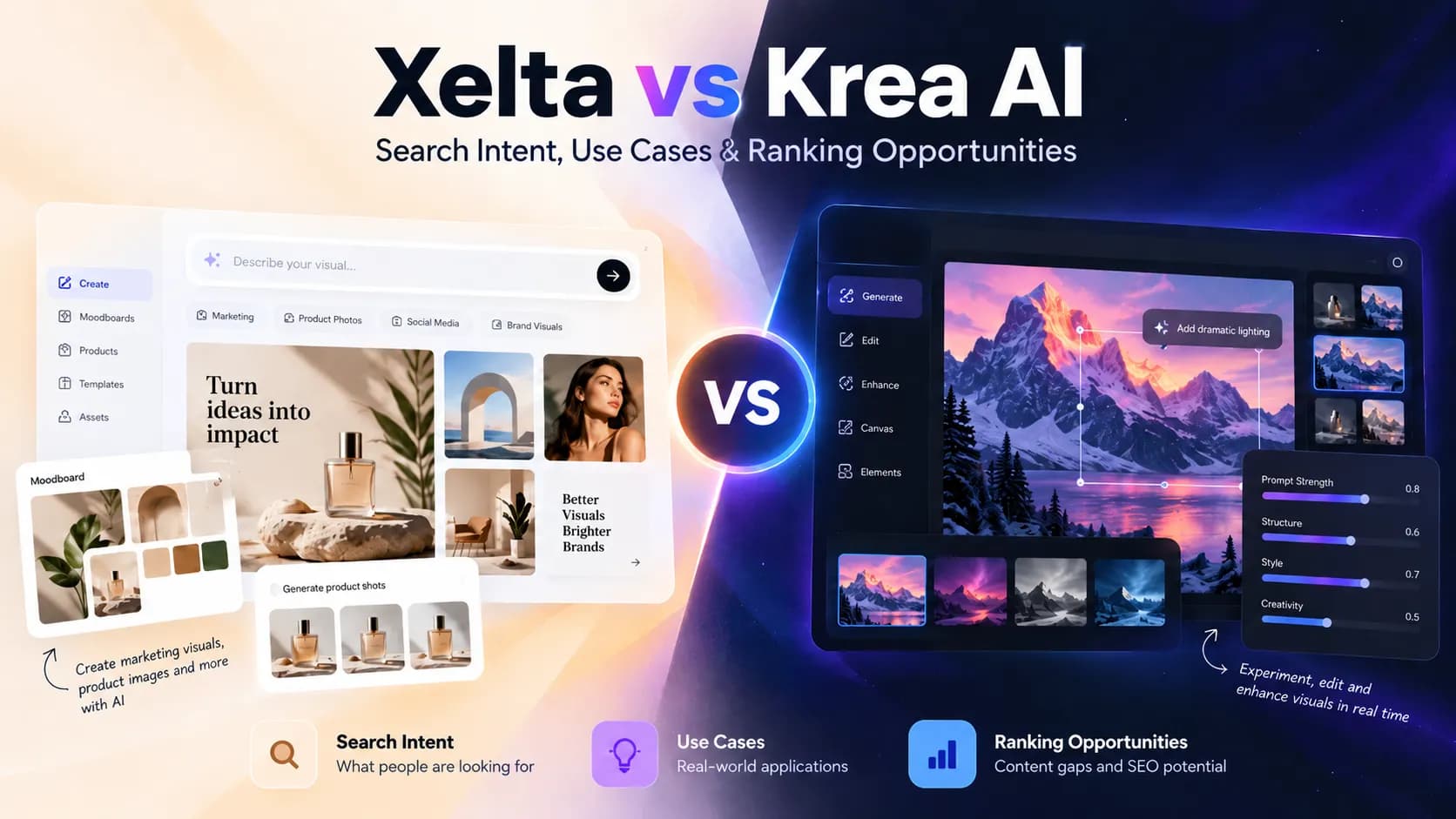
- Comparison factorXelta AIKrea AIImage generationText and image guided creationImage generation with multiple visual controlsCreative explorationPrompts, styles, and moodboard workflowsReal-time generation and style experimentationImage editingImage refinement and related editing toolsTargeted region edits, background changes, and enhancementMarketing workflowsCampaign visuals and broader creative productionVisual development and image preparationMoodboard creationDedicated Moodboard AI workflowVisual references and composition explorationBest fit emphasisConnecting visuals with content productionHands on image iteration and refinementNote: These are general comparisons; the actual performance of Xelta and Krea AI should be tested for specific tasks.
- Creating marketing and product visualsWhen it comes to marketing and product visuals, the first concept iteration is rarely the end result.
- When it comes to comparing image generation tools, it is better to use equal examples rather than trying to judge different types of content.
Table of Contents
- 1.Quick Answer
- 2.What Is the Difference Between Xelta and Krea AI?
- 3.Xelta vs Krea AI: Feature and Workflow Comparison
- 4.Which Platform Is Better for Different Creative Tasks?
- 5.How Can You Compare Both AI Image Generators Fairly?
- 6.How Does Xelta Support Moodboard-Led Creative Planning?
- 7.What Should You Check Before Choosing a Tool?
- 8.Final Thoughts
Quick Answer
Xelta vs. Krea AI is a choice between connected content creation and exploratory image-making. Xelta is a good option if you need marketing visuals, campaign concepts, and moodboard-based production. Krea may be more appealing if your designers prefer to experiment with images and need extensive editing control. The difference between Krea and Xelta boils down to your production pipeline and revision needs.
What Is the Difference Between Xelta and Krea AI?
Both tools rely on generative AI to assist with content creation but have fundamentally different approaches to the task. Xelta’s creative platform is focused on image generation as a part of a greater design, editing, and marketing process. At the same time, Krea is more concerned with allowing users to experiment with visual content and make specific image adjustments in real time.
The two platforms are not identical, which is why their use cases are also different.

Xelta vs Krea AI: Feature and Workflow Comparison
| Comparison factor | Xelta AI | Krea AI |
|---|---|---|
| Comparison factor | ||
| Image generation | Text and image guided creation | Image generation with multiple visual controls |
| Creative exploration | Prompts, styles, and moodboard workflows | Real-time generation and style experimentation |
| Image editing | Image refinement and related editing tools | Targeted region edits, background changes, and enhancement |
| Marketing workflows | Campaign visuals and broader creative production | Visual development and image preparation |
| Moodboard creation | Dedicated Moodboard AI workflow | Visual references and composition exploration |
| Best fit emphasis | Connecting visuals with content production | Hands on image iteration and refinement |
Note: These are general comparisons; the actual performance of Xelta and Krea AI should be tested for specific tasks. Image quality, generation speed, and editing precision are not quantified here.
Which Platform Is Better for Different Creative Tasks?
Creating marketing and product visuals
When it comes to marketing and product visuals, the first concept iteration is rarely the end result. In most cases, companies need several variations of the image, which will go through multiple rounds of revision before launch.
Xelta’s AI image generator can be used to create initial versions of product shots, promotional material, and other visuals. However, they will still have to be reviewed and edited to meet specific requirements. At the same time, Krea is a good choice for people who need to make continuous edits to the composition before it is finalized.
Exploring visual styles and concepts
Let’s say that you are a designer who needs to develop multiple visual concepts for a lifestyle brand. You have a rough idea of the direction to take, but you need to figure out the exact presentation that fits best. The product will have warm lighting, be placed in a minimally furnished room with wooden furniture, and use plant life as a background element.
In this case, Krea’s real-time editing tools can be used to experiment with the composition, whereas Xelta has a dedicated Moodboard AI section. If you need to organize your ideas into a unified visual language, then the choice becomes clearer. Xelta is ideal for people who want to rely on moodboard concepts to generate multiple images, whereas Krea is more focused on letting you play with the visual elements directly.
Refining existing images
When it comes to refining existing images, Krea has a number of specific tools. They allow you to make extensive adjustments to the composition, tweak the lighting, and enhance certain elements. Xelta also has image editing and generation tools, but it is important to understand that not every feature will be identical. If you have a certain tool in mind, make sure to test it to see if it can be used for your intended purpose.
Moreover, when working with Xelta, make sure to see if the image you are editing is affected outside of the changed area.

How Can You Compare Both AI Image Generators Fairly?
When it comes to comparing image generation tools, it is better to use equal examples rather than trying to judge different types of content. For instance, you can use the same prompt to generate realistic promotional images for a skincare product. Example creative prompt: a realistic promotional image with a skincare moisturizer on a beige stone pedestal, morning lighting with shadows and neutral colors, and a minimal botanical background. The product should be in the center with enough space for promotional text, and there should be no other products or text labels.
The following steps can be taken to make sure that the tools are judged fairly:
Prepare the same inputs
Use the same creative brief, reference images, and image dimensions as inputs for each tool.
Generate the initial concepts
Look at the composition, product presentation, lighting, and reference image use to see which tool performed better.
Make the same adjustments
Request specific background and lighting changes to see which tool handles them better.
Look at the visual consistency
Check how the product’s proportions, packaging, colors, and shadows were handled by different tools.
Review the final images
See how much editing was required before the images were ready for use.
It is also important to remember that one positive result does not necessarily mean that one tool is universally better. Several test runs and specific adjustments should be made before drawing any conclusions. Moreover, it is possible to look at the required editing steps to see which tool has better defaults.
How Does Xelta Support Moodboard-Led Creative Planning?
If you are working on a project that requires a specific visual direction, Xelta has a feature that is significantly better at serving that purpose.
The Xelta Moodboard AI allows you to get a set of coordinated image references based on a single prompt. It can be used to build a visual direction before working on individual concepts based on them. This approach is useful when you want to make sure that the production follows a specific creative direction before investing more time and resources into it.
An example of such a use case would be to define the campaign mood and develop a moodboard before working on individual visuals. Each visual can be created based on the same moodboard to ensure that they are coherent. It is important to remember that a moodboard is not a final ad or marketing asset; it has to be reviewed in detail before being used in any official capacity.

What Should You Check Before Choosing a Tool?
Sometimes the appeal of a tool is rather superficial; the actual performance has to be reviewed before a final choice is made. When looking at the performance of Xelta and Krea AI, it is important to consider the following factors:
- Accuracy: are the necessary product features and reference images retained?
- Control: can specific elements be edited without affecting others?
- Consistency: can similar visuals be generated with a consistent look?
- Export suitability: does the chosen method support the intended export dimensions and format?
- Commercial use: are you allowed to use the generated visual commercially under your plan?
- Cost: does the chosen method support your budget in the long run?
Accuracy is extremely important in most use cases, especially when you want to avoid misleading consumers.
It is imperative to review such factors as product presentation, text accuracy, and image realism, especially in commercial use cases. Moreover, human verification often plays a big role in content creation, so it is important to see how accurate the images generated by the tool are on their own.
Final Thoughts
Xelta and Krea AI can be seen as similar products, but the choice between them should rely on your specific needs. Pick Xelta when your task revolves around image generation, moodboard production, and creating marketing assets with additional editing and approval steps. Choose Krea if your designers want real-time image exploration with extensive edit controls.
Both platforms should be judged based on your specific tasks and requirements. A single marketing example is rarely enough to judge the tools; try to look at a variety of tasks and see what revision steps you have to take before publishing each image.
Ultimately, the best AI image generator is the one that lets your team reach the desired result with minimal revisions. Use the suggested tips to see which tool is better for your production needs and overall visual quality requirements.
For more creative use cases and specific ideas, you can look at the Xelta AI channel on YouTube.