- Test your AI video generator by creating a realistic manufacturing task using approved references.
- Before looking at your options of AI Video Generators, you should know what you wish to showcase within your manufacturing video.
- A manufacturing-focused AI video generator should support technical communication as well as visual creativity.
- Use realistic tasks.
Test your AI video generator by creating a realistic manufacturing task using approved references. Check that your components are accurate, your process is accurate, your equipment has good movement, your annotations are clear, scenes are accurate and you can edit. These videos will be drafts so they should be approved by engineering.
Know Your Requirements
Before looking at your options of AI Video Generators, you should know what you wish to showcase within your manufacturing video. This could be an overview of your factory, equipment or a process.
Think about:
- Who your target audience are – Customer, Staff, Engineers or Distributor.
- The purpose of the video – Introduction, Process or Training.
- What references you have – Product photos, Engineering drawings or Videos.
- Where it will be used – Website, Presentation, Training Portal or Social Media.
If you're wanting to create an explainer video for your automated packaging line, you could include fill, sealing, inspection and packaging. These should be presented in an accurate order.
This will help businesses choose the right option for them.
Features to Look For
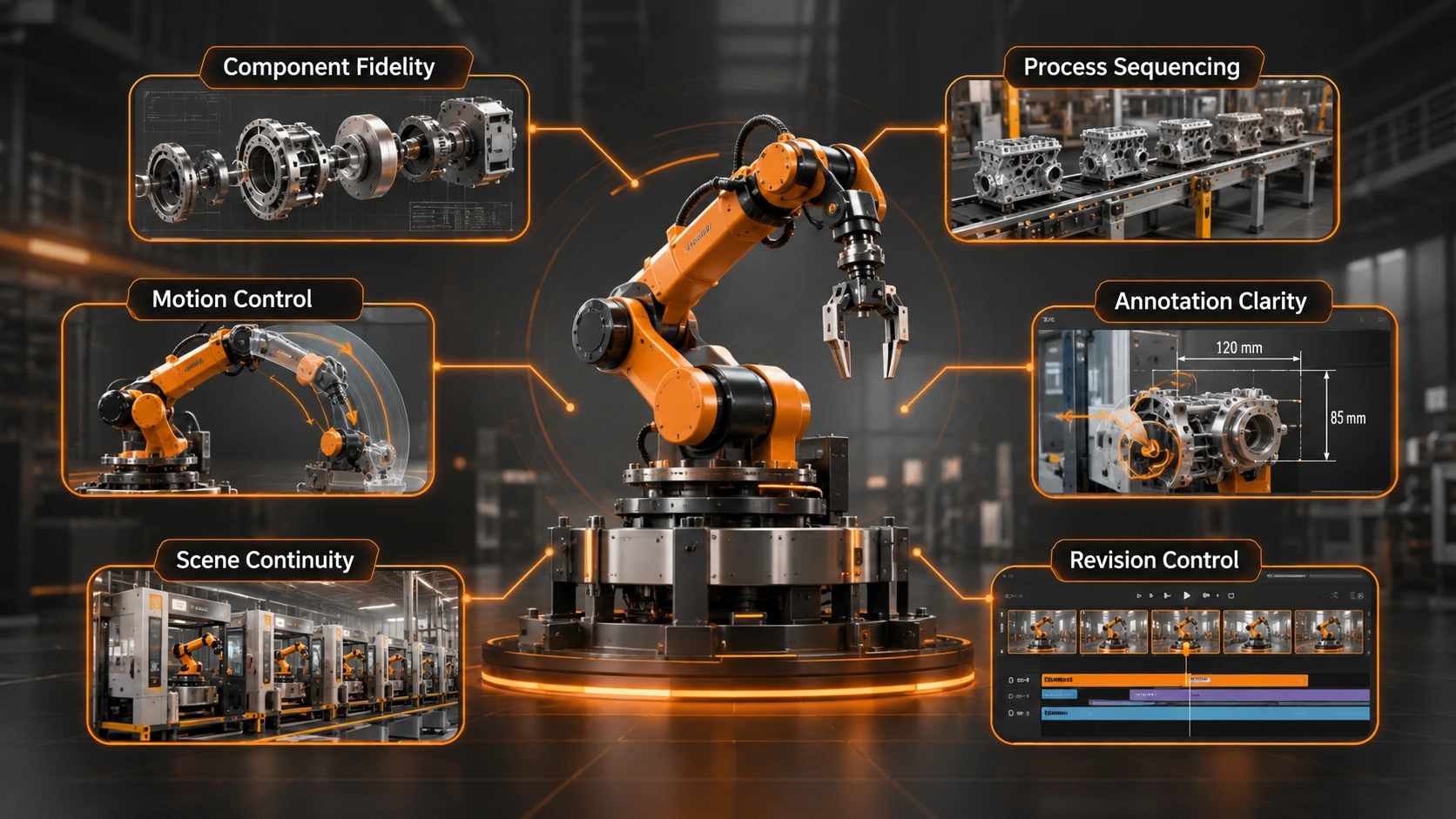
A manufacturing-focused AI video generator should support technical communication as well as visual creativity.
| Feature | What to evaluate |
|---|---|
| Component fidelity | Shapes, materials, and product appearance |
| Process sequencing | Correct order of operations |
| Motion control | Equipment and camera movement |
| Annotation clarity | Labels, captions, and arrows |
| Scene continuity | Consistency between clips |
| Revision control | Ability to replace individual scenes |
Components & Process
Machinery should be consistent throughout. Conveyors, robotic arms, valves and control panels should not change.
Your process should be in the correct order. Just because your scenes flow does not mean your process is accurate.
Movement & Annotations
Equipment and camera should be easy to follow and not too cinematic. Use simple examples to ensure accuracy.
Text should be accurate. (e.g Part numbers, measurements and warnings).
Scenes & Editing
Products and equipment should be consistent. Can you easily edit scenes?
Try 4 Manufacturing Tasks
Use realistic tasks.
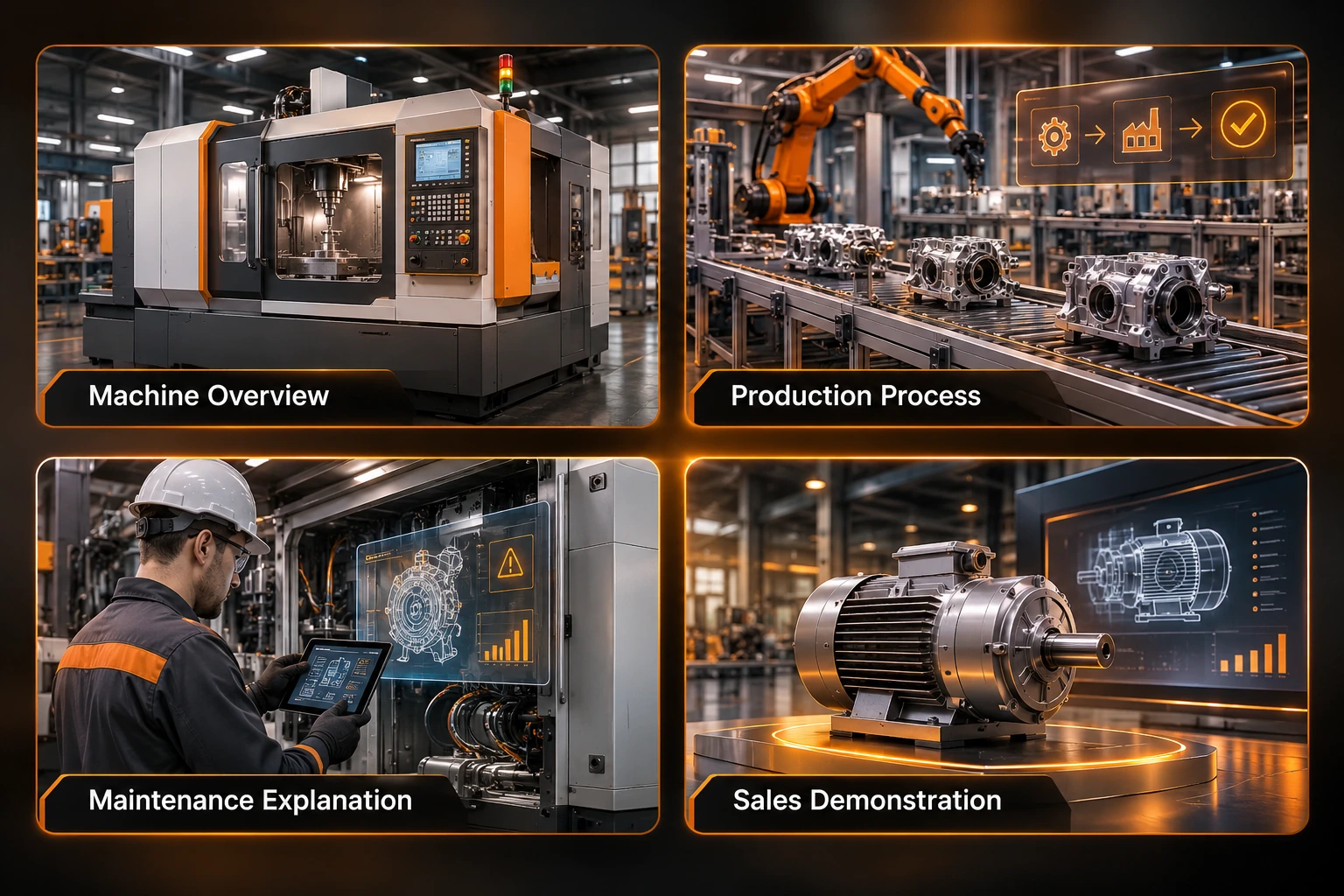
1. Machinery Overview
Create an intro video using approved machinery photos. Check components, framing and consistency.
2. Process
Create a video including 3-5 manufacturing processes. Check accuracy of processes, smooth transitions and equipment.
3. Maintenance Explainer
Create a conceptual maintenance video. Check components are labelled accurately and terminology is correct. If showing safety critical processes, ensure your video includes verified footage and approved instructions.
4. Sales Demo
Create a video explaining one capability of your product. Check accuracy of products, approved claims and customer benefit.
Use the same criteria throughout, noting any errors and editing required.
Use A Manufacturing Prompt
Businesses should compare three production approaches before selecting a workflow.
| Approach | Best suited for | Limitation |
|---|---|---|
| Live-action footage | Actual machinery demonstrations | Requires filming |
| 3D animation | Detailed mechanical explanations | Requires accurate models |
| AI-generated video | Conceptual explainers and supporting visuals | Requires verification |
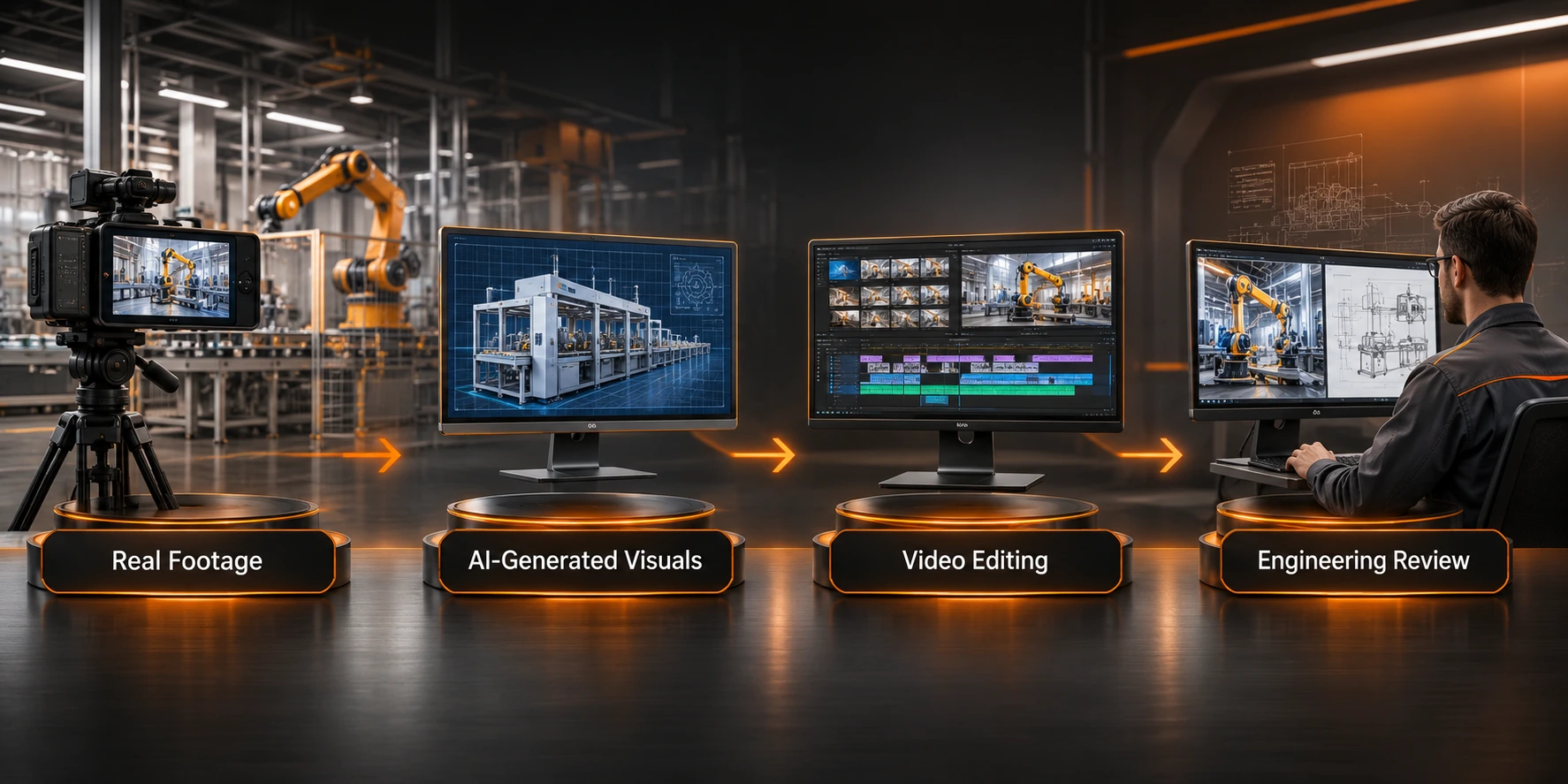
A hybrid approach can combine authentic footage for critical operations, AI generated scenes for introductions, and conventional editing for technical labels.
For teams exploring AI assisted production, the AI video generator offers text-to-video and image-to-video workflows for exploring visual concepts through prompts or supported reference images.
Movement & Scenes
Ensure that there is good movement throughout your video. You may want to include products on a conveyor belt, robotic machinery completing tasks or camera movement.
Don’t include too much movement. It should aid your video. Use non critical examples to confirm that your camera positioning, movement and transitions are correct.
Using a motion control tool will help to create a workflow using a static image and reference video. Ensure that your results are accurate before adding movement to your technical content.
Just because your movement looks good, does not mean your machinery will function correctly. Ensure that your scenes match your approved reference video.
Final Edits
Creating scenes for your video is just one part. You will want your video to make sense, have clear narration and consistent design.
Once your scenes have been approved you can place them in order. Using a video stitching workflow will help you create multiple scenes.
Before publishing:
- Components - Components match approved references.
- Process – Process in correct order.
- Text – Text and measurements are accurate.
- Narration – Clear narration.
- Technical – Video has been reviewed by engineers.
- Export – Correct file type for your platform.
Watch your final video without sound and individually.
Know the Limitations
Using an AI video generator will allow you to experiment with your ideas. However, they will not replace your manufacturing knowledge.
You may find there are inaccuracies with the shapes of machinery, missing components, incorrect processes, incorrect annotations and unrealistic movement. This may mean you need to create and edit again.
Conceptual explanations will have visual aids but if you're using them for training or safety demonstrations, you'll need to ensure processes are verified.
Check models, exports, credits, terminology and commercial use are verified. Different models and accounts may have different features and limitations.
Conclusion
When choosing your AI video generator for your manufacturing explainers, you will need to think about technical accuracy and visuals. Component accuracy, process, movement and editing flexibility will impact whether the tool is right for your business.
Start with one task. Setup your approved references and complete the 4 tasks. Compare results and get engineers involved.
Using AI visuals, real footage and technical approval will help businesses create informative videos. Learn more about manufacturing video ideas.
Frequently asked questions