






Xelta logo
Image
Video
Audio
Video Editing
Video Stitching
Photo Lab
Moodboard AI
Background Remover
Motion Control
Character Replacement
Story Tweak
VFX Effects
AI MultiCam
Back Stage
Video To Anime
Edit
Video EditingCut, trim, transform like magic
Microdrama
MicroDrama 2.0
Script & Character
AI Lords
Anime Microdrama
Super Intelligence
Cinematic Studio
Video Lens
Movie Trailer
Comic Flow
Microcourse
AI Film
MicrodramaCreate engaging micro-dramas
Future Canvas
Gen Avatar
Sketch to Motion
AI Wallpaper
Sketch To Image
Virtual Try On
Home Design
Canvas Pro
Design Studio
Future CanvasVisualize ideas on Future Canvas
Instant Ad
Ad Maker
Prime Ad (60 sec)
Street Ad
UGC Ads
Giant Ads
URL to Ads
Marketing & Ads Usecase
AI Ads
Instant AdCreate campaign with just a link
Voice Dub
Voice Lip Sync
AI Voices
Audio Enhancer
AI Music
Voices
Voice DubAdd voiceovers and dubbing to videos
Reel Creator
Instagram Autopost
LinkedIn Autopost
Facebook Autopost
Linkedin Brand Website
Youtube Autopost
AI Influencer
Social Usecase
SocialVerse
Reel CreatorCreate engaging 30-second reels with AI
Website Builder
Face Swap
Design Usecase
Tools
Website BuilderGenerate full websites
MCP
GPT Plugin
Developer
MCPModel Context Protocol
Games
Pricing
Enterprise
AI FilmAI FilmEditCreateAI AdsAI AdsDesign Studio
Home/Blog/Text-to-Video AI for Marketing: Create Ads and Social Videos Faster

Text-to-Video AI for Marketing: Create Ads and Social Videos Faster

Discover how text-to-video AI can help marketers turn ideas into ads, social videos, and promotional content faster while reducing manual production work.

Xelta LogoXelta
September 24, 2026
6 minute read
Text-to-Video AI for Marketing: Create Ads and Social Videos Faster
Share

Text-to-Video AI for Marketing: Create Ads and Social Videos Faster

Creating marketing videos traditionally takes a lot of time. You need a script, visuals, editing, voiceover, different formats, and often several versions for different platforms.

Text-to-video AI is changing that process.

Instead of starting with a camera or editing timeline, marketers can start with a simple idea or written prompt and turn it into video content. This makes it easier to create ads, social videos, product content, and creative variations without starting every project from scratch.

Quick Answer

Text-to-video AI converts written prompts or descriptions into video clips.

For marketers, it can help with:

  • Social media videos
  • Product videos
  • Short-form ads
  • Campaign concepts
  • Video variations
  • Promotional content
  • Brand storytelling

The basic workflow is:

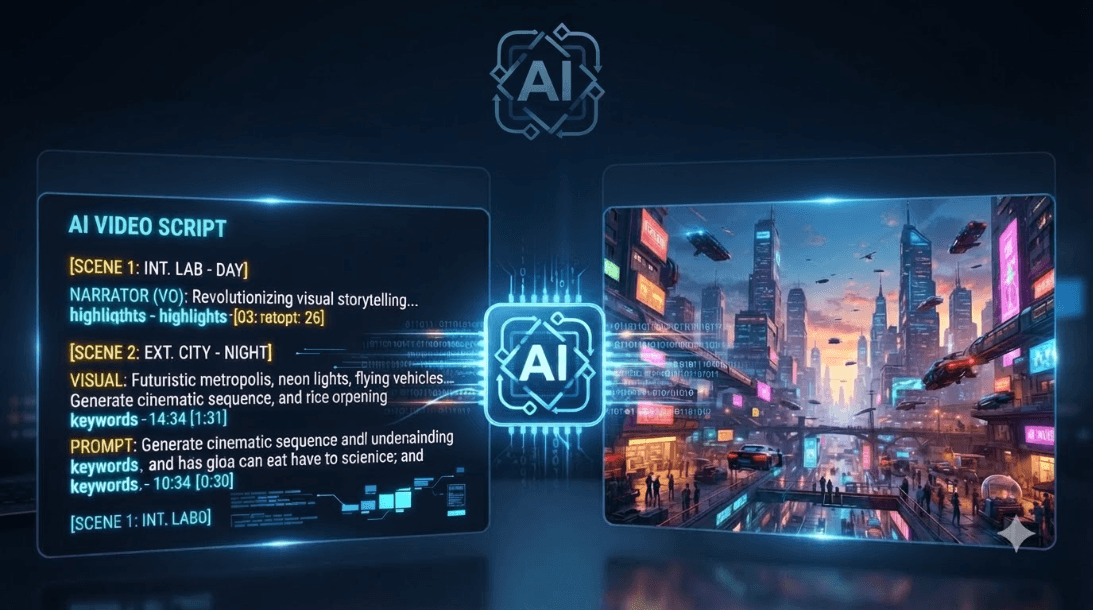
Idea → Prompt → AI Video → Edit → Add Voice & Captions → Publish

What Is Text-to-Video AI?

Text-to-video AI uses generative AI to create video from written instructions.

Instead of filming a scene yourself, you can describe what you want to see.

For example:

“A modern skincare product on a clean bathroom counter, soft natural lighting, slow camera movement, premium advertising style.”

The AI then generates a video based on the description.

The result can be used as a starting point for a social post, advertisement, product video, or larger campaign.

Why Marketers Are Using Text-to-Video AI

Faster Content Creation

Marketing teams often need new content regularly.

AI can help create initial video concepts and assets much faster, especially when you need several creative variations.

More Creative Testing

A campaign may need different hooks, visuals, messages, or formats.

Instead of creating every version manually, AI can help teams experiment with different creative directions.

Less Dependence on Traditional Production

Not every marketing idea needs a full production setup.

For simple promotional content or social videos, AI-generated visuals can help teams move from an idea to a usable draft without organising a traditional shoot.

Easier Social Content

Social platforms require a steady flow of content.

Text-to-video tools can help turn ideas, product information, or campaign concepts into short videos that can then be edited and adapted for different platforms.

How to Create a Marketing Video With Text-to-Video AI

1. Start With the Marketing Goal

Before writing a prompt, decide what the video needs to achieve.

Is it meant to:

  • Promote a product?
  • Explain a feature?
  • Generate awareness?
  • Drive people to a website?
  • Support a social campaign?

A clear goal makes it easier to create the right video.

2. Write a Specific Prompt

Avoid prompts such as:

“Create a marketing video.”

Instead, describe the scene and the style you want.

Include details such as:

  • Product or subject
  • Setting
  • Action
  • Camera movement
  • Lighting
  • Mood
  • Visual style

The more useful context you provide, the easier it is to guide the creative result.

3. Generate the Video

Once the prompt is ready, generate the first version.

Xelta's AI Video Generator supports both text-to-video and image-to-video workflows, allowing marketers to create video clips from written ideas or existing images.

4. Add Voice, Music and Captions

A generated video is only one part of the final content.

You can add:

  • Voiceover
  • Background music
  • Sound effects
  • Captions
  • Brand messaging

This helps turn a generated clip into a more complete marketing asset.

5. Edit and Create Variations

The first version may not be exactly what you need.

Edit the timing, replace scenes, adjust the messaging, and create different versions for different audiences or platforms.

This is especially useful when testing creative ideas.

Text-to-Video AI for Ads

AI video generation can also support advertising workflows.

Xelta's AI Ads tools include options such as Instant Ad, Ad Maker, Prime Ad, UGC Ads, Giant Ads, and URL to Ads. These tools are designed for creating different types of marketing and advertising content.

For example, URL-to-Ads can turn product information into image and video advertising assets, helping marketers move from a product page to advertising creative more quickly.

Text-to-Video AI for Social Media

Social media teams constantly need fresh content.

Text-to-video AI can help create:

  • Instagram Reels
  • Short promotional videos
  • Product showcases
  • Educational clips
  • Campaign teasers
  • Brand stories

Xelta also offers Reel Creator within its SocialVerse tools for creating short-form content with AI. :contentReference[oaicite:4]{index=4}

The same marketing idea can then be adapted into different formats instead of creating every piece completely from scratch.

Common Mistakes to Avoid

Using Very Generic Prompts

A vague prompt can produce a generic result.

Give the AI enough information about the scene, product, mood, and movement.

Focusing Only on Visuals

A good-looking video still needs a clear marketing message.

Start with the message and then build the visuals around it.

Skipping Editing

AI-generated videos often work best as a starting point.

Review the result and make changes to timing, captions, voiceover, and branding before publishing.

Trying to Say Too Much

Short marketing videos usually work better when they focus on one clear idea.

Keep the message simple and save additional information for another piece of content.

Where Xelta Fits In

Xelta brings AI image, video, audio, advertising, and social content tools into one creative platform. Its AI Video Generator supports text-to-video and image-to-video creation, while its advertising tools are designed to help marketers create different types of ad content.

A typical workflow can look like:

Marketing Idea

↓

Write the Prompt

↓

Generate Video

↓

Add Voice & Sound

↓

Edit

↓

Create Platform Versions

↓

Publish

The goal is not to remove creativity from the process. It is to reduce the time spent on repetitive production work so marketers can spend more time on ideas, messaging, and strategy.

Final Takeaway

Text-to-video AI gives marketers a faster way to turn ideas into visual content.

It can help with ads, social videos, product content, and creative testing while reducing some of the manual work involved in traditional video production.

The best results still come from combining AI generation with a clear marketing idea, strong prompts, good editing, and human creative direction.

Start with the idea. Let AI help bring it to life.
Frequently Asked Questions

What is text-to-video AI?

How can text-to-video AI help marketers?

Can AI create video ads from text?

Can I use text-to-video AI for social media?

What should I include in a text-to-video prompt?

Trending

How to Turn a Script Into a Video Using AI

How to Turn a Script Into a Video Using AI

Sep 23, 2026

Script-to-Video AI: Best Use Cases for Marketing, Product Demos, and Social Ads

Script-to-Video AI: Best Use Cases for Marketing, Product Demos, and Social Ads

Sep 22, 2026

Rich Media Ads Explained with Examples

Rich Media Ads Explained with Examples

Sep 22, 2026

Related Articles

How to Turn a Script Into a Video Using AI cover
Uncategorized

How to Turn a Script Into a Video Using AI

Editorial illustration for script to video ai showing a structured AI video workflow
AI Video Creation

Script-to-Video AI: Best Use Cases for Marketing, Product Demos, and Social Ads

Rich Media Ads Explained with Examples practical advertising workflow and review concept
AI Marketing & Advertising

Rich Media Ads Explained with Examples

How to Turn a Blog Post Into a Video With AI cover
Uncategorized

How to Turn a Blog Post Into a Video With AI

Background

Built for the next
generation digital artists.

Xelta LogoXelta.AI
Google Play QR Code
Google Play
App Store QR Code
App Store

AI Generation

  • AI Image Generator
  • AI Video Generator
  • AI Audio Generator

AI Films

  • Microdrama
  • MicroDrama 2.0
  • Script & Character
  • AI Lords
  • Anime Microdrama
  • Super Intelligence
  • Cinematic Studio
  • Video Lens
  • Movie Trailer
  • Comic Flow
  • Microcourse

AI Ads

  • Instant Ad
  • Ad Maker
  • Prime Ad
  • Street Ad
  • UGC Ads
  • Giant Ads
  • URL to Ads
  • Marketing & Ads

SocialVerse

  • Reel Creator
  • Instagram Autopost
  • LinkedIn Autopost
  • Facebook Autopost
  • Linkedin Website
  • Youtube Autopost
  • AI Influencer
  • Social Usecase

Resources

  • About Us
  • Blogs
  • Events
  • Pricing
  • Press Releases
  • Contact
  • Community
  • AI Generator
  • Games

Video Models

  • Seedance 2.5
  • Seedance 2.0
  • Kling 3.0
  • Veo 3.0 Introduction
  • WAN 2.6
  • Grok Imagine 1.5
  • Gemini Omni Flash

Edit

  • Video Editing
  • Video Stitching
  • Photolab
  • Moodboard AI
  • Background Remover
  • Motion Control
  • VFX Effects
  • AI MultiCam
  • Back Stage
  • Video To Anime
  • Character Replacement
  • Story Tweak

Design Studio

  • Future Canvas
  • Gen Avatar
  • Sketch to Motion
  • AI Wallpaper
  • Sketch To Image
  • Virtual Try On
  • Home Design
  • Canvas Pro

Voices

  • Voice Dub
  • Voice Lip Sync
  • AI Voices
  • Audio Enhancer
  • AI Music

Tools

  • Website Builder
  • Face Swap
  • Design Usecase

Legal

  • Terms & Conditions
  • Privacy Policy
  • Security
  • Refund Policy
  • FAQs
  • Sitemap
  • Credits Usage

Image Models

  • Gemini 2.5 Flash Image
  • Flux Kontext Pro
  • Seedream 5.0 Pro
  • GPT Image 2

AI Generation

  • AI Image Generator
  • AI Video Generator
  • AI Audio Generator

Edit

  • Video Editing
  • Video Stitching
  • Photolab
  • Moodboard AI
  • Background Remover
  • Motion Control
  • VFX Effects
  • AI MultiCam
  • Back Stage
  • Video To Anime
  • Character Replacement
  • Story Tweak

AI Films

  • Microdrama
  • MicroDrama 2.0
  • Script & Character
  • AI Lords
  • Anime Microdrama
  • Super Intelligence
  • Cinematic Studio
  • Video Lens
  • Movie Trailer
  • Comic Flow
  • Microcourse

Design Studio

  • Future Canvas
  • Gen Avatar
  • Sketch to Motion
  • AI Wallpaper
  • Sketch To Image
  • Virtual Try On
  • Home Design
  • Canvas Pro

AI Ads

  • Instant Ad
  • Ad Maker
  • Prime Ad
  • Street Ad
  • UGC Ads
  • Giant Ads
  • URL to Ads
  • Marketing & Ads

Voices

  • Voice Dub
  • Voice Lip Sync
  • AI Voices
  • Audio Enhancer
  • AI Music

SocialVerse

  • Reel Creator
  • Instagram Autopost
  • LinkedIn Autopost
  • Facebook Autopost
  • Linkedin Website
  • Youtube Autopost
  • AI Influencer
  • Social Usecase

Tools

  • Website Builder
  • Face Swap
  • Design Usecase

Resources

  • About Us
  • Blogs
  • Events
  • Pricing
  • Press Releases
  • Contact
  • Community
  • AI Generator
  • Games

Legal

  • Terms & Conditions
  • Privacy Policy
  • Security
  • Refund Policy
  • FAQs
  • Sitemap
  • Credits Usage

Video Models

  • Seedance 2.5
  • Seedance 2.0
  • Kling 3.0
  • Veo 3.0 Introduction
  • WAN 2.6
  • Grok Imagine 1.5
  • Gemini Omni Flash

Image Models

  • Gemini 2.5 Flash Image
  • Flux Kontext Pro
  • Seedream 5.0 Pro
  • GPT Image 2

© 2026 Xelta. All rights reserved. Built for the
next generation of creators.

Follow us on: