
Xelta vs Photoroom
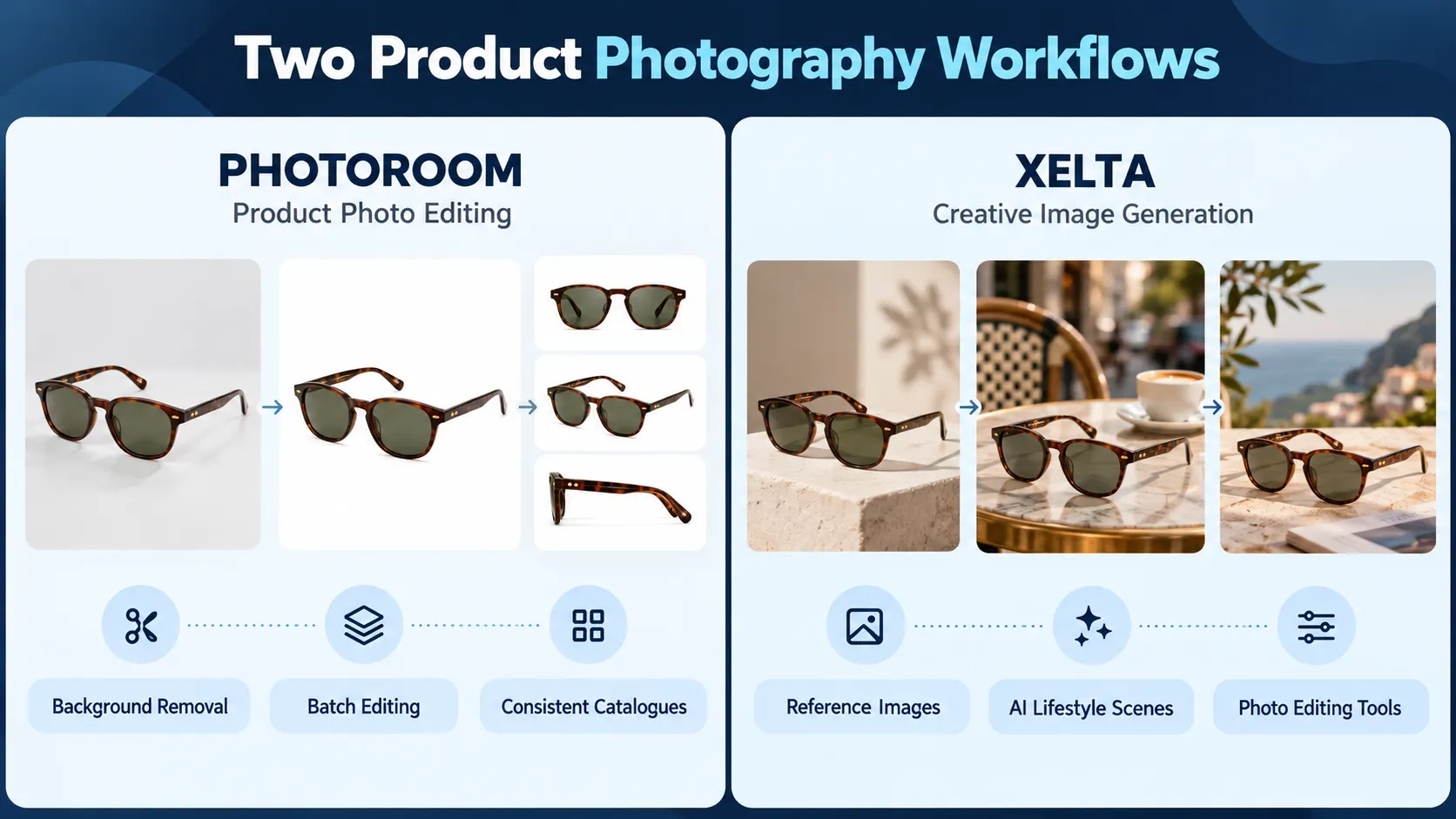
A pair of sunglasses looks perfect until you look closer and find that half of the transparent part is missing. Buyers need to know what they are buying. The difference between Xelta vs Photoroom begins with the choice of hundreds of product photos to clean up, or using a few reference photos to create a new direction for your visual content. Xelta AI works with a wide range of creative tasks, but Photoroom concentrates on product photography.
The short version: test out Photoroom for background removal that will appear the same across hundreds of photos for catalogues and bulk product-image editing. Try out Xelta when image generation, creative variation and photo refinement needs to co-exist with other content creation tools. Neither should be trusted to retain every detail of your product automatically. The judge allowed exports, not previews.
Quick Answer
Xelta and Photoroom serve different purposes when it comes to product photography. Photoroom can be considered a more viable option when there is a need for background erasing, retouching of catalog images, and bulk processing of product photos. Xelta should be selected when there is a need for AI-powered image generation, realistic scenes for product visualization, and extra editing tools. The final decision will be dependent on the ratio of edited photos, required visual improvements, product type, and budget. It is recommended to test the two products against the same product images and editing guidelines. Visual options should be compared against the same product images with extreme close-ups on challenging parts such as glass, product edges, and other elements that typically require extra visual editing. The number of manual adjustments and final image approval should be taken into consideration rather than a single preview image. Cost versus the number of approved images after bulk editing should also be analyzed.
What Is Each Platform Actually Built to Do?
Photoroom provides background extraction, AI scenes, and batch modifications of backgrounds, size, and position. Batch exports are conditional to a subscription and some AI background modifications may use credits. Xelta offers a hybrid of general image generation and separate editing tools such as Photo Lab and Background Remover. The pages advertise retouching and batch functions, and plan limitations should be reviewed.
| If your priority is… | Start by evaluating… | Look closely at… |
|---|---|---|
| Cleaning a whole catalogue | Photoroom | Cutout edges and batch exports |
| Exploring campaign scenes | Xelta | Consistency with reference products |
| Improving one difficult photo | Both | Control over the corrected area |
| Producing many marketplace variants | Photoroom, then compare Xelta | Format rules and repeatability |
This is a workflow comparison, not a quality ranking based on tests.
Where Does Photoroom Have a Practical Advantage?
Take an imaginary case of one eyewear seller who has 40 sunglasses listings to create. All products require an image with a clean background, consistent arrangement within the frame and an export to match their storefront. Using the batch editor in Photoroom, this seller can make these adjustments without performing each correction step 40 times.
One final note is required about the current state of the Photoroom's help center documentation. Within the section about the batch uploads, it is stated that the background of each photograph remains as it was upon upload. This means that for images that already have an approved scenery, the removal of the background would be an optional extra.
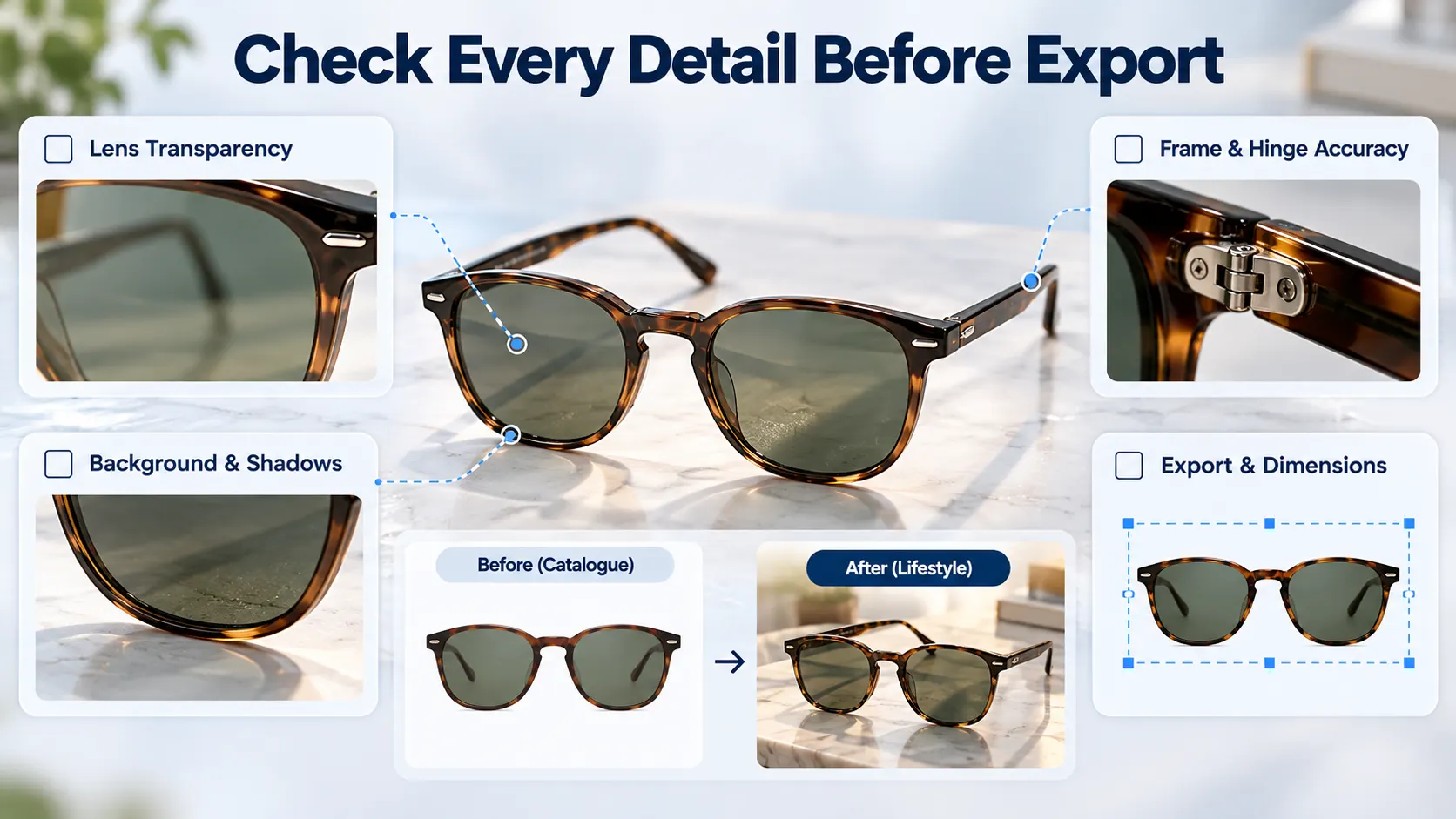
A transparent lens, delicate frames and reflections should be checked for each piece of eyewear. After all, a consistent adjustment makes little sense if the product itself is different.
When Would Xelta Be a Better Tool to Explore?
Now the seller needs a campaign image: sunglasses beside a paperback on a sunlit café table. The composition is more important than uniform cutouts.
The Xelta AI image generator accepts prompts and image references, so it can try to explore that scene. A good instruction would be:
Use the supplied sunglasses photograph as the exact product reference. Place the glasses on a pale stone café table beside a closed paperback. Afternoon side light, natural shadows, uncluttered background. Preserve the lens tint, frame thickness, hinge shape and temple markings. No invented logos, lettering or extra accessories.
If the hinge changes or the lenses become opaque, return to the source photo. The setting cannot justify a fictional product.

How Do You Compare Both Tools Fairly?
Give both tools the same original photographs and instructions. For the sunglasses seller, prepare six photographs: dark frames, pale frames and two pairs with translucent lenses.
- Produce one clean listing image. Preserve the real frame and lens colour.
- Create one lifestyle image. Use the same café-table direction and comparable crop.
- Request an inconvenient change. Replace the stone table with wood without altering the glasses.
- Check the complete export. Compare small hinges, shadows, lens transparency and image dimensions.
- Record the repair work. Count rejected generations, manual edits, credits and team review time.
The second revision reveals whether product details survive.
What About Retouching, Batch Jobs and Pricing?
A cutout error may require correction rather than a regeneration of the image. Xelta's Photo Lab is documented as capable of performing image enhancement, background editing and colour correction. Its page shows batch work as possible; check access before attempting to upload a large batch.
Photoroom's support documentation states that Batch can be trialed across subscriptions, but batch export is only available to eligible paid plans. AI backgrounds are credit dependent. Compare exportable results and not just previews.
Budget for colour checks, resizing and text fixes. Should every image require fixes then a workflow may not be saving time.
Final Thoughts
When your day-to-day product photography is routine and includes clearing backgrounds, aligning objects and preparing sets of listings, Photoroom becomes a sensible shortlisting tool. Xelta deserves more attention grabbing options when a reduced set of approved photographs need to be turned into campaign concepts with extra creative editing options nearby. Neither offer an assurance that generated images will be accurate.
Work with one awkward product during a trial and not your easiest one. Transparent lenses, fine jewelry chains or reflective packaging will highlight the mistakes that a polished demo will conceal. Compare the corrected exports to the original and consider whether a colleague could produce the same the following week. Work for faithful, publishable images and reject a stronger first draft.
For practical image-editing and creative examples, exploreXelta AI on YouTube.