Key Takeaways
- Free AI image generators are often enough. ChatGPT and Gemini can handle many everyday creative tasks. Paid platforms become worthwhile when users need higher generation limits, advanced editing, greater control or specialized workflows.
- Paying doesn't guarantee better image quality. Our real world portrait comparison showed that results depend on the platform, its default model selection and how well it interprets a prompt.
- Magnific and Ideogram stood out for portrait realism. Magnific received the highest numerical expert editor average (8/10), while Ideogram was the most frequently preferred option among everyday reviewers.
- Xelta AI had the lowest monthly subscription price among the five tested plans. Its Social Media Starter plan costs $9.99/month and includes 999 credits, curated core AI models and additional creative workflows.
- Features matter as much as image quality. OpenArt offers broad model access, Leonardo AI provides advanced creative controls, Ideogram focuses on image and text creation, and Magnific combines generation with enhancement and creative assets.
- The best AI image generator depends on your needs. Before subscribing, compare image quality, generation limits, editing features, privacy, commercial rights and the total cost of producing usable images.
Table of Contents
- 1.Free vs Paid AI Image Generators: Are They Worth It? 5 Tools Compared (2026)
- 2.Quick Answer: Do you actually need to pay?
- 3.If ChatGPT and Gemini are free, what’s the reason to upgrade?
- 4.Free vs paid: what actually changes?
- 5.What we tested, and what we did not
- 6.The one image comparison you can actually inspect
- 7.Blind portrait review: what looked genuinely realistic?
- 8.Five paid AI image generators: what do you get for the money?
- 9.What do these platforms really cost per usable image?
- 10.Which image generator is best overall for a beginner?
- 11.Free or paid? Four beginner scenarios
- 12.Our final verdict: when is paid AI image generation worth it?
- 13.Methodology, sources and editorial transparency
Free vs Paid AI Image Generators
AI image generators such as ChatGPT and Gemini can generate realistic portraits, social media images and creative images using just a text prompt. So why would you want to pay for an AI image generator?
Paid versions of AI image generators can offer increased flexibility, editing capabilities and additional models and generation limits. However, are these features worth paying for?
We have looked into 5 different AI image generation platforms, comparing their prices, features and how well they perform at generating portraits. We used independent blind reviews.
This guide will show you when to use a free AI image generator, what features you can expect to get from a paid one and which is the best value for money.
Editorial disclosure: Xelta AI publishes this guide and is one of the five products reviewed. The portrait findings below come from our own random, blind evaluation. Feature claims and plan entitlements are based on provider information and are clearly separated from hands-on observations. We did not run the portrait test on ChatGPT Free or Gemini Free.
Quick Answer
No, not always. If you only need the occasional illustration, mood board or personal image, start with free image generation in ChatGPT or Gemini. Paying makes more sense when you repeatedly need particular models, more generations, reusable characters, private outputs, advanced controls or a production workflow that saves time.
But paid does not automatically mean more realistic. In our own beginner portrait test, the reviewers’ favorites did not simply follow the price of the plan. That’s why this guide evaluates image results, total cost and what a subscriber actually gets.
The buying rule: Don’t pay because a platform has more AI features. Pay when those features solve a problem you encounter often enough to justify the price.
Five platforms at a glance
| Platform | Paid plan tested | Price | Why a beginner might consider it |
|---|---|---|---|
| Xelta AI | Social Media Starter | $9.99/month | Curated core image models, 999 credits and related creative tools on a monthly plan |
| OpenArt | Starter | $14/month | Broad image model access and character-focused tools |
| Leonardo AI | Essential | $12/month | Many models, guidance options and customization tools |
| Ideogram | Plus | $20/month | Typography oriented image generation and private creation |
| Magnific | Premium | $20/month | AI images alongside enhancement tools and a large creative asset library |
Quick finding from our portrait test: Magnific led the numeric expert ratings, while Ideogram was most frequently preferred for everyday realism. This is a single portrait finding, not a universal platform ranking.
1. If ChatGPT and Gemini are free, what’s the reason to upgrade?
Start with the strongest argument against paying: free image tools can already produce attractive images from everyday language. That is a real benefit, not something the paid market can dismiss. OpenAI confirms that ChatGPT Free users can create images, subject to image specific usage limits. Google’s Gemini help describes standard limits without a paid AI plan, with higher allowances on paid tiers.
For a student making an assignment illustration, an entrepreneur testing an ad concept or someone planning a birthday invitation, these free options may be all they need.
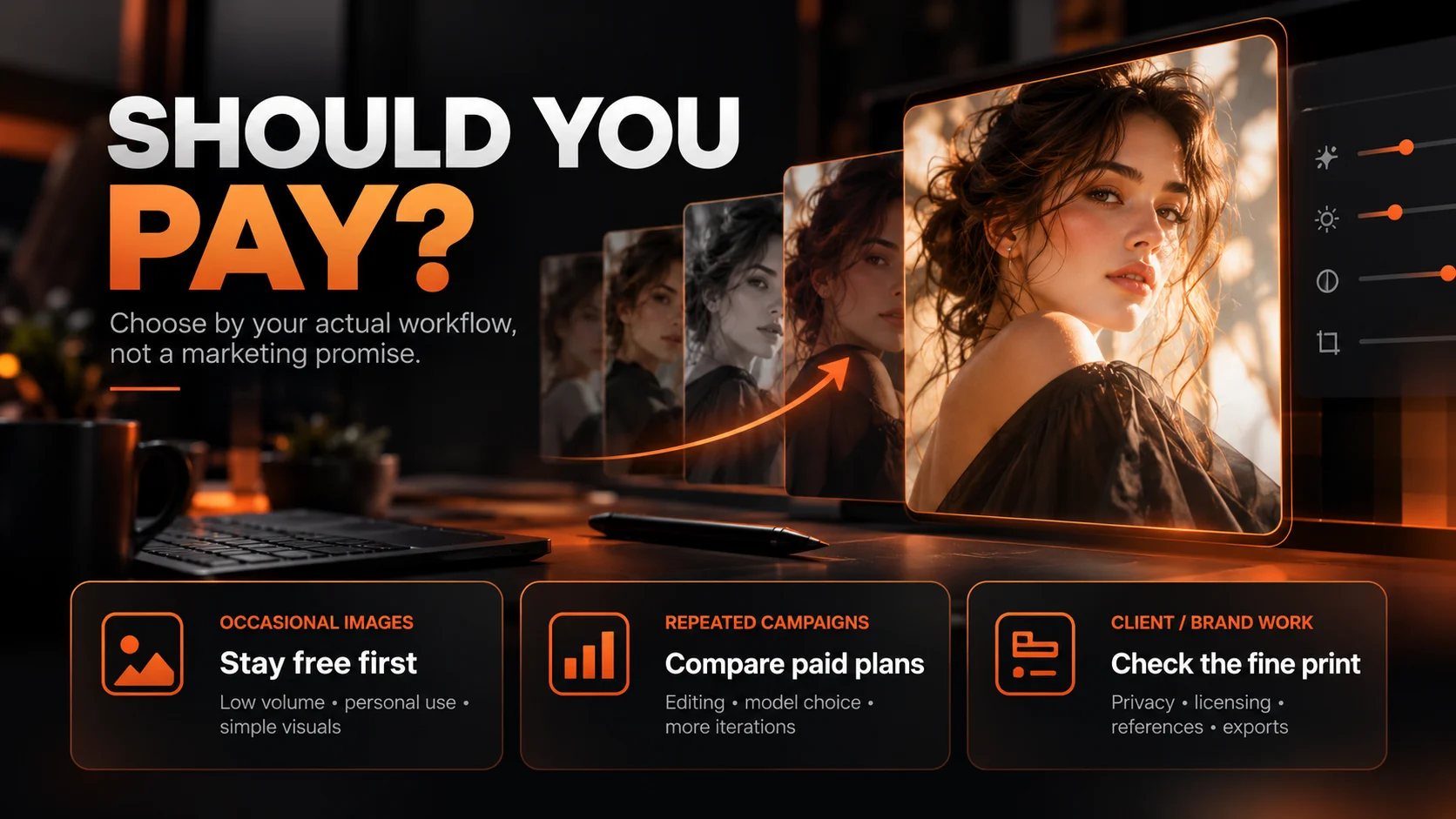
Stay free when:
- You make only a few images occasionally.
- The image is for experimentation, not confidential client work.
- You don’t need a precise product label, repeatable character or large batch.
- You can tolerate waiting when an allowance runs out.
- A general conversational interface already fits your workflow.
Look at paid platforms when:
- You generate images regularly and need predictable capacity.
- You want to select among models for different visual styles.
- You require references, inpainting, variations or advanced editing controls.
- You need private outputs or clearer rules for client and commercial projects.
- Retries, manual fixes and switching tools consume meaningful time.
There is also a middle ground: some specialist platforms have free tiers or trials. A dedicated paid plan should beat your actual free workflow, not an imaginary weak version of it. Free ChatGPT and Gemini can change over time, and their available features depend on plan, region and usage limits.
Free vs paid: what actually changes?
| Decision factor | Free option may be enough | Paid subscription may help |
|---|---|---|
| Image quality | Excellent results are possible on simple prompts | Access to additional models or higher-cost workflows, not guaranteed superior realism |
| Volume | Low or irregular demand | Higher allowances, paid credits or more predictable capacity |
| Editing | Basic revisions may work | More editing modes, references, control and repeatability on eligible plans |
| Privacy | Fine for public experiments | Some plans offer private generations; verify exact terms |
| Commercial use | May be permitted under provider terms | Can offer more suitable licensing or controls; paid does not mean unrestricted rights |
| Total cost | $0 incremental subscription spend | Worthwhile only when output acceptance and saved time offset payment |
A useful distinction: A free tool may generate the image you want; a paid workflow may make it easier to get the right image repeatedly. Those are different promises. We should judge them separately.
2. What we tested, and what we did not
Our editors wanted to test the experience a beginner actually has: open a platform, leave model selection on Auto, type a simple prompt, choose 1K quality, and generate a portrait. No complex prompt engineering, retouching or reference images.
The exact shared prompt
“Create a realistic close-up image of a beautiful young girl with a natural face, simple look, and realistic features. She should look like a real person, with a normal expression and natural lighting. Make the image clear, detailed, and high quality in 4K.”
Although the wording says “4K,” the editors deliberately selected 1K in each platform’s generation settings. We therefore evaluate the actual downloaded files, not a claimed 4K result.
How we conducted the portrait test
- 5 paid platforms: Xelta, OpenArt, Leonardo, Ideogram and Magnific.
- 1 identical text prompt: No reference images or advanced settings.
- Auto selected: The underlying automatic model was not disclosed in the test log.
- Blind review panel: Three professional editors and three everyday viewers submitted their assessments independently.
- Blind, independent review: Platform labels were hidden, all outputs were presented side by side at equal display sizes, and image order changed for each reviewer.
- One retry exception: Leonardo needed two generations. Reviewers evaluated its second, accepted result.
This is valuable original research, but it is not a large controlled benchmark. One simple portrait cannot establish a platform’s strengths at typography, product photography, character continuity or inpainting. We discuss those other capabilities using official product information, not invented hands on results.
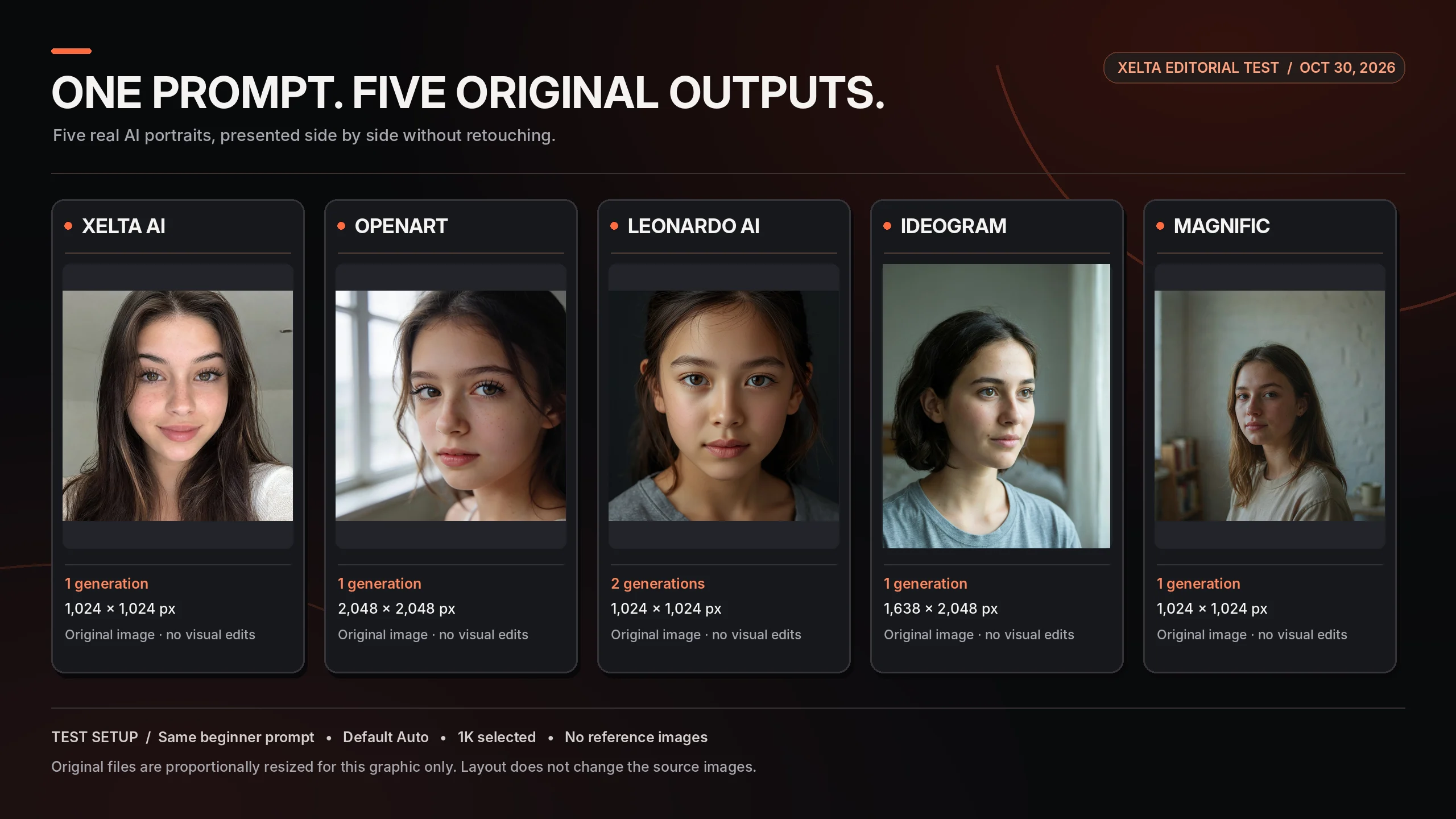
The one image comparison you can actually inspect
What the original files tell us
| Platform | Downloaded dimensions | Attempts needed | Editor observation |
|---|---|---|---|
| Xelta AI | 1024 × 1024 | 1 | Good at a glance; less detail on zoom |
| OpenArt | 2048 × 2048 | 1 | Attractive but still somewhat AI looking |
| Leonardo AI | 1024 × 1024 | 2 | The reviewed second result still appeared artificial |
| Ideogram | 1638 × 2048 | 1 | Natural skin and lighting drew positive feedback |
| Magnific | 1024 × 1024 | 1 | Colors and light were praised |
Resolution caveat: The Ideogram file is portrait oriented even though the intended comparison format was 1:1, while OpenArt’s file has larger pixel dimensions. Neither fact alone proves a better or worse visual result. The tools may interpret quality controls differently.
3. Blind portrait review: what looked genuinely realistic?
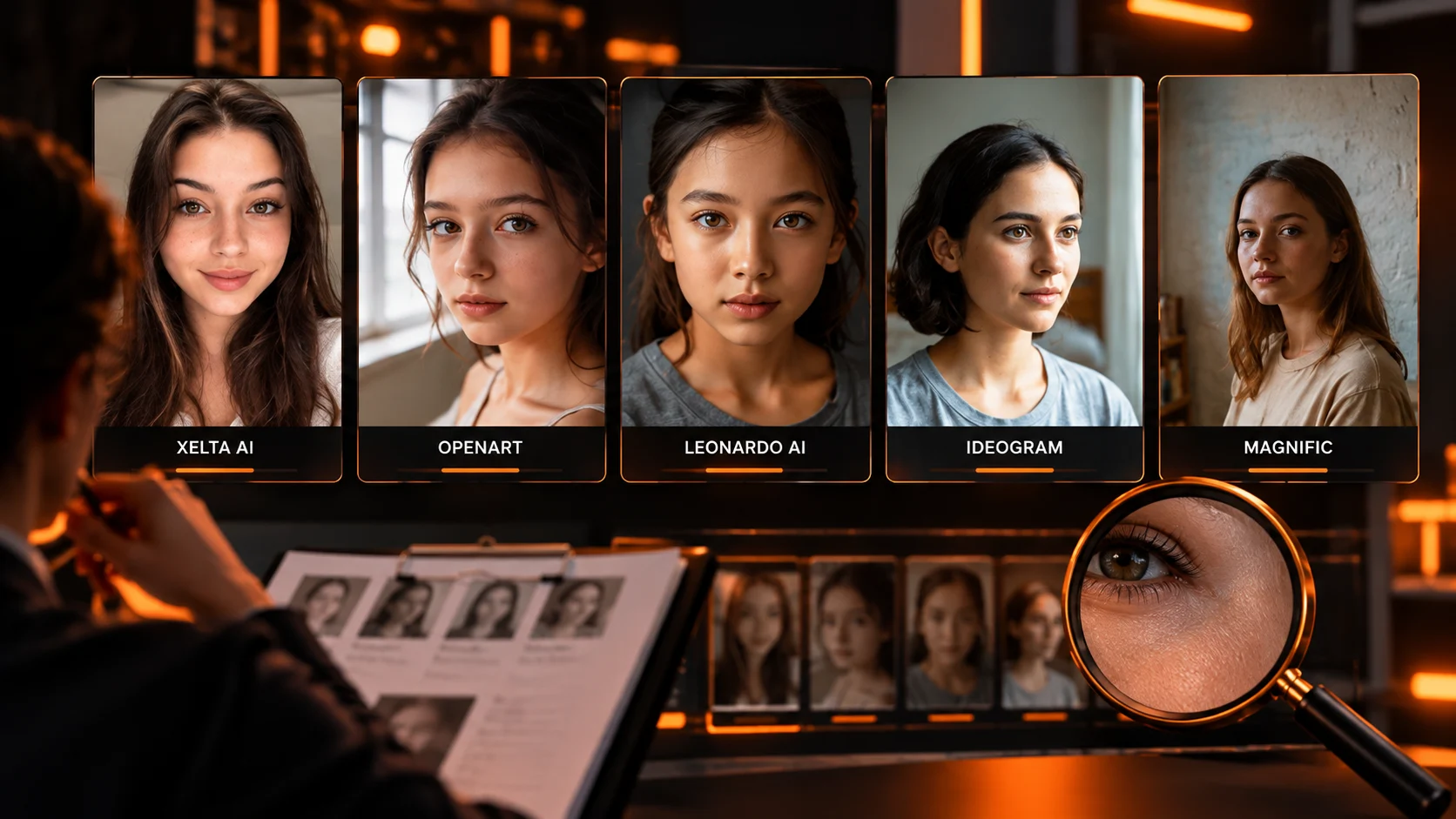
The anonymous side by side evaluation focused on a practical question: which result looks like a believable photograph, rather than simply an attractive AI image? Reviewers considered skin detail, lighting, facial features and signs of artificial processing.
Professional editors' panel
- Magnific: 8/10 average. Strong colors and natural lighting gave the portrait a convincing photographic finish.
- Ideogram: 6/10 average. Reviewers highlighted natural skin texture and balanced lighting.
- Xelta AI: 5.5/10 average. Good initial realism, although fine details appeared less convincing when viewed close up.
- OpenArt: 5.5/10 average. An attractive result overall, but its artificial appearance remained noticeable.
- Leonardo AI: 1.5/10 average. The accepted second portrait still looked noticeably synthetic.
Everyday viewers' panel
- Ideogram: The strongest everyday viewer preference for realistic, human looking portraits, especially natural skin and lighting.
- Magnific: Considered natural and photograph-like, with visible texture and a slightly vintage character.
- Xelta AI: Looked human at first glance, though the finish reminded some viewers of social media beauty filters.
- OpenArt: Visually impressive but recognizable as AI generated; the eyelashes and polished appearance drew attention.
- Leonardo AI: Consistently perceived as artificial or plastic like, making it the least convincing portrait for this group.
What the results mean
The two panels emphasized different qualities. Professional editors rated Magnific highest numerically, while everyday viewers most often favored Ideogram for a natural looking portrait. This is a small evaluation of one beginner level prompt using each platform’s Auto setting, not a ranking of every image model or feature.
Review method: Two separate reviewer panels assessed the same images: a professional editor panel (three editors) and an everyday viewer panel (three non experts). Both groups reviewed the original portraits independently and without platform names, side by side at equal display sizes and with the image order varied. For the professional panel, two editors provided numerical ratings and one gave written feedback; the expert averages above are based on the two numerical ratings only.
4. Five paid AI image generators: what do you get for the money?
The portrait is one data point. To make a fair buying decision, a beginner also needs to know what the subscription enables after the first image. The following assessments distinguish observed portrait performance from provider listed tools and plan features.
1) Xelta AI: a beginner-focused Social Media Starter subscription
Tested plan: Social Media Starter, $9.99/month, with 999 credits/month. The portrait consumed 11 credits, equivalent to approximately $0.11 assuming all monthly credits are used. Pricing.
What the platform offers beyond this portrait: Xelta’s Social Media Starter plan advertises 999 credits per month, up to 100 images and 20 videos per month, and access to a curated set of core AI models for everyday creative tasks. It includes commercial usage, with public image privacy rather than private generations. The wider Xelta platform also lists image creation, Photo Lab, background removal, design and related creative workflows; availability and credit costs depend on the particular tool and model. image generator.
What our test actually showed: A satisfactory portrait appeared on the first attempt. The blind reviews found it human-looking but somewhat filter like, with reduced fine detail under close inspection.
Why a beginner might choose it
- Lowest monthly subscription price among the five paid plans tested: $9.99 per month.
- Curated core models and access to multiple creative workflows in one environment, subject to plan limits.
- 999 included monthly credits and advertised allowances of 100 images and 20 videos, depending on usage and model.
Watch outs: Its estimated cost per accepted portrait was the highest of our five credit-equivalent estimates. The tested Social Media Starter plan has a recurring monthly charge, public image privacy, and a curated rather than unrestricted model selection. The advertised image and video allowances should not be assumed to be additive to the credit budget. We did not test advanced editing or every available model.
Best fit: A beginner who creates images or related social content regularly and prefers an affordable monthly plan with multiple creative workflows, provided public generation suits the project.
2) OpenArt: broad image model access for experimentation
Tested plan: Starter, $14/month, with 4,000 credits/month. Our portrait used 15 credits, yielding an estimated allocation cost of $0.0525 if all subscription credits are used.
What else is included: OpenArt advertises access to a broad range of image and other generative models, character creation features, parallel generations and watermark free outputs on Starter. For a beginner who wants to compare styles or build characters, that model diversity may be more valuable than one single sample. Some rights and allowances vary between tiers, so check the exact entitlement before client work.
What our test showed: The first portrait was accepted. Editors found it reasonably good, but reviewers still noticed artificial looking qualities, including lashes and overly polished texture.
Reasons to consider it
- Broad selection of generation models and presets.
- Character oriented workflow options worth exploring beyond the portrait test.
- Mid range starting subscription among the five platforms here.
Watch outs: Model breadth can become complex for a novice. The platform’s “up to” generation estimates are not a guarantee for every model or setting, and our single Auto generation does not validate the full product range.
Best fit: Creators who expect to experiment with many looks or recurring characters, and are willing to learn how model selection affects results.
3) Leonardo AI: rich controls, but the portrait disappointed
Tested plan: Essential, $12/month, with 8,500 fast tokens/month. If each generation cost eight tokens, the allocated cost was about $0.0113 per attempt, or $0.0226 across two attempts.
What else it offers: Leonardo lists a large selection of models, model selection beyond the free Auto only experience, image guidance, creative presets, enhanced quality settings, private generations, personal models and configurable workflows. These are meaningful features for someone who wants deeper control instead of simply submitting a prompt and hoping for the best.
What our test showed: Leonardo needed two attempts to reach the image selected for review, and even that second result received the weakest realism response. This result is a warning about its default Auto portrait experience in this test, not proof that all Leonardo models perform poorly.
Reasons to consider it
- A comparatively affordable monthly entry point.
- Extensive controls and model choices to explore as skills improve.
- Private output options on Essential, according to the published plan.
Watch outs: More control does not guarantee a better default output. The retry estimate assumes eight tokens for each attempt, which was not individually verified in the transaction log. Users prioritizing realistic portraits should try an appropriate model before subscribing.
Best fit: Beginners who are becoming intermediate creators and want guidance, preset and model options rather than the simplest possible interface.
4) Ideogram: a compelling starting point for visual and text oriented work
Tested plan: Plus, $20/month, with 2,400 priority credits/month. The portrait used three credits, equivalent to $0.025 under a full credit use assumption.
What else it offers: Ideogram is recognized for text oriented visual generation and provides editing tools, reference based workflows, private creation on paid plans, priority queues, and additional generation options. These capabilities are relevant for campaign concepts, posters, social graphics and other images where layout and readable lettering matter.
What our test showed: Natural skin and balanced lighting drew favorable attention in the blind review, and Ideogram received the strongest everyday preference for realism. The original downloaded image was not square despite the intended 1:1 comparison format.
Reasons to consider it
- Strong everyday user realism feedback in this particular portrait comparison.
- Features oriented toward marketing graphics and text in images.
- Private generation and a larger workflow allowance in the tested Plus plan.
Watch outs: The $20 starting price is more than some alternatives. We did not run a typography accuracy test; text performance is a product positioning reason to investigate, not an independently verified winner in this article.
Best fit: Beginners interested in posters, branded social visuals and portraits who value the convenience of integrated text and image controls.
5) Magnific: image generation plus professional creative assets
Tested plan: Premium, $20/month, with 20,000 monthly AI credits. The editors reported 15 credits for the portrait, implying $0.015 in allocated credits if verified, but this deduction does not yet match the published model-level examples and remains provisional.
What else it offers: Magnific’s current platform, formerly Freepik, combines AI image generation with enhancement/upscaling tools, image editing, visual assets and stock content. Premium includes access to premium stock materials and a commercial license under the published plan terms. Some features use a shared credit balance, while other tiers have different unlimited generation rules.
What our test showed: Magnific received the strongest numerical expert ratings and positive everyday feedback for natural colors, lighting and subtly textured photographic detail.
Reasons to consider it
- Strong response to the reviewed portrait.
- A broader image production ecosystem, not only text to image creation.
- Useful extras for creators who already purchase stock imagery or enhancement tools.
Watch outs: You may be paying for a wider creative bundle than you actually need. Verify the 15 credit portrait deduction and the exact automatically selected model before relying on that cost estimate.
Best fit: Beginners who want image generation alongside asset libraries and enhancement features, rather than a pure generation only subscription.
5. What do these platforms really cost per usable image?
Subscription prices are easy to find. The harder question is how much of your plan’s allowance you use before obtaining an image you can publish.
Cost comparison from the portrait test
| Platform | Paid basis used | Credits per generation | Attempts accepted | Estimated cost per accepted portrait |
|---|---|---|---|---|
| Xelta AI | $9.99 / 999 monthly credits | 11 | 1 | $0.1100 |
| OpenArt | $14 / 4,000 monthly credits | 15 | 1 | $0.0525 |
| Leonardo AI | $12 / 8,500 monthly tokens | 8 (assumed both tries) | 2 | $0.0226 |
| Ideogram | $20 / 2,400 priority credits | 3 | 1 | $0.0250 |
| Magnific | $20 / 20,000 monthly credits | 15 | 1 | $0.0150* |
These are credit equivalent allocations, not extra card charges for each image. Subscription-plan calculations assume every included credit is utilized and exclude tax. The Magnific number is provisional; Leonardo’s retry cost assumes the second attempt also used eight tokens.
Two surprising lessons:
- The lowest apparent cost does not prove the best purchase. A subscription with thousands of unused credits may be more expensive for a low volume user than a pay as you go pack.
- A retry changes the economics. Leonardo’s generation looked inexpensive in credits, but the tested acceptable result took two attempts. For a creator on a deadline, time and acceptance rate matter too.
Before subscribing, check these five details
- Does the plan include the model I actually want? Marketing pages may showcase models outside the entry tier.
- Do unused credits expire or carry over? Subscription resets can change the effective price dramatically.
- Are editing, upscaling and reference tools charged separately? The initial generation is only one stage of a campaign workflow.
- Are outputs private and commercially usable on this exact plan? Read provider terms, especially for client work and uploaded product assets.
- Can I afford three or four failed results? Calculate accepted image cost, not the cheapest advertised generation price.
The simplest calculation is: monthly fee ÷ useful completed images in that month. For credits, the more granular estimate is cost per credit × all credits consumed until you accept a result. Neither formula captures saved labor, which can be the most significant professional benefit.

6. Which image generator is best overall for a beginner?
There is no defensible universal winner from one shared portrait prompt, and a strong buying guide should say that plainly. What we can recommend is a shortlist based on specific needs, the observed portrait test, and the features included in the paid plans.
| If your priority is | Start by looking at | Why |
|---|---|---|
| Natural-looking portraits in our test | Ideogram or Magnific | Everyday viewers leaned Ideogram; numerical expert scorers leaned Magnific |
| Lowest monthly entry price in this test | Xelta AI | $9.99/month for Social Media Starter, including 999 monthly credits and curated core models |
| Many models and character workflows | OpenArt | Broad model access and character-related features in its offering |
| Learning advanced generation controls | Leonardo AI | Extensive model, guidance and preset options, despite its weak Auto portrait here |
| Images plus stock assets and enhancement | Magnific | More of a creative suite than image generation alone |
| Text-heavy posters and marketing creatives | Ideogram | Product tools built around text and visual layouts, not directly benchmarked here |
An editor’s practical recommendation
For a beginner making occasional images, start with a free assistant and only upgrade after hitting a repeated limit. For realistic portraits, the blind review results make Ideogram and Magnific worthwhile to trial. For someone seeking the lowest monthly starting price among our tested paid plans, Xelta Social Media Starter costs $9.99, but its curated model access and public image privacy need to fit the intended work. For broader control, compare OpenArt and Leonardo and test the specific models you would use. These recommendations combine one direct portrait test with documented plan features, not a scored all feature benchmark.
Do not mistake these use case suggestions for a scored all feature benchmark. We have directly tested one portrait task. The workflow recommendations also rely on published capabilities and prices, which readers should confirm for their selected region and plan.
7. Free or paid? Four beginner scenarios
A student making five images for a class project. Stay with free tools unless you hit limits or need a specific export. The subscription commitment probably exceeds the value of the small job.
A social media creator posting daily. Compare how often you regenerate designs, whether you’re creating text heavy graphics, and if the chosen platform supports the exact workflows you use. Paid access may become worthwhile if it reduces repetitive work.
An online seller building a catalog. Product preservation matters more than a flattering image. Test the same actual product reference, label and packaging across tools before buying. Our portrait results cannot answer this use case by themselves.
A freelance designer working with clients. Privacy, licensing, repeatable styles, client approvals and export quality may outweigh a few cents’ difference per image. Check rights at the specific subscription level before uploading confidential material.

8. Our final verdict: when is paid AI image generation worth it?
Pay when the subscription removes a real bottleneck. That might mean capacity, privacy, access to a model, precise editing, consistent characters, a library of commercial assets or enough saved time to justify the fee. Don’t pay merely because a platform shows impressive sample images.
Our first hand portrait exercise produced a useful reality check. Magnific and Ideogram were the strongest perceived realism choices in our blind review panel, in different ways. Xelta and OpenArt received mixed but usable impressions, and Leonardo’s reviewed Auto result looked the most artificial despite an extra attempt. Those observations are openly reported even though Xelta publishes this article.
The broader buying choice is still different from a portrait contest. Xelta’s $9.99/month Social Media Starter bundles curated core models and related creative workflows with public generations; OpenArt offers model breadth; Leonardo provides extensive controls; Ideogram focuses on image and text creation; and Magnific offers a wider asset and enhancement ecosystem. Which subscription is worth its price depends on what the reader needs to finish.
Bottom line: Start free, identify a repeated problem, test a realistic prompt on the paid plan you’re considering, and compare the total cost of finished usable work. That’s the most sensible way for a beginner to find value in a market full of capable image generators.
Beyond image quality and pricing, the real value of an AI platform also lies in what users can do after generating an image. As highlighted in a Zee News feature on Xelta.ai, the platform aims to connect AI content generation with editing, advertising, storytelling and publishing in one creative workflow. For beginners and businesses, this broader usability can be just as important as the quality of a single generated image.
Methodology, sources and editorial transparency
- Test date: October 30, 2026. Five paid platforms; shared text only prompt; Default Auto selection; 1K quality selected; no image retouching.
- Review design: Three experienced editors and three everyday users reviewed the five images independently, with platform identities hidden. Images were displayed side by side at the same presentation size; order varied for each participant.
- Scope: One portrait scenario. No free-baseline image experiment, usability observation study, typography test, character consistency test or editing benchmark was conducted.
- Fairness caveat: The Auto selector may choose different underlying models. We compare the default user experience, not a controlled model versus model benchmark.
- Disclosure: Xelta AI is the publisher and one of the five products discussed. Prices, model access and plan terms may change. This article contains no affiliate rankings or sponsored platform placements.