
Introduction: Why a Free AI Subtitle Generator Matters in 2026
Nowadays, video content is one of the most effective communication tools on the web. Be it YouTube videos, Instagram Reels, educational courses, podcast shows, advertisements, business presentations – more video content is being created now than ever before.
But the manual creation of subtitles may take too much time, effort and cost too much money.
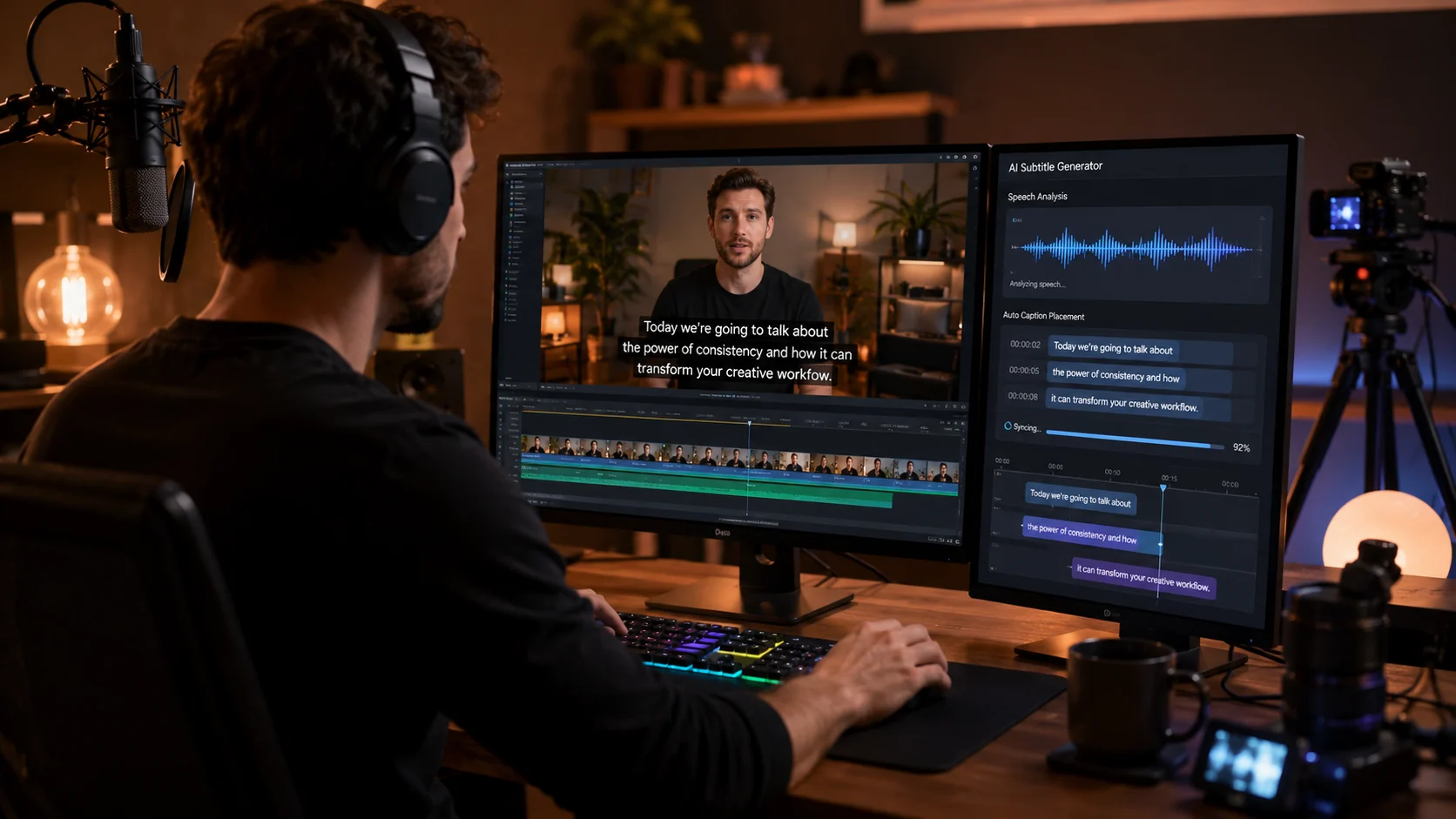
The free AI subtitle generator can help with that. It automates the process of conversion of audio content into subtitles, analyzing the speech, transcribing and time-stamping it rather than forcing you to listen to the whole video and write down the words manually.
Modern subtitle creation tools are often expected to provide such features as editable captions, multi-language support, export options and a workflow-friendly approach. But the best tools don't simply convert the speech into text, but actually help to make the content more accessible, understandable and reusable.
This is what makes creative AI-based platforms like Xelta AI fit into a video content creation process. Not using different tools for each step of content creation, but exploring AI-first ecosystem for video idea generation and development.
What Is a Free AI Subtitle Generator?
A free AI subtitle generator is an application that uses artificial intelligence to generate subtitles or captions from the audio portion of a video or audio file.
The typical process generally includes the following:
Upload a video or audio file AI analyzes the spoken content Transcription of the spoken content to text Synchronization of the text with accurate timestamps Review and edit the generated subtitles Export the subtitles
The use of AI technology to generate subtitles helps cut down on redundant work that goes into manual transcription.
How Does AI Generate Subtitles?
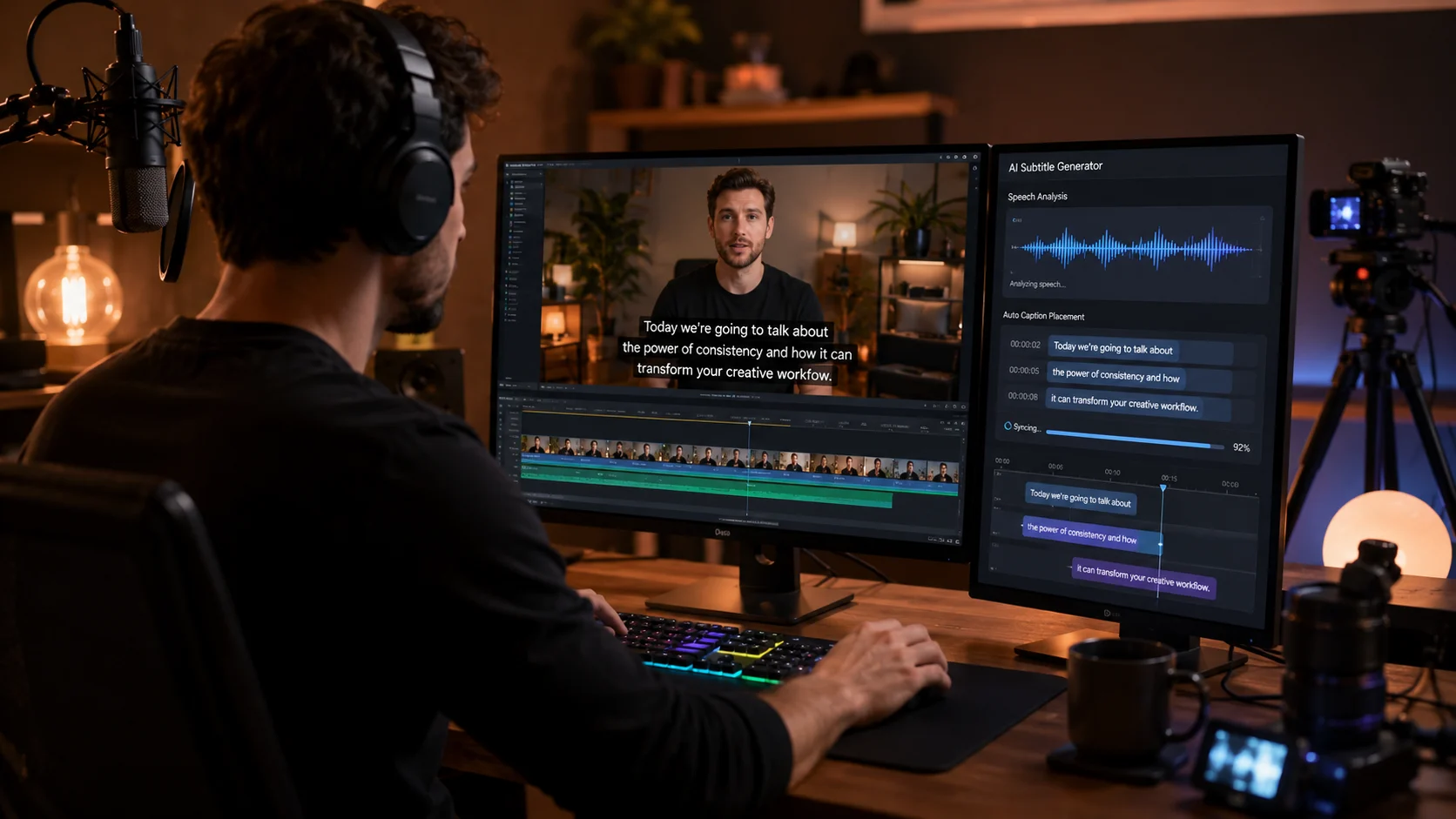
AI subtitle generation generally combines speech recognition and natural language processing. The system identifies spoken words, analyzes the audio timeline, and creates text segments that can be synchronized with the video.
For example, if a creator uploads a five-minute tutorial, the AI may generate subtitle lines corresponding to different sections of the conversation. The creator can then review the output and make corrections where necessary.
The most important point is that AI should be treated as a productivity assistant—not a replacement for final human review in every situation.

Why Are Subtitles Important for Modern Video Content?
Subtitles are no longer only useful for viewers who cannot hear audio. They have become a core part of modern video consumption.
1. Many Users Watch Videos Without Sound
People often watch videos in public places, offices, libraries, public transport, or other environments where audio is not convenient.
Captions allow viewers to understand the content even when the sound is muted.
2. Subtitles Improve Accessibility
Captions make video content more accessible to people who are deaf or hard of hearing. They can also help viewers who have difficulty understanding accents, fast speech, or unclear audio.
3. Subtitles Support Global Audiences
A video created in English can become more accessible to viewers who prefer reading captions or watching translated versions.
This can help creators reach international audiences without recording completely new videos for every language.
4. Subtitles Improve Content Repurposing
A single video transcript can become the foundation for:
Short-form video clips Blog content Social media posts Email newsletters Video descriptions Educational notes Marketing copy
This makes subtitles an important part of a broader content workflow.
What Are the Main Features of a Free AI Subtitle Generator?
Not every free subtitle tool provides the same experience. Before choosing a platform, creators should evaluate the features that actually affect their workflow.
Automatic Speech-to-Text Transcription
The core feature is automatic transcription.
AI analyzes the audio and converts spoken words into written text. This eliminates the need to manually type the entire conversation.
Best Use Cases
Automatic transcription is especially useful for:
YouTube creators Podcasters Online teachers Interview creators Marketing teams Social media managers Video agencies

Time-Synchronized Captions
A subtitle is only useful when it appears at the correct time.
A quality AI subtitle workflow should create captions that are synchronized with the spoken content. This makes the final viewing experience more natural.
Creators should still review timing, especially when:
Multiple people are speaking There is background noise The speaker talks very quickly The video contains technical terminology
Editable Subtitle Text
AI can save time, but generated text may occasionally require correction.
An editable subtitle workflow allows creators to:
Correct spelling Change words Adjust punctuation Split long subtitle lines Improve readability Fix timing
This is an important feature because even highly advanced AI systems can struggle with names, accents, slang, brand terms, and noisy audio.
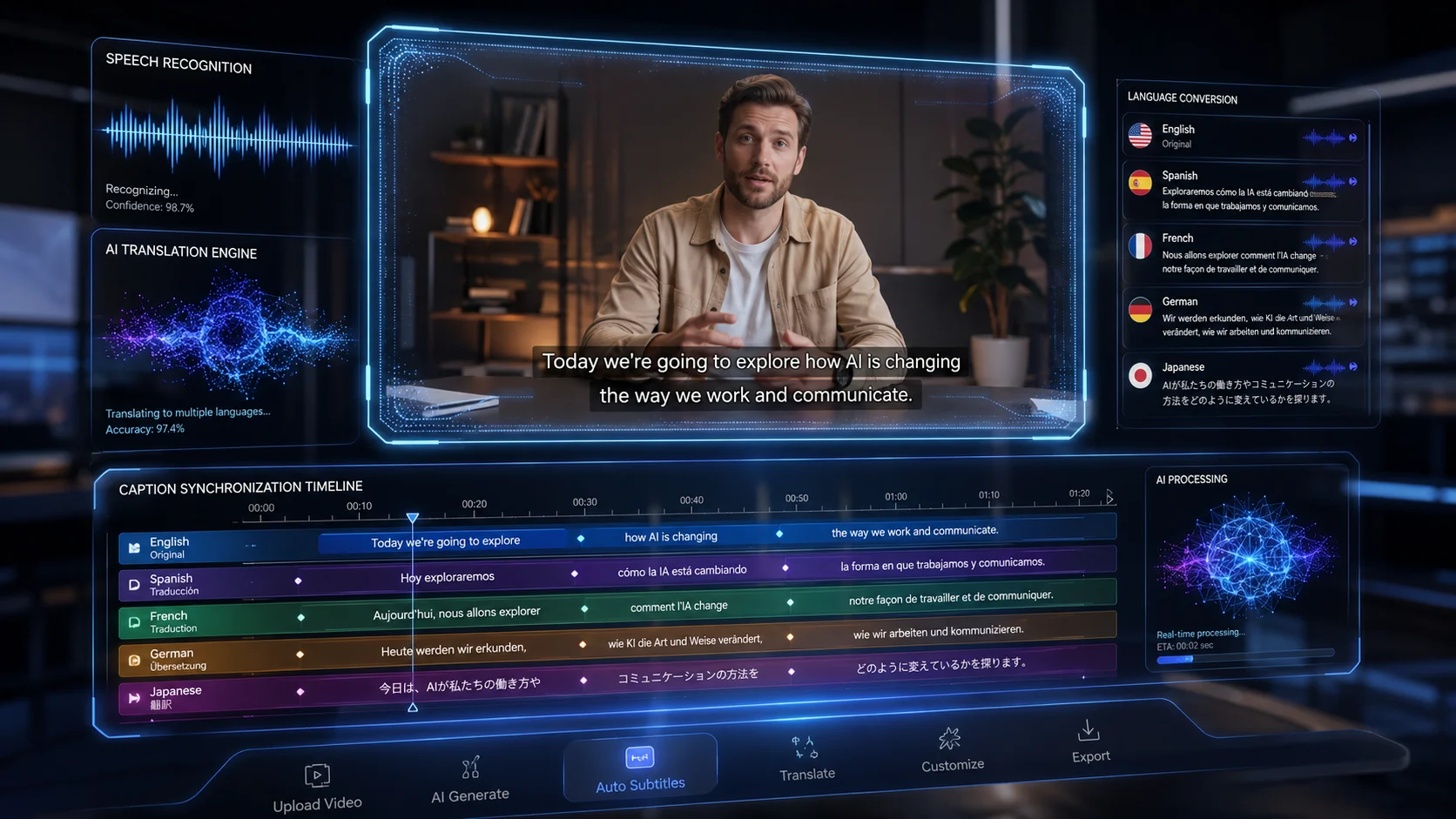
Multi-Language Content Opportunities
Creators increasingly publish for international audiences.
A subtitle workflow can help transform one video into multiple language versions. For example:
Example:
Original Video: English product tutorial
Possible Subtitle Versions:
English Hindi Spanish French German
This can make content more accessible without requiring a completely new video production process.
1. Saves Time
Manual subtitle creation can take significantly longer than the actual video duration.
AI automates the first stage of the process, allowing creators to focus on editing and quality control instead of typing every sentence.
2. Reduces Production Costs
Hiring a transcription professional for every video may not be practical for small creators or startups.
A free AI subtitle generator can help individuals begin creating captions without immediately adding another production expense.
3. Makes Content More Accessible
Subtitles allow more people to understand and enjoy video content.
This is particularly important for educational, business, and public information videos.
4. Supports Short-Form Video Growth
Short-form content often depends on fast viewer attention.
Clear captions can help viewers understand the message immediately, especially when they are watching without sound.

5. Helps Repurpose Video Content
The transcript created from subtitles can be used as a starting point for other content formats.
One video can potentially become:
A blog article A LinkedIn post An Instagram carousel A YouTube description An email campaign
This supports a more efficient content marketing strategy.
Example 1: YouTube Creator
A YouTube creator records a 15-minute tutorial.
Instead of manually typing the entire video, the creator uses AI to generate a subtitle draft, reviews the text, corrects technical terms, and prepares captions for publishing.
Result: Less manual transcription and a more accessible video.
Example 2: Online Course Creator
An instructor records a lesson about digital marketing.
The AI-generated subtitles can help students follow the lesson, especially if they are learning in a second language.
The transcript can also become a downloadable lesson summary.
Example 3: Social Media Manager
A brand creates a short promotional video.
The social media manager uses captions to make the message easier to understand when the video is viewed without sound.
The same transcript can help create social media copy and promotional descriptions.
Example 4: Podcast Creator
A podcast episode can be converted into a transcript and then repurposed into:
Short video clips Quote graphics Blog content Social posts
This creates more content from one original recording.
Free AI Subtitle Generator vs Manual Subtitling
| Factor | Manual Subtitles | AI Subtitle Generator |
|---|---|---|
| Speed | Slow | Much faster |
| Repetitive Work | High | Reduced |
| Cost | Can be expensive | Free or lower cost |
| Initial Draft | Manual | Automatic |
| Editing | Manual | Human review recommended |
| Scalability | Limited | Better for multiple videos |
Expert Advice
The best workflow is often not “AI versus humans.”
A more effective approach is:
AI creates the first draft → Human reviews accuracy → Creator publishes the final version.
This combines speed with quality control.
Free AI Subtitle Generator vs Paid Subtitle Platforms
A free tool might be perfect for:
Novices Small-scale creators Students Periodic video work Workflow experimentation
A paid tool could be more suited to:
Big production groups Agencies doing a lot of work Enterprise workflows Collaboration Storage needs Advanced editing

Buying Guide
Before paying for a subtitle platform, ask:
How Many Videos Do I Create Each Month?
If you create only a few videos, a free solution may be enough.
Do I Need Multiple Languages?
If your audience is international, language support becomes a major factor.
Can I Edit AI-Generated Subtitles?
Always look for editing functionality. AI-generated text should be easy to review and correct.

Does the Tool Fit My Complete Content Workflow?
A standalone subtitle generator may solve one problem. An integrated AI content platform may help with multiple stages of content creation.
Why Xelta AI Is More Than a Single-Purpose AI Tool
Many creators use separate platforms for image generation, video creation, creative ideation, and content production.
Xelta AI is positioned as an AI-powered creative ecosystem designed to support modern content workflows.
Instead of thinking only about subtitles, creators can think about the entire content journey:
Idea → Script → Visuals → Video → Creative Assets → Publishing
Xelta AI USP
The strongest advantage of a broader AI creative platform is workflow flexibility.
Creators can explore AI-powered tools for:
AI video generation AI image generation AI filmmaking Advertising creatives Content workflows
For users producing frequent visual content, this broader approach can be more efficient than switching between multiple disconnected platforms.
Suggested Internal Link: AI Video Generator
Suggested Internal Link: AI Image Generator
Suggested Internal Link: AI Filmmaking Tools
Suggested Internal Link: AI Advertising Creatives
Suggested Internal Link: AI Models and Creative Tools
1. Use Clear Audio
AI performs better when the source audio is clear.
Try to reduce:
Excessive background noise Loud music Echo Overlapping speakers
2. Review Names and Technical Terms
AI may misinterpret:
Brand names Product names Medical terms Technical vocabulary Local slang
Always review important terminology.
3. Avoid Overly Long Subtitle Lines
Long blocks of text are difficult to read.
Break subtitles into natural, readable sections.
4. Keep the Viewer in Mind
Subtitles should not simply represent every spoken word. They should also be easy to read.
A good subtitle experience considers:
Reading speed Line length Timing Punctuation Screen placement
5. Create Subtitles Before Final Publishing
Do not wait until the last moment.
Review subtitles during the editing process so that captions, visuals, and spoken content work together.